Uizard Reviews 2026: Details, Pricing, & Features | Subscribed.fyi
Sign in to review
Join our community of software reviewers on Subscribed.fyi

Continue With Google
Continue With LinkedIn
Continue Review with Email
Continue with Email
Enter your email to continue.
Continue
Enter your password
Enter your password to finish setting up your account.
Continue
Activate your email
Enter activation code we sent to your email.
Submit
Reset your password
Enter activation code we sent to your email.
Submit
Set your new password
Enter a new password for your account.
Submit
Categories
For Business
Log in
Provide My Insights

Uizard Reviews, Pricing, Features & Alternatives (2026)

3.8/5
(4)

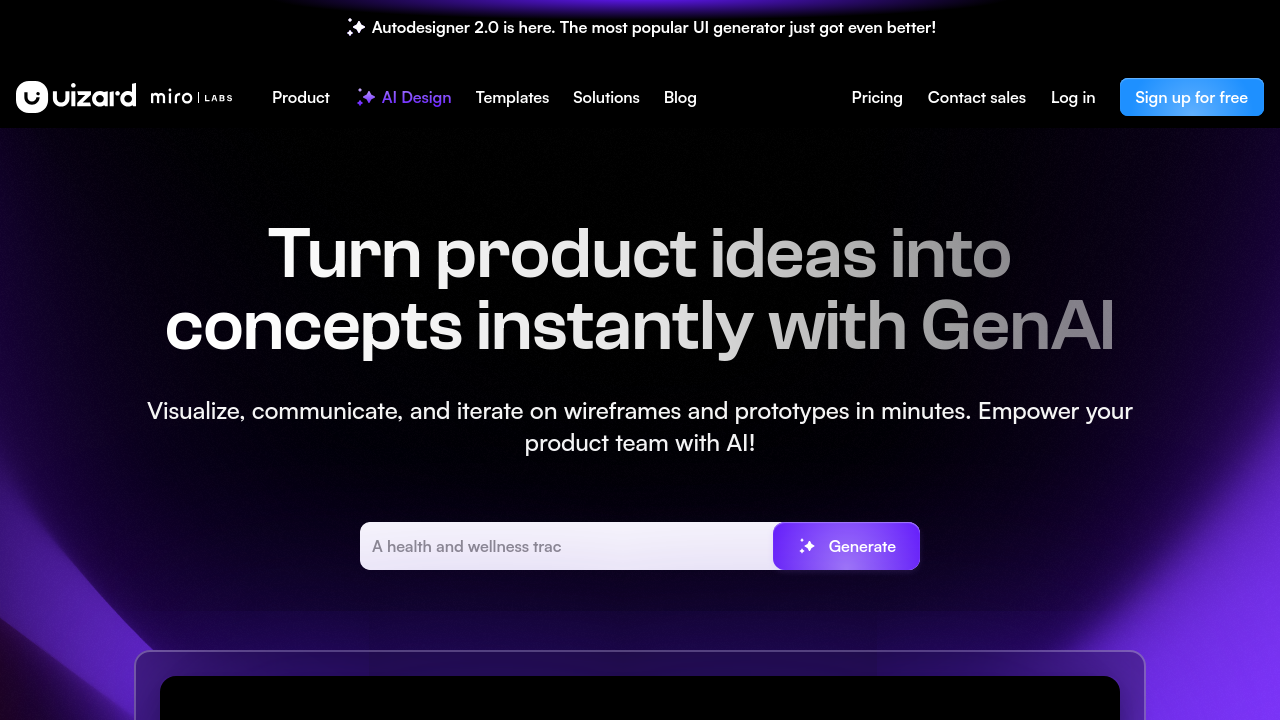
Uizard is an intuitive, AI-powered design tool for creating wireframes, mockups, and prototypes quickly and efficiently. Its AI features allow users to transform text prompts, hand-drawn sketches, or screenshots into editable designs seamlessly. Uizard’s drag-and-drop editor, templates, and collaborative capabilities make it ideal for teams and individuals aiming to streamline their UI/UX design process. Suitable for professionals and non-designers alike, it offers versatility and speed in every stage of product development.

Uizard Overview

What is Uizard?

3.8
4
Reviews
59%
Subscribed Score

Available for Claim - This listing is available to be claimed
Claim Profile For Free

Unclaimed

Manage profile with subsig, and unlock 23+ social and review monitoring. Get partnership options with

Claim Profile For Free

Why teams choose Uizard

Key Features

No-Code Simplicity
No-Code Simplicity
Launch without writing a single line of code.
Real-Time Updates
Real-Time Updates
See changes instantly, no delays.
Works Anywhere
Works Anywhere
Accessible from any device, anytime.

Who is Uizard for?

Uizard is an innovative AI-powered platform in the Wireframing and Mockup Tools category, designed for rapid prototyping, wireframe creation, and UI/UX design. Combining ease of use with advanced technology, Uizard caters to everyone—from non-designers to experienced developers—by simplifying the process of creating professional user interfaces for mobile and web applications. Explore exclusive deals. For other options in this category, consider Miro, Adobe XD, and InVision.

Why Use Uizard?

Uizard offers a streamlined, AI-enhanced design experience that addresses the challenges of modern UI/UX development:

  • AI-Driven Design: Convert text prompts, hand-drawn sketches, or screenshots into high-fidelity wireframes in minutes, thanks to Uizard’s AI capabilities.
  • Pre-Made Templates and Components: Choose from extensive design templates and ready-to-use UI components to accelerate your project delivery.
  • Collaboration and Sharing: Integrate feedback seamlessly through error tracking, commenting, and real-time collaboration features.
  • Cost-Effective Plans: From the free tier for smaller projects to scalable options like Uizard Pro and Uizard Business, there’s flexibility to suit all budgets and teams.

Key Features and Benefits

  • Interactive Prototypes: Create and share interactive, clickable prototypes to gather feedback efficiently.
  • Design Customization: Personalize your designs with editing tools, drag-and-drop capabilities, and access to Uizard’s framework library.
  • Cross-Platform Flexibility: Prototypes can be designed for both mobile and desktop, ensuring versatility across devices.
  • Seamless User Onboarding: Beginner-friendly interface ensures you can start designing without prior experience.

Who is Uizard For?

Uizard is ideal for a diverse audience:

  • Startups: Rapidly prototype and validate ideas before investing in full-scale development.
  • Product Teams: Collaborate on user-centric designs and concepts to speed up the iteration process.
  • Entrepreneurs and Non-Designers: Build professional prototypes without requiring advanced design or coding skills.
  • UI/UX Designers: Leverage AI and pre-built assets to save time on routine tasks.

With its cutting-edge tools and user-friendly approach, Uizard is revolutionizing the design process for individuals and teams alike. Whether you’re a startup founder, designer, or corporate team, Uizard empowers you to create, innovate, and execute faster than ever before in the realm of digital design.


Uizard Summary

Uizard is an innovative AI-powered platform in the Wireframing and Mockup Tools category, designed for rapid prototyping, wireframe creation, and UI/UX design. Combining ease of use with advanced technology, Uizard caters to everyone—from non-designers to experienced developers—by simplifying the process of creating professional user interfaces for mobile and web applications. Explore exclusive deals. For other options in this category, consider Miro, Adobe XD, and InVision.

Why Use Uizard?

Uizard offers a streamlined, AI-enhanced design experience that addresses the challenges of modern UI/UX development:

  • AI-Driven Design: Convert text prompts, hand-drawn sketches, or screenshots into high-fidelity wireframes in minutes, thanks to Uizard’s AI capabilities.
  • Pre-Made Templates and Components: Choose from extensive design templates and ready-to-use UI components to accelerate your project delivery.
  • Collaboration and Sharing: Integrate feedback seamlessly through error tracking, commenting, and real-time collaboration features.
  • Cost-Effective Plans: From the free tier for smaller projects to scalable options like Uizard Pro and Uizard Business, there’s flexibility to suit all budgets and teams.

Key Features and Benefits

  • Interactive Prototypes: Create and share interactive, clickable prototypes to gather feedback efficiently.
  • Design Customization: Personalize your designs with editing tools, drag-and-drop capabilities, and access to Uizard’s framework library.
  • Cross-Platform Flexibility: Prototypes can be designed for both mobile and desktop, ensuring versatility across devices.
  • Seamless User Onboarding: Beginner-friendly interface ensures you can start designing without prior experience.

Who is Uizard For?

Uizard is ideal for a diverse audience:

  • Startups: Rapidly prototype and validate ideas before investing in full-scale development.
  • Product Teams: Collaborate on user-centric designs and concepts to speed up the iteration process.
  • Entrepreneurs and Non-Designers: Build professional prototypes without requiring advanced design or coding skills.
  • UI/UX Designers: Leverage AI and pre-built assets to save time on routine tasks.

With its cutting-edge tools and user-friendly approach, Uizard is revolutionizing the design process for individuals and teams alike. Whether you’re a startup founder, designer, or corporate team, Uizard empowers you to create, innovate, and execute faster than ever before in the realm of digital design.

Uizard reviews and insights

Learn what people say about Uizard

3.8
4 Reviews
59%
Subscribed Score

Lear more here about the Subscribed score on how it is composed. Learn more Click here

Overall rating

5
4
3
2
1
CX 5/6

How good is the customer support based on subscribed’s assessment

CX Icon
Security 0/6

How secure is the product based on Subscribed’s assessment?

Security Icon
Ease of Use 5/6

How easy is the product to use, based on Subscribed’s assessment?

EOU Icon
Value 4/6

What is the value for money based on Subscribed’s assessment?

coin Icon
Integration 3/6

How many integrations does the product offer?

gear Icon
Popularity 4/6

How popular is the product?

star
Mohan Shil Invitation
QA Speacialist
See My Portfolio
3 weeks ago
Share
What’s the biggest benefit you’ve noticed?
Uizard is an AI design tool that helps quickly create app and website designs from text prompt or sketches without any design skill.
Have you experienced any bugs or errors?
It's need more detailed desing for advanced programmer. it is loading very slowly and generating not corectly.
Is there a workflow that could be simpler?
It could be simpler by starting with one screen instead of building everything at once.
Final thoughts, wrap up what you think
We can recomended it to beginners who are about to starts any business and startups.
Upvote (15)
Denniel Gerald Taloyo Organic
Full-Stack Developer
See My Portfolio
3 weeks ago
Share
What exceeded your expectations?
I would say the AI template generation was the best part of this whole experience. It's not the best generated template, but it's decent enough to work it and customize it a little bit more to your liking.
Is there something that almost made you stop using it?
With manual editing, it could get very frustrating. Especially, when manual editing, its layer management is weak or lacking in comparison with other wireframing/designing apps.
What could make it even better?
Overall, it should re-evaluate the quality of its functionalities. This way more professionals could look into their platform to use for their work.
Final thoughts, wrap up what you think
It's 50/50 for me. On the bright side, Uizard can provide rapid prototyping for both developers and non-developers. However, because the outputs are lacking, it's not up to par with the standard of other apps and for production.
Upvote
monikakumar2108 Organic
software tester
3 weeks ago
Share
What’s the biggest benefit you’ve noticed?
Uizard helps in creating the prototypes and easy to test any application.Screenshot scanner is useful to update and test the iteration of existing UI.
What do you dislike about this product?
It doesn't support fixed position elements and sometimes faces brower issues.
Is there a workflow that could be simpler?
Support team should be more responsive and work more on generating designs.
Final thoughts, wrap up what you think
Probably not sure
Upvote
Ted Downs Incentivized
Customer Success
See My Portfolio
3 weeks ago
Share
What do you like best about this product?
Helps to create a theme for any new app that you are creating. You can create an interactive prototype of the app.
What feels confusing or hard to use?
It's hard to tell if it would actually work. This is because it just chooses colors and AI photos based on the theme that you give it.
What new feature would you love to see added?
Choices for the type of app that you want to develop. This is rather than keeping it completely open to interpretation.
Final thoughts, wrap up what you think
Could be great for brainstorming. But it's hard to imagine actually using in a real app development.
Upvote

Uizard User Reviews

4 User Reviews

Reviews from G2, Capterra, Trustpilot
info Icon

These ratings come directly from third-party platforms like G2, Capterra, and Trustpilot. They reflect real user feedback collected independently on those sites.

Uizard pricing

Pricing model

Pricing Range
info Icon

This only an estimated pricing range, visit Uizard pricing page to access all the information by clicking “Visit Now”.

$12-$39 / Month
Deals Available

This product comes with a special deal, see details

Visit Now
✨ Ask AI about pricing
59% Subscribed Score
info Icon

The Subscribed Score is an independent rating that combines user reviews, features, and value-for-money from multiple trusted sources. It’s designed as a quick benchmark, not a guarantee of individual experience.

Overview

Uizard is an innovative AI-powered platform in the Wireframing and Mockup Tools category, designed for rapid prototyping, wireframe creation, and UI/UX design. Combining ease of use with advanced technology, Uizard caters to everyone—from non-designers to experienced developers—by simplifying the process of creating professional user interfaces for mobile and web applications. Explore exclusive deals. For other options in this category, consider Miro, Adobe XD, and InVision.

Why Use Uizard?

Uizard offers a streamlined, AI-enhanced design experience that addresses the challenges of modern UI/UX development:

  • AI-Driven Design: Convert text prompts, hand-drawn sketches, or screenshots into high-fidelity wireframes in minutes, thanks to Uizard’s AI capabilities.
  • Pre-Made Templates and Components: Choose from extensive design templates and ready-to-use UI components to accelerate your project delivery.
  • Collaboration and Sharing: Integrate feedback seamlessly through error tracking, commenting, and real-time collaboration features.
  • Cost-Effective Plans: From the free tier for smaller projects to scalable options like Uizard Pro and Uizard Business, there’s flexibility to suit all budgets and teams.

Key Features and Benefits

  • Interactive Prototypes: Create and share interactive, clickable prototypes to gather feedback efficiently.
  • Design Customization: Personalize your designs with editing tools, drag-and-drop capabilities, and access to Uizard’s framework library.
  • Cross-Platform Flexibility: Prototypes can be designed for both mobile and desktop, ensuring versatility across devices.
  • Seamless User Onboarding: Beginner-friendly interface ensures you can start designing without prior experience.

Who is Uizard For?

Uizard is ideal for a diverse audience:

  • Startups: Rapidly prototype and validate ideas before investing in full-scale development.
  • Product Teams: Collaborate on user-centric designs and concepts to speed up the iteration process.
  • Entrepreneurs and Non-Designers: Build professional prototypes without requiring advanced design or coding skills.
  • UI/UX Designers: Leverage AI and pre-built assets to save time on routine tasks.

With its cutting-edge tools and user-friendly approach, Uizard is revolutionizing the design process for individuals and teams alike. Whether you’re a startup founder, designer, or corporate team, Uizard empowers you to create, innovate, and execute faster than ever before in the realm of digital design.

Where Uizard performs best

What users like
  • Easy to use for non-designers
  • Templates boost design efficiency
  • Fast prototyping and collaboration
  • Affordable for its features

Where Uizard falls short

What users dislike
  • Limited export options
  • Occasional bugs and glitches
  • Missing advanced customization tools
  • Free plan restricts projects
Subscribed Score Metrics
21/36 Metric achieved
MetricsScore
Customer Support5/6
Security0/6
Ease of Use5/6
Value of Money4/6
Integration3/6
Popularity4/6
Radar Chart Table View
Ease of Use
Measures how simple and intuitive the product is to use, including setup, navigation, and overall user experience
5/6 Metric Checks
Security
Compares the product`s features, quality, and pricing to determine its overall cost-effectiveness.
0/6 Metric Checks
Value of Money
Assesses the product`s ability to protect data, prevent breaches, and comply with industry standards.
4/6 Metric Checks
Customer Support
Reflects the responsiveness, helpfulness, and quality of assistance provided by the product`s support team.
5/6 Metric Checks
Integrations
Evaluates how well the product connects with other tools and platforms, enabling seamless workflows.
3/6 Metric Checks
Uizard Pricing Range
$12-$39 / Month

Uizard in action
info Icon

A curated gallery of real screenshots and use cases from the product, so you can see how it works before trying it.

Uizard Full Screen Icon
https://www.youtube.com/watch?v=PD5j7Ll7wLs
Full Screen Icon
https://www.youtube.com/watch?v=sgLs8CJ8W0Q
Full Screen Icon
Uizard
Uizard
Video thumbnail
Video thumbnail
Uizard
Uizard

Alternatives to Uizard
info Icon

A list of platforms similar to Uizard, helping you evaluate which tool best matches your needs.

How to cancel Uizard

Need to cancel Uizard? Here is how
info Icon

Thinking about how to cancel Uizard this is how you do it!

To cancel a Uizard subscription, log into your account and navigate to the billing section. Select the option to cancel your subscription. You will remain liable for any accrued charges until cancellation is complete. Contact support for any issues.

How to Cancel the Uizard

To cancel a Uizard subscription, log into your account and navigate to the billing section. Select the option to cancel your subscription. You will remain liable for any accrued charges until cancellation is complete. Contact support for any issues.

FAQs about Uizard

Every else you need to know about Uizard
info Icon

A collection of FAQs, guides, alternatives, and comparisons to help you quickly understand if Uizard is right for you.

Manage your Uizard profile

Create profile

Want to list your product on Subscribed.fyi? Create a profile to reach more buyers.

Pricing Range
info Icon

This only an estimated pricing range, visit Uizard pricing page to access all the information by clicking “Visit Now”.

$12-$39 / Month
Visit Now
Deals Available

This product comes with a special deal, see details

This product comes with a special deal, see details