Vantage Reviews 2026: Details, Pricing, & Features | Subscribed.fyi
Sign in to review
Join our community of software reviewers on Subscribed.fyi

Continue With Google
Continue With LinkedIn
Continue Review with Email
Continue with Email
Enter your email to continue.
Continue
Enter your password
Enter your password to finish setting up your account.
Continue
Activate your email
Enter activation code we sent to your email.
Submit
Reset your password
Enter activation code we sent to your email.
Submit
Set your new password
Enter a new password for your account.
Submit
Categories
For Business
Log in
Provide My Insights
Vantage
Vantage

Vantage Reviews, Pricing, Features & Alternatives (2026)

4.7/5
(3)

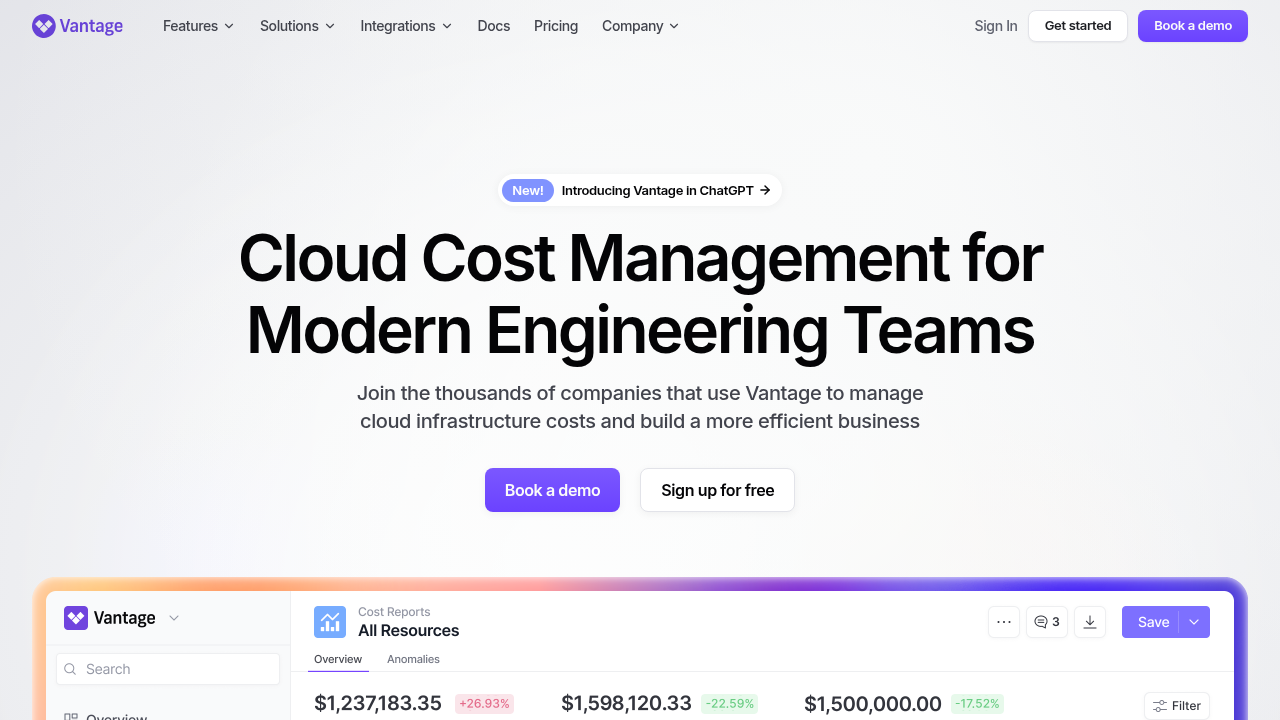
Vantage is a comprehensive FinOps platform for managing and optimizing multi-cloud costs across AWS, Azure, and GCP. It provides granular visibility, automated recommendations, and governance tools to reduce expenses and build cost efficiency. Developers and teams gain self-service dashboards for analysis and reporting.

Vantage
Vantage
Vantage

Vantage Overview

What is Vantage?

4.7
3
Reviews
65%
Subscribed Score

Available for Claim - This listing is available to be claimed
Claim Profile For Free

Unclaimed

Manage profile with subsig, and unlock 23+ social and review monitoring. Get partnership options with

Claim Profile For Free

Why teams choose Vantage

Key Features

Built for Flexibility
Adaptable for multiple use cases.
Expert Support
Expert Support
Help available when you need it.
Fast & Efficient
Fast & Efficient
Optimized for speed and performance.

Who is Vantage for?

Vantage

Vantage is a self-service cloud cost management platform designed to help organizations track, analyze, and optimize spending across AWS, Azure, and GCP. It aggregates granular metrics into centralized dashboards, enabling teams to identify waste, forecast costs, and implement savings strategies without complex spreadsheets.

Why Use Vantage?

  • Centralized Visibility: Executive overview dashboard summarizes key cost metrics like monthly spend, account breakdowns, and savings plan utilization across all cloud providers.
  • Optimization Tools: Automated rightsizing recommendations, pod waste detection, and Kubernetes cost monitoring to cut idle costs and inefficiencies.
  • FinOps Workflows: Budgets, alerts, virtual tags, and cost governance for proactive spend management.

Who is Vantage For?

  • Developers and Engineers: Self-service tools for real-time cost analysis by namespace, label, or resource.
  • FinOps Teams: Advanced reporting, API access, and team collaboration features.
  • Enterprises: Multi-account support, custom dashboards, and enterprise-grade governance.

Key Features and Benefits

  • Cost Reports and Dashboards: Granular breakdowns, forecasts, and customizable views with date filters.
  • Savings Insights: Compare on-demand vs. committed spend; track Savings Plans and Reserved Instances.
  • API and Integrations: Programmatic access to pricing data and automation of reports.
  • Additional Capabilities: Network flow reports, storage optimization suggestions like S3 Intelligent-Tiering, and lifecycle rules.

Vantage Summary

Vantage

Vantage is a self-service cloud cost management platform designed to help organizations track, analyze, and optimize spending across AWS, Azure, and GCP. It aggregates granular metrics into centralized dashboards, enabling teams to identify waste, forecast costs, and implement savings strategies without complex spreadsheets.

Why Use Vantage?

  • Centralized Visibility: Executive overview dashboard summarizes key cost metrics like monthly spend, account breakdowns, and savings plan utilization across all cloud providers.
  • Optimization Tools: Automated rightsizing recommendations, pod waste detection, and Kubernetes cost monitoring to cut idle costs and inefficiencies.
  • FinOps Workflows: Budgets, alerts, virtual tags, and cost governance for proactive spend management.

Who is Vantage For?

  • Developers and Engineers: Self-service tools for real-time cost analysis by namespace, label, or resource.
  • FinOps Teams: Advanced reporting, API access, and team collaboration features.
  • Enterprises: Multi-account support, custom dashboards, and enterprise-grade governance.

Key Features and Benefits

  • Cost Reports and Dashboards: Granular breakdowns, forecasts, and customizable views with date filters.
  • Savings Insights: Compare on-demand vs. committed spend; track Savings Plans and Reserved Instances.
  • API and Integrations: Programmatic access to pricing data and automation of reports.
  • Additional Capabilities: Network flow reports, storage optimization suggestions like S3 Intelligent-Tiering, and lifecycle rules.

Vantage reviews and insights

Learn what people say about Vantage

4.7
3 Reviews
65%
Subscribed Score

Lear more here about the Subscribed score on how it is composed. Learn more Click here

Overall rating

5
4
3
2
1
CX 4/6

How good is the customer support based on subscribed’s assessment

CX Icon
Security 4/6

How secure is the product based on Subscribed’s assessment?

Security Icon
Ease of Use 4/6

How easy is the product to use, based on Subscribed’s assessment?

EOU Icon
Value 5/6

What is the value for money based on Subscribed’s assessment?

coin Icon
Integration 4/6

How many integrations does the product offer?

gear Icon
Popularity 3/6

How popular is the product?

star
Steven Dianala User Test Enabled
Marketing
3 months ago
Share
How has it made your work/life easier?
It made cloud cost tracking way more transparent instead of guessing where the budget is going. Having everything in one dashboard really helps make faster and smarter decisions.
What do you dislike about this product?
The setup and configuration can feel a bit technical, especially for teams new to FinOps tools. Some integrations or features can also take time to fully understand and fine-tune.
If you could change one thing, what would it be?
I’d simplify the onboarding process so new users can get value faster without needing deep technical knowledge. A cleaner, more beginner-friendly UI would also make a big difference.
Final thoughts, wrap up what you think
I’d recommend it to engineering, DevOps, and finance teams that deal with cloud infrastructure regularly. It’s very powerful, but probably overkill for smaller or less technical teams.
Upvote (2)
Jovie Macalolo-oy User Test Enabled
Executive / Leadership
See My Portfolio
3 months ago
Share
What do you like best about this product?
I love how it brings all my cloud costs into one view. Instead of hopping between the different providers to figure out why my bill spiked, I can see everything in one dashboard.
What feels confusing or hard to use?
Mapping my specific business metrics to the actual cloud spend took some trial and error, and the documentation for those custom mappings could be a lot clearer.
What new feature would you love to see added?
It would be great to have more automated "fix-it" buttons. It’s great at telling me where I’m wasting money on idle resources, but having the option to actually shut those instances down directly would save me a lot of manual work.
Final thoughts, wrap up what you think
It gives a way better visibility than the native tools and helps you actually understand where your budget is going before it’s too late.
Upvote
Perch Arnel II Montefalcon User Test Enabled
Freelance Software Developer
See My Portfolio
4 months ago
Share
How has it made your work/life easier?
Working on client projects with AWS and GCP has become easy thanks to Vantage. Its analysis of cloud costs and helpful feedback have allowed me to save money and focus project rather than worrying about budgetary concerns.
What slows you down when using it?
The thing with Vantage is the occasional 24-hour data latency, which delays seeing immediate impacts from changes I make in client environments. Also, the interface feels a bit limited on custom charting options when I want more depth.
How could the product save you more time or money?
Vantage could save me even more time and money by fully automating Savings Plans purchases through Autopilot and expanding real-time Kubernetes rightsizing recommendations across all my client clusters. That would cut manual reviews and let me reclaim hours from spreadsheets while unlocking bigger percentage savings on variable workloads.
Final thoughts, wrap up what you think
I'd recommend Vantage to colleagues and inspiring developers. It's made tracking multi-cloud costs effortless and uncovered real savings without the usual spreadsheet headaches, though a bit more real-time depth would push it to perfect.
Upvote (1)
Vantage

Vantage User Reviews

3 User Reviews

Reviews from G2, Capterra, Trustpilot
info Icon

These ratings come directly from third-party platforms like G2, Capterra, and Trustpilot. They reflect real user feedback collected independently on those sites.

Vantage pricing

Pricing model

Vantage
Pricing Range
info Icon

This only an estimated pricing range, visit Vantage pricing page to access all the information by clicking “Visit Now”.

-
Deals Available

This product comes with a special deal, see details

Visit Now
✨ Ask AI about pricing
65% Subscribed Score
info Icon

The Subscribed Score is an independent rating that combines user reviews, features, and value-for-money from multiple trusted sources. It’s designed as a quick benchmark, not a guarantee of individual experience.

Overview

Vantage

Vantage is a self-service cloud cost management platform designed to help organizations track, analyze, and optimize spending across AWS, Azure, and GCP. It aggregates granular metrics into centralized dashboards, enabling teams to identify waste, forecast costs, and implement savings strategies without complex spreadsheets.

Why Use Vantage?

  • Centralized Visibility: Executive overview dashboard summarizes key cost metrics like monthly spend, account breakdowns, and savings plan utilization across all cloud providers.
  • Optimization Tools: Automated rightsizing recommendations, pod waste detection, and Kubernetes cost monitoring to cut idle costs and inefficiencies.
  • FinOps Workflows: Budgets, alerts, virtual tags, and cost governance for proactive spend management.

Who is Vantage For?

  • Developers and Engineers: Self-service tools for real-time cost analysis by namespace, label, or resource.
  • FinOps Teams: Advanced reporting, API access, and team collaboration features.
  • Enterprises: Multi-account support, custom dashboards, and enterprise-grade governance.

Key Features and Benefits

  • Cost Reports and Dashboards: Granular breakdowns, forecasts, and customizable views with date filters.
  • Savings Insights: Compare on-demand vs. committed spend; track Savings Plans and Reserved Instances.
  • API and Integrations: Programmatic access to pricing data and automation of reports.
  • Additional Capabilities: Network flow reports, storage optimization suggestions like S3 Intelligent-Tiering, and lifecycle rules.

Where Vantage performs best

What users like
  • Centralized multi-cloud visibility
  • Automated optimization recommendations
  • Custom dashboards and reports
  • Team collaboration tools

Where Vantage falls short

What users dislike
  • Limited to major clouds currently
  • Learning curve for advanced features
  • Pricing not public
  • Enterprise-focused setup
Subscribed Score Metrics
24/36 Metric achieved
MetricsScore
Customer Support4/6
Security4/6
Ease of Use4/6
Value of Money5/6
Integration4/6
Popularity3/6
Radar Chart Table View
Ease of Use
Measures how simple and intuitive the product is to use, including setup, navigation, and overall user experience
4/6 Metric Checks
Security
Compares the product`s features, quality, and pricing to determine its overall cost-effectiveness.
4/6 Metric Checks
Value of Money
Assesses the product`s ability to protect data, prevent breaches, and comply with industry standards.
5/6 Metric Checks
Customer Support
Reflects the responsiveness, helpfulness, and quality of assistance provided by the product`s support team.
4/6 Metric Checks
Integrations
Evaluates how well the product connects with other tools and platforms, enabling seamless workflows.
4/6 Metric Checks
Vantage Pricing Range
-

Vantage in action
info Icon

A curated gallery of real screenshots and use cases from the product, so you can see how it works before trying it.

Vantage Full Screen Icon
Vantage
Vantage

Alternatives to Vantage
info Icon

A list of platforms similar to Vantage, helping you evaluate which tool best matches your needs.

How to cancel Vantage

Need to cancel Vantage? Here is how
info Icon

Thinking about how to cancel Vantage this is how you do it!

Cancel Vantage primarily via AWS Marketplace subscriptions page by selecting and confirming cancellation, or through Vantage console billing settings. Contact [email protected] if needed. Access continues until billing cycle ends with no partial refunds.

How to Cancel the Vantage

Cancel Vantage primarily via AWS Marketplace subscriptions page by selecting and confirming cancellation, or through Vantage console billing settings. Contact [email protected] if needed. Access continues until billing cycle ends with no partial refunds.

FAQs about Vantage

Every else you need to know about Vantage
info Icon

A collection of FAQs, guides, alternatives, and comparisons to help you quickly understand if Vantage is right for you.

Manage your Vantage profile

Create profile

Want to list your product on Subscribed.fyi? Create a profile to reach more buyers.

Pricing Range
info Icon

This only an estimated pricing range, visit Vantage pricing page to access all the information by clicking “Visit Now”.

-
Visit Now
Deals Available

This product comes with a special deal, see details

This product comes with a special deal, see details