WeWeb Reviews 2026: Details, Pricing, & Features | Subscribed.fyi
Sign in to review
Join our community of software reviewers on Subscribed.fyi

Continue With Google
Continue With LinkedIn
Continue Review with Email
Continue with Email
Enter your email to continue.
Continue
Enter your password
Enter your password to finish setting up your account.
Continue
Activate your email
Enter activation code we sent to your email.
Submit
Reset your password
Enter activation code we sent to your email.
Submit
Set your new password
Enter a new password for your account.
Submit
Categories
For Business
Log in
Provide My Insights

WeWeb Reviews, Pricing, Features & Alternatives (2026)

5/5
(1)

No-code frontend builder that enables teams to create production-ready web applications with full design flexibility and backend integrations.

WeWeb Overview

What is WeWeb?

5
1
Reviews
64%
Subscribed Score

Available for Claim - This listing is available to be claimed
Claim Profile For Free

Unclaimed

Manage profile with subsig, and unlock 23+ social and review monitoring. Get partnership options with

Claim Profile For Free

Why teams choose WeWeb

Key Features

Scales with You
Scales with You
Grows with your business needs.
Fast & Efficient
Fast & Efficient
Optimized for speed and performance.
Save Time
Save Time
Focus on impact, not repetitive tasks.

Who is WeWeb for?

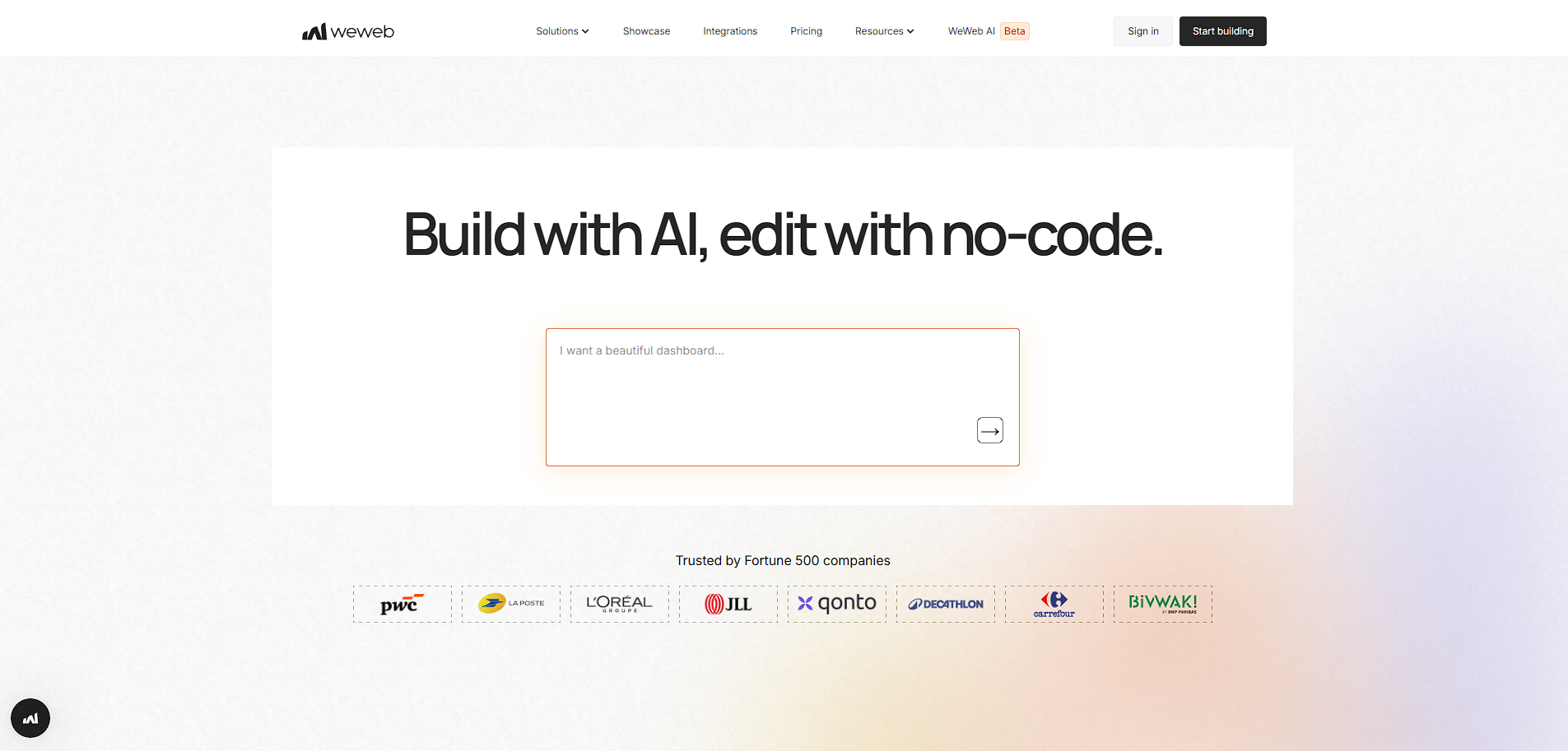
WeWeb is a no-code platform focused on building the frontend of web applications with high flexibility and performance. Unlike traditional all-in-one builders, it specializes in creating responsive, production-ready user interfaces while connecting to external backends via APIs.

The platform uses a visual drag-and-drop editor combined with advanced customization options, allowing users to design complex applications without writing code. It supports integrations with modern backend tools such as Supabase, Xano, and custom APIs, making it suitable for building scalable web apps rather than simple websites.

WeWeb is positioned as a hybrid no-code and developer-friendly tool. It bridges the gap between visual builders and traditional development by offering code export, GitHub sync, and self-hosting options. This makes it particularly appealing to startups, agencies, and developers who want speed without sacrificing control.

Key Features and Benefits

  • Visual frontend builder: Drag-and-drop interface for building complex UIs without coding
  • Backend flexibility: Connect to any backend via APIs, including REST and GraphQL
  • Code export: Export clean code and self-host applications for full control
  • Responsive design: Build apps optimized for desktop and mobile devices
  • Component-based system: Reusable components for scalable app architecture
  • AI-powered generation: Quickly scaffold apps using AI-assisted features
  • GitHub integration: Sync projects with version control for team workflows

Who Can Benefit from WeWeb

  • Frontend developers: Build UIs faster while maintaining control over architecture
  • Startups: Launch scalable web apps without full engineering teams
  • Agencies: Deliver client projects with flexibility and faster turnaround
  • Product teams: Prototype and iterate on interfaces rapidly
  • No-code builders with technical knowledge: Extend beyond basic tools with API integrations

Looking for alternative solutions?
Alternatives include Bubble, Webflow, Retool, and FlutterFlow. Bubble offers full-stack no-code development, Webflow focuses more on websites, while Retool and FlutterFlow cater to internal tools and mobile-first applications.


WeWeb Summary

WeWeb is a no-code platform focused on building the frontend of web applications with high flexibility and performance. Unlike traditional all-in-one builders, it specializes in creating responsive, production-ready user interfaces while connecting to external backends via APIs.

The platform uses a visual drag-and-drop editor combined with advanced customization options, allowing users to design complex applications without writing code. It supports integrations with modern backend tools such as Supabase, Xano, and custom APIs, making it suitable for building scalable web apps rather than simple websites.

WeWeb is positioned as a hybrid no-code and developer-friendly tool. It bridges the gap between visual builders and traditional development by offering code export, GitHub sync, and self-hosting options. This makes it particularly appealing to startups, agencies, and developers who want speed without sacrificing control.

Key Features and Benefits

  • Visual frontend builder: Drag-and-drop interface for building complex UIs without coding
  • Backend flexibility: Connect to any backend via APIs, including REST and GraphQL
  • Code export: Export clean code and self-host applications for full control
  • Responsive design: Build apps optimized for desktop and mobile devices
  • Component-based system: Reusable components for scalable app architecture
  • AI-powered generation: Quickly scaffold apps using AI-assisted features
  • GitHub integration: Sync projects with version control for team workflows

Who Can Benefit from WeWeb

  • Frontend developers: Build UIs faster while maintaining control over architecture
  • Startups: Launch scalable web apps without full engineering teams
  • Agencies: Deliver client projects with flexibility and faster turnaround
  • Product teams: Prototype and iterate on interfaces rapidly
  • No-code builders with technical knowledge: Extend beyond basic tools with API integrations

Looking for alternative solutions?
Alternatives include Bubble, Webflow, Retool, and FlutterFlow. Bubble offers full-stack no-code development, Webflow focuses more on websites, while Retool and FlutterFlow cater to internal tools and mobile-first applications.

WeWeb reviews and insights

Learn what people say about WeWeb

5
1 Reviews
64%
Subscribed Score

Lear more here about the Subscribed score on how it is composed. Learn more Click here

Overall rating

5
4
3
2
1
CX 3/6

How good is the customer support based on subscribed’s assessment

CX Icon
Security 4/6

How secure is the product based on Subscribed’s assessment?

Security Icon
Ease of Use 3/6

How easy is the product to use, based on Subscribed’s assessment?

EOU Icon
Value 4/6

What is the value for money based on Subscribed’s assessment?

coin Icon
Integration 5/6

How many integrations does the product offer?

gear Icon
Popularity 4/6

How popular is the product?

star
2 months ago
Share
How does this compare to similar products you’ve tried?
WeWeb makes it easy to design web apps visually without writing much code. It connects nicely with APIs and backends, which gives a lot of flexibility for building real working apps.
What slows you down when using it?
It can feel a bit confusing at first, especially when setting up data connections.
What problem did this product solve for you?
WeWeb could improve onboarding with simpler step-by-step tutorials.
Final thoughts, wrap up what you think
WeWeb is a solid tool for building web apps without coding too much from scratch.
Upvote

WeWeb User Reviews

1 User Reviews

Reviews from G2, Capterra, Trustpilot
info Icon

These ratings come directly from third-party platforms like G2, Capterra, and Trustpilot. They reflect real user feedback collected independently on those sites.

WeWeb pricing

Pricing model

Pricing Range
info Icon

This only an estimated pricing range, visit WeWeb pricing page to access all the information by clicking “Visit Now”.

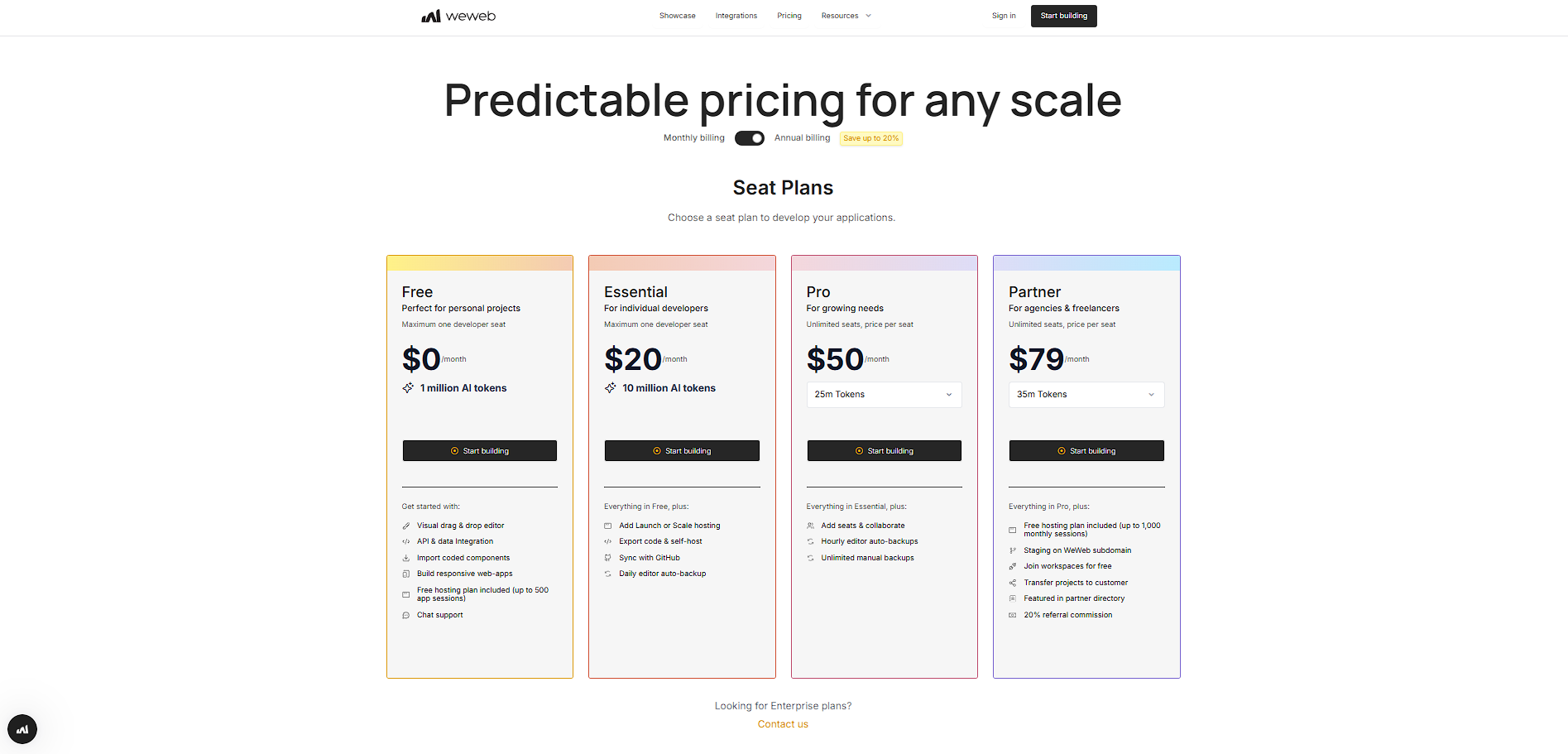
$0–$49 / Month
Visit Now
✨ Ask AI about pricing
64% Subscribed Score
info Icon

The Subscribed Score is an independent rating that combines user reviews, features, and value-for-money from multiple trusted sources. It’s designed as a quick benchmark, not a guarantee of individual experience.

Overview

WeWeb is a no-code platform focused on building the frontend of web applications with high flexibility and performance. Unlike traditional all-in-one builders, it specializes in creating responsive, production-ready user interfaces while connecting to external backends via APIs.

The platform uses a visual drag-and-drop editor combined with advanced customization options, allowing users to design complex applications without writing code. It supports integrations with modern backend tools such as Supabase, Xano, and custom APIs, making it suitable for building scalable web apps rather than simple websites.

WeWeb is positioned as a hybrid no-code and developer-friendly tool. It bridges the gap between visual builders and traditional development by offering code export, GitHub sync, and self-hosting options. This makes it particularly appealing to startups, agencies, and developers who want speed without sacrificing control.

Key Features and Benefits

  • Visual frontend builder: Drag-and-drop interface for building complex UIs without coding
  • Backend flexibility: Connect to any backend via APIs, including REST and GraphQL
  • Code export: Export clean code and self-host applications for full control
  • Responsive design: Build apps optimized for desktop and mobile devices
  • Component-based system: Reusable components for scalable app architecture
  • AI-powered generation: Quickly scaffold apps using AI-assisted features
  • GitHub integration: Sync projects with version control for team workflows

Who Can Benefit from WeWeb

  • Frontend developers: Build UIs faster while maintaining control over architecture
  • Startups: Launch scalable web apps without full engineering teams
  • Agencies: Deliver client projects with flexibility and faster turnaround
  • Product teams: Prototype and iterate on interfaces rapidly
  • No-code builders with technical knowledge: Extend beyond basic tools with API integrations

Looking for alternative solutions?
Alternatives include Bubble, Webflow, Retool, and FlutterFlow. Bubble offers full-stack no-code development, Webflow focuses more on websites, while Retool and FlutterFlow cater to internal tools and mobile-first applications.

Where WeWeb performs best

What users like
  • Enables full frontend customization with a visual editor while maintaining developer-level flexibility
  • Supports integration with any backend via APIs, including Supabase, Xano, and REST/GraphQL
  • Allows code export and self-hosting, reducing vendor lock-in
  • Offers responsive design and component-based architecture for scalable apps
  • Includes AI-assisted app generation to accelerate development

Where WeWeb falls short

What users dislike
  • Requires some technical understanding for advanced integrations and backend connections
  • Pricing structure with seats and hosting can be confusing for beginners
  • Not a full backend solution, requiring external tools for complete applications
  • Learning curve is higher compared to simpler no-code builders
Subscribed Score Metrics
23/36 Metric achieved
MetricsScore
Customer Support3/6
Security4/6
Ease of Use3/6
Value of Money4/6
Integration5/6
Popularity4/6
Radar Chart Table View
Ease of Use
Measures how simple and intuitive the product is to use, including setup, navigation, and overall user experience
3/6 Metric Checks
Security
Compares the product`s features, quality, and pricing to determine its overall cost-effectiveness.
4/6 Metric Checks
Value of Money
Assesses the product`s ability to protect data, prevent breaches, and comply with industry standards.
4/6 Metric Checks
Customer Support
Reflects the responsiveness, helpfulness, and quality of assistance provided by the product`s support team.
3/6 Metric Checks
Integrations
Evaluates how well the product connects with other tools and platforms, enabling seamless workflows.
5/6 Metric Checks
WeWeb Pricing Range
$0–$49 / Month

WeWeb in action
info Icon

A curated gallery of real screenshots and use cases from the product, so you can see how it works before trying it.

WeWeb Full Screen Icon
https://www.youtube.com/watch?v=4_tOkxBsuSY&list=PLvTqMLG5UNf7TS0z6QrYinu30UXgfcFKa
Full Screen Icon
WeWeb
WeWeb
Video thumbnail
WeWeb
WeWeb

Alternatives to WeWeb
info Icon

A list of platforms similar to WeWeb, helping you evaluate which tool best matches your needs.

How to cancel WeWeb

Need to cancel WeWeb? Here is how
info Icon

Thinking about how to cancel WeWeb this is how you do it!

  1. Log in to your WeWeb account
  2. Navigate to billing or subscription settings
  3. Cancel your seat plan
  4. Disable any active hosting add-ons
  5. Confirm cancellation before the next billing cycle

How to Cancel the WeWeb

  1. Log in to your WeWeb account
  2. Navigate to billing or subscription settings
  3. Cancel your seat plan
  4. Disable any active hosting add-ons
  5. Confirm cancellation before the next billing cycle

FAQs about WeWeb

Every else you need to know about WeWeb
info Icon

A collection of FAQs, guides, alternatives, and comparisons to help you quickly understand if WeWeb is right for you.

Manage your WeWeb profile

Create profile

Want to list your product on Subscribed.fyi? Create a profile to reach more buyers.

Pricing Range
info Icon

This only an estimated pricing range, visit WeWeb pricing page to access all the information by clicking “Visit Now”.

$0–$49 / Month
Visit Now