WorkHub Reviews 2026: Details, Pricing, & Features | Subscribed.fyi
Sign in to review
Join our community of software reviewers on Subscribed.fyi

Continue With Google
Continue With LinkedIn
Continue Review with Email
Continue with Email
Enter your email to continue.
Continue
Enter your password
Enter your password to finish setting up your account.
Continue
Activate your email
Enter activation code we sent to your email.
Submit
Reset your password
Enter activation code we sent to your email.
Submit
Set your new password
Enter a new password for your account.
Submit
Categories
For Business
Log in
Provide My Insights

WorkHub Reviews, Pricing, Features & Alternatives (2026)

4.3/5
(3)

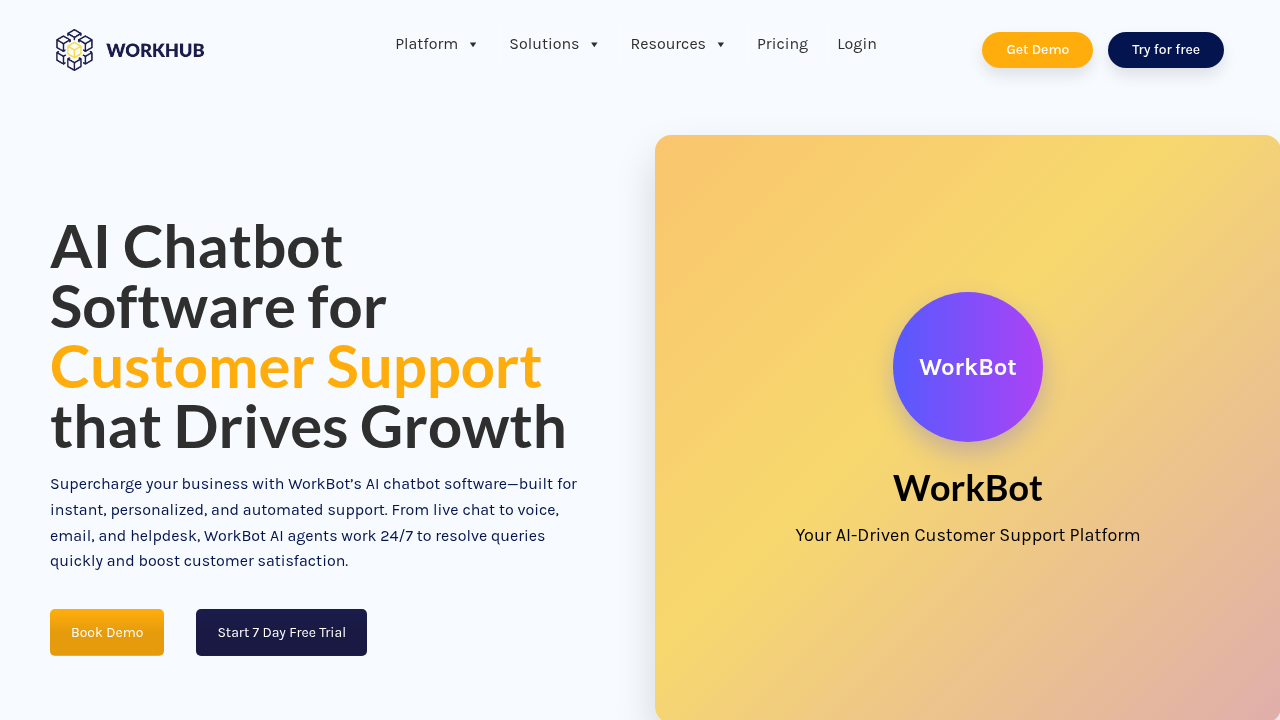
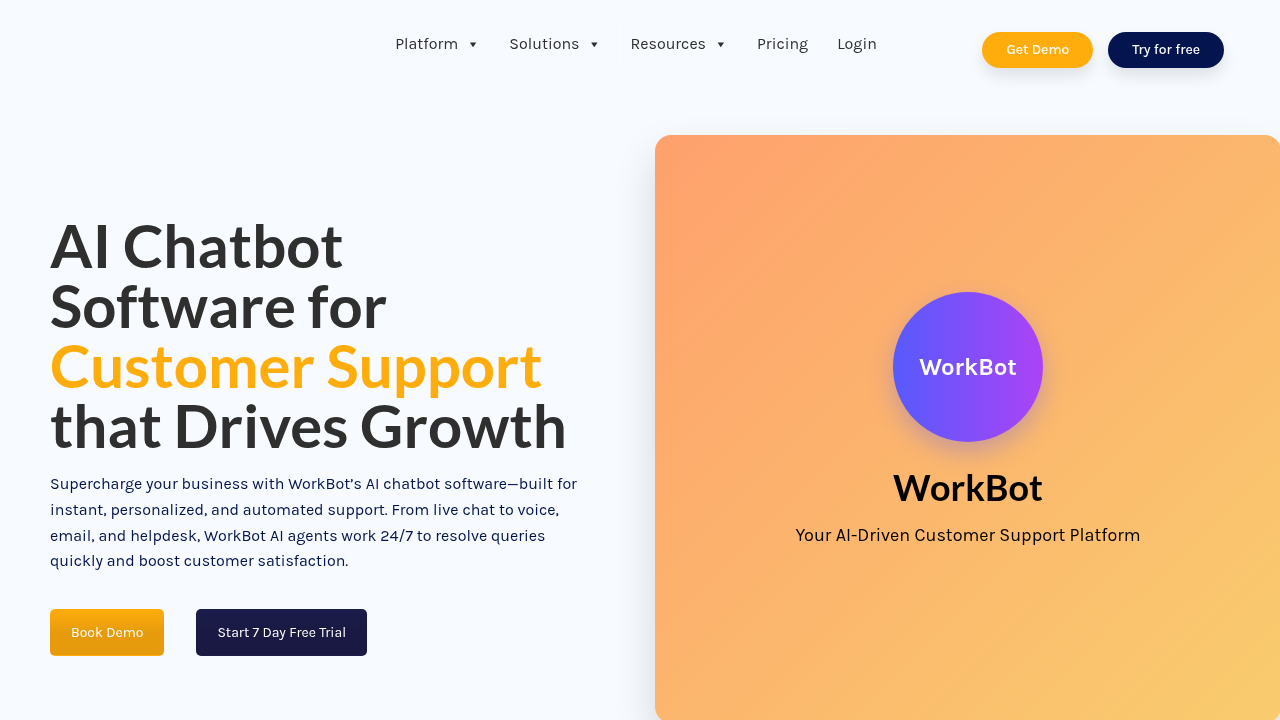
WorkHub’s WorkBot is an AI-powered chatbot platform that automates customer support across multiple channels including chat, email, WhatsApp, and Facebook. It enables businesses to deliver 24/7 support while reducing response times and operational costs. The platform features intelligent ticket management, workflow automation, and natural language processing to handle customer inquiries like human agents.

WorkHub Overview

What is WorkHub?

4.3
3
Reviews
65%
Subscribed Score

Managed by a Seller - This listing has been claimed by a seller
Hide the Ads

Claimed

Manage profile with subsig, and unlock 23+ social and review monitoring. Get partnership options with

Why teams choose WorkHub

Key Features

Built for Flexibility
Adaptable for multiple use cases.
Scales with You
Scales with You
Grows with your business needs.
Secure by Design
Secure by Design
Data protection and compliance built in.

Who is WorkHub for?

WorkHub is an AI-powered customer service platform designed to automate and streamline support operations for businesses of all sizes. Built around the WorkBot AI chatbot, the platform enables teams to deliver intelligent, round-the-clock customer support while significantly reducing operational overhead.

Why Use WorkHub?

Automated Customer Support: WorkBot handles customer inquiries 24/7 across multiple channels, reducing response times and improving customer satisfaction scores. The AI understands user intent, context, and sentiment to deliver human-like responses without manual intervention.

Multi-Channel Integration: Interact with customers seamlessly across live chat, email, WhatsApp, Facebook, and additional communication channels from a single unified dashboard.

Smart Workflow Automation: The platform automatically creates, assigns, and escalates support tickets based on urgency and topic, ensuring critical issues reach the right team members instantly.

Key Features and Benefits

  • AI-Powered Natural Conversations: Advanced language understanding enables contextual, sentiment-aware responses that feel natural to customers
  • Intelligent Ticketing System: Automatic ticket creation, routing, and prioritization based on customer needs and urgency levels
  • User-Friendly Dashboard: Intuitive interface with organized navigation, search functionality, and clear data visualization
  • Multichannel Support: Connect with customers across their preferred communication platforms
  • Team Collaboration: Real-time file sharing, task management, and communication tools for internal teams
  • CRM Integrations: Seamless integration with existing business systems and tools
  • Task and Calendar Management: Built-in scheduling, reminders, and team coordination features

Who is WorkHub For?

WorkHub serves small businesses, medium enterprises, and larger organizations seeking to optimize customer service operations. It’s particularly valuable for companies handling high volumes of routine inquiries, those operating across multiple time zones, or teams looking to reduce support costs while maintaining service quality.


WorkHub Summary

WorkHub is an AI-powered customer service platform designed to automate and streamline support operations for businesses of all sizes. Built around the WorkBot AI chatbot, the platform enables teams to deliver intelligent, round-the-clock customer support while significantly reducing operational overhead.

Why Use WorkHub?

Automated Customer Support: WorkBot handles customer inquiries 24/7 across multiple channels, reducing response times and improving customer satisfaction scores. The AI understands user intent, context, and sentiment to deliver human-like responses without manual intervention.

Multi-Channel Integration: Interact with customers seamlessly across live chat, email, WhatsApp, Facebook, and additional communication channels from a single unified dashboard.

Smart Workflow Automation: The platform automatically creates, assigns, and escalates support tickets based on urgency and topic, ensuring critical issues reach the right team members instantly.

Key Features and Benefits

  • AI-Powered Natural Conversations: Advanced language understanding enables contextual, sentiment-aware responses that feel natural to customers
  • Intelligent Ticketing System: Automatic ticket creation, routing, and prioritization based on customer needs and urgency levels
  • User-Friendly Dashboard: Intuitive interface with organized navigation, search functionality, and clear data visualization
  • Multichannel Support: Connect with customers across their preferred communication platforms
  • Team Collaboration: Real-time file sharing, task management, and communication tools for internal teams
  • CRM Integrations: Seamless integration with existing business systems and tools
  • Task and Calendar Management: Built-in scheduling, reminders, and team coordination features

Who is WorkHub For?

WorkHub serves small businesses, medium enterprises, and larger organizations seeking to optimize customer service operations. It’s particularly valuable for companies handling high volumes of routine inquiries, those operating across multiple time zones, or teams looking to reduce support costs while maintaining service quality.

WorkHub reviews and insights

Learn what people say about WorkHub

4.3
3 Reviews
65%
Subscribed Score

Lear more here about the Subscribed score on how it is composed. Learn more Click here

Overall rating

5
4
3
2
1
CX 4/6

How good is the customer support based on subscribed’s assessment

CX Icon
Security 4/6

How secure is the product based on Subscribed’s assessment?

Security Icon
Ease of Use 5/6

How easy is the product to use, based on Subscribed’s assessment?

EOU Icon
Value 4/6

What is the value for money based on Subscribed’s assessment?

coin Icon
Integration 4/6

How many integrations does the product offer?

gear Icon
Popularity 3/6

How popular is the product?

star
Steven Dianala Organic
Marketing
3 months ago
Share
How has it made your work/life easier?
It’s nice having chat, calls, and collaboration tools all in one place instead of switching apps. The Team Wall also makes it easier to see who’s available without constantly checking in.
Have you experienced any bugs or errors?
Yeah, there are occasional glitches, especially with chat or loading speed. Nothing major, but it can feel a bit inconsistent at times.
If you could change one thing, what would it be?
I’d improve the overall UI to make it feel more modern and polished. Better integrations with other tools would also make a big difference.
Final thoughts, wrap up what you think
It’s useful and practical, but there are more refined tools out there right now.
Upvote (2)
Kristine Lao Organic
Admin and Marketing
3 months ago
Share
What’s the biggest benefit you’ve noticed?
It answers customer questions anytime across different channels, making replies faster and improving satisfaction. It also lets you manage conversations from live chat, email, WhatsApp, Facebook, and more in one simple dashboard.
Is there something that almost made you stop using it?
none! its promising app. it has real time file sharing, CRM integration and most of all, built in scheduling and reminder features.
How could the product save you more time or money?
it enables teams to deliver customer support while reducing operational overhead.
Final thoughts, wrap up what you think
It is useful for companies with many routine questions, businesses in different time zones, or teams that want to lower support costs while keeping good service quality.
Upvote (3)
Jackie Liezel Jane Broniola Organic
Social Media Manager | Graphic Designer | Content Creator | Coding Instructor | Digital Marketing Specialist
See My Portfolio
3 months ago
Share
How does this compare to similar products you’ve tried?
It feels more organized than other apps I've used and not too overwhelming.I get things done faster without getting confused.
Have you experienced any bugs or errors?
Not really any major bugs maybe small lag but my internet isnt always good It still works fine most of the time.
How could the product save you more time or money?
It keeps everything in one place so i dont switch apps too much That alone saves me a lot of time.
Final thoughts, wrap up what you think
I would definitely suggest trying it since its reliable once you use it more it becomes really helpful
Upvote

WorkHub User Reviews

3 User Reviews

Reviews from G2, Capterra, Trustpilot
info Icon

These ratings come directly from third-party platforms like G2, Capterra, and Trustpilot. They reflect real user feedback collected independently on those sites.

WorkHub pricing

Pricing model

Pricing Range
info Icon

This only an estimated pricing range, visit WorkHub pricing page to access all the information by clicking “Visit Now”.

-
Deals Available

This product comes with a special deal, see details

Visit Now
✨ Ask AI about pricing
65% Subscribed Score
info Icon

The Subscribed Score is an independent rating that combines user reviews, features, and value-for-money from multiple trusted sources. It’s designed as a quick benchmark, not a guarantee of individual experience.

Overview

WorkHub is an AI-powered customer service platform designed to automate and streamline support operations for businesses of all sizes. Built around the WorkBot AI chatbot, the platform enables teams to deliver intelligent, round-the-clock customer support while significantly reducing operational overhead.

Why Use WorkHub?

Automated Customer Support: WorkBot handles customer inquiries 24/7 across multiple channels, reducing response times and improving customer satisfaction scores. The AI understands user intent, context, and sentiment to deliver human-like responses without manual intervention.

Multi-Channel Integration: Interact with customers seamlessly across live chat, email, WhatsApp, Facebook, and additional communication channels from a single unified dashboard.

Smart Workflow Automation: The platform automatically creates, assigns, and escalates support tickets based on urgency and topic, ensuring critical issues reach the right team members instantly.

Key Features and Benefits

  • AI-Powered Natural Conversations: Advanced language understanding enables contextual, sentiment-aware responses that feel natural to customers
  • Intelligent Ticketing System: Automatic ticket creation, routing, and prioritization based on customer needs and urgency levels
  • User-Friendly Dashboard: Intuitive interface with organized navigation, search functionality, and clear data visualization
  • Multichannel Support: Connect with customers across their preferred communication platforms
  • Team Collaboration: Real-time file sharing, task management, and communication tools for internal teams
  • CRM Integrations: Seamless integration with existing business systems and tools
  • Task and Calendar Management: Built-in scheduling, reminders, and team coordination features

Who is WorkHub For?

WorkHub serves small businesses, medium enterprises, and larger organizations seeking to optimize customer service operations. It’s particularly valuable for companies handling high volumes of routine inquiries, those operating across multiple time zones, or teams looking to reduce support costs while maintaining service quality.

Where WorkHub performs best

What users like
  • 24/7 automated customer support reduces operational costs significantly
  • AI understands context and sentiment for natural conversations
  • Multichannel support across chat, email, WhatsApp, and social media
  • User-friendly interface requires no technical expertise

Where WorkHub falls short

What users dislike
  • Pricing information not publicly available on website
  • Limited information on advanced customization options
  • Scalability details for enterprise deployments unclear
Subscribed Score Metrics
24/36 Metric achieved
MetricsScore
Customer Support4/6
Security4/6
Ease of Use5/6
Value of Money4/6
Integration4/6
Popularity3/6
Radar Chart Table View
Ease of Use
Measures how simple and intuitive the product is to use, including setup, navigation, and overall user experience
5/6 Metric Checks
Security
Compares the product`s features, quality, and pricing to determine its overall cost-effectiveness.
4/6 Metric Checks
Value of Money
Assesses the product`s ability to protect data, prevent breaches, and comply with industry standards.
4/6 Metric Checks
Customer Support
Reflects the responsiveness, helpfulness, and quality of assistance provided by the product`s support team.
4/6 Metric Checks
Integrations
Evaluates how well the product connects with other tools and platforms, enabling seamless workflows.
4/6 Metric Checks
WorkHub Pricing Range
-

WorkHub in action
info Icon

A curated gallery of real screenshots and use cases from the product, so you can see how it works before trying it.

WorkHub Full Screen Icon
WorkHub
WorkHub
WorkHub
WorkHub

Alternatives to WorkHub
info Icon

A list of platforms similar to WorkHub, helping you evaluate which tool best matches your needs.

How to cancel WorkHub

Need to cancel WorkHub? Here is how
info Icon

Thinking about how to cancel WorkHub this is how you do it!

To cancel WorkHub, log into your account, navigate to Settings, find the subscription/billing section, and select the cancellation option. Confirm your request and you’ll receive a confirmation email. Contact customer support if you need assistance with the process.

How to Cancel the WorkHub

To cancel WorkHub, log into your account, navigate to Settings, find the subscription/billing section, and select the cancellation option. Confirm your request and you’ll receive a confirmation email. Contact customer support if you need assistance with the process.

FAQs about WorkHub

Every else you need to know about WorkHub
info Icon

A collection of FAQs, guides, alternatives, and comparisons to help you quickly understand if WorkHub is right for you.

Manage your WorkHub profile

Create profile

Want to list your product on Subscribed.fyi? Create a profile to reach more buyers.

Pricing Range
info Icon

This only an estimated pricing range, visit WorkHub pricing page to access all the information by clicking “Visit Now”.

-
Visit Now
Deals Available

This product comes with a special deal, see details

This product comes with a special deal, see details