WorkStraight Reviews 2026: Details, Pricing, & Features | Subscribed.fyi
Sign in to review
Join our community of software reviewers on Subscribed.fyi

Continue With Google
Continue With LinkedIn
Continue Review with Email
Continue with Email
Enter your email to continue.
Continue
Enter your password
Enter your password to finish setting up your account.
Continue
Activate your email
Enter activation code we sent to your email.
Submit
Reset your password
Enter activation code we sent to your email.
Submit
Set your new password
Enter a new password for your account.
Submit
Categories
For Business
Log in
Provide My Insights
WorkStraight
WorkStraight

WorkStraight Reviews, Pricing, Features & Alternatives (2026)

4.5/5
(4)

WorkStraight is a web-based work order software designed for businesses to create, assign, and track tasks efficiently. It supports collaboration, customer service requests, asset management, and QuickBooks integration. Customizable for various industries, it enhances visibility and organization of work processes.

WorkStraight
WorkStraight
WorkStraight

WorkStraight Overview

What is WorkStraight?

4.5
4
Reviews
63%
Subscribed Score

Available for Claim - This listing is available to be claimed
Claim Profile For Free

Unclaimed

Manage profile with subsig, and unlock 23+ social and review monitoring. Get partnership options with

Claim Profile For Free

Why teams choose WorkStraight

Key Features

Data-Driven Insights
Make better decisions with analytics.
Real-Time Updates
Real-Time Updates
See changes instantly, no delays.
Built for Flexibility
Adaptable for multiple use cases.

Who is WorkStraight for?

WorkStraight

WorkStraight is a flexible, SaaS-based work order and asset management system that empowers businesses to streamline task assignment, tracking, and collaboration. Tailored for any business size, it allows customization of workflows to fit specific needs, from maintenance requests to service orders.

Why Use WorkStraight?

  • Customizable Work Orders: Define work orders as service requests, maintenance tasks, or any custom term, with options to link related orders and re-open closed ones.
  • Team Collaboration: Assign tasks to multiple users, require approvals, send notifications, and integrate with calendars for real-time updates.
  • Reporting and Insights: Generate downloadable reports on task progress, hours worked, status, and all work orders in one document for meetings.
  • Integrations and Automation: Connect with QuickBooks for invoicing, manage assets, create recurring tasks, and use API for custom workflows.

Who is WorkStraight For?

  • Property Managers: Track assigned work and field appointments via calendar.
  • Office Administrators: Download reports for spreadsheets and keep teams aligned.
  • Field Service Teams: Accept payments on-site with invoices and manage mobile access.
  • Any Business: Suitable for maintenance, service requests, or general task management.

Key Features and Benefits

  • Asset Management: Track assets with detailed databases for maintenance history.
  • Notifications and Calendar: Email alerts and integrated scheduling prevent missed tasks.
  • Multi-Language Support: Available in US Spanish for broader accessibility.
  • Scalable Flexibility: Web-based access increases task visibility without rigid structures.

WorkStraight Summary

WorkStraight

WorkStraight is a flexible, SaaS-based work order and asset management system that empowers businesses to streamline task assignment, tracking, and collaboration. Tailored for any business size, it allows customization of workflows to fit specific needs, from maintenance requests to service orders.

Why Use WorkStraight?

  • Customizable Work Orders: Define work orders as service requests, maintenance tasks, or any custom term, with options to link related orders and re-open closed ones.
  • Team Collaboration: Assign tasks to multiple users, require approvals, send notifications, and integrate with calendars for real-time updates.
  • Reporting and Insights: Generate downloadable reports on task progress, hours worked, status, and all work orders in one document for meetings.
  • Integrations and Automation: Connect with QuickBooks for invoicing, manage assets, create recurring tasks, and use API for custom workflows.

Who is WorkStraight For?

  • Property Managers: Track assigned work and field appointments via calendar.
  • Office Administrators: Download reports for spreadsheets and keep teams aligned.
  • Field Service Teams: Accept payments on-site with invoices and manage mobile access.
  • Any Business: Suitable for maintenance, service requests, or general task management.

Key Features and Benefits

  • Asset Management: Track assets with detailed databases for maintenance history.
  • Notifications and Calendar: Email alerts and integrated scheduling prevent missed tasks.
  • Multi-Language Support: Available in US Spanish for broader accessibility.
  • Scalable Flexibility: Web-based access increases task visibility without rigid structures.

WorkStraight reviews and insights

Learn what people say about WorkStraight

4.5
4 Reviews
63%
Subscribed Score

Lear more here about the Subscribed score on how it is composed. Learn more Click here

Overall rating

5
4
3
2
1
CX 4/6

How good is the customer support based on subscribed’s assessment

CX Icon
Security 4/6

How secure is the product based on Subscribed’s assessment?

Security Icon
Ease of Use 5/6

How easy is the product to use, based on Subscribed’s assessment?

EOU Icon
Value 4/6

What is the value for money based on Subscribed’s assessment?

coin Icon
Integration 3/6

How many integrations does the product offer?

gear Icon
Popularity 3/6

How popular is the product?

star
Jovie Macalolo-oy User Test Enabled
Executive / Leadership
See My Portfolio
3 months ago
Share
What feature do you use most often?
I find myself using the work order creation and assignment tool the most to keep track of every task my team is handling. It’s really helpful for seeing exactly who is working on what and checking the status of our projects in real time.
What feature doesn’t work as expected?
The mobile version of the dashboard sometimes feels a bit slow and doesn't always update the task list as quickly as the desktop site. I also noticed that the notification settings can be a little inconsistent, it sometimes sends me alerts later than I would like.
What problem did this product solve for you?
It solved the manual process to manage dozens of work requests through messy email chains and scattered paper notes. Now I have a single organized system where everything is documented.
Final thoughts, wrap up what you think
I would recommend it because it is direct and affordable way to get a professional work order system running for your business.
Upvote (3)
3 months ago
Share
How has it made your work/life easier?
It makes work easier by using the calendar view to spot scheduling conflicts among employee and reassign task with the use of drag and drop. It is scalable and accessible for users.
Have you experienced any bugs or errors?
Yes, I can experience delays whenever I'm in the place with poor signal. I don't experience much problem in using this which is a good thing.
What new feature would you love to see added?
Maybe they could add something that would allow users to upload photos and check task statuses even if you are in offline mode. Add a qr code also.
Final thoughts, wrap up what you think
If you struggle on software or having a disorganized spreadsheets and. on tech users can easily navigate this platform with a little mastery.
Upvote (2)
Khim Cincoflores User Test Enabled
Customer Success
See My Portfolio
3 months ago
Share
How has it made your work/life easier?
It helps me on creating tasks or work orders, assign tasks to team members, and track progress and completion in real time. It also allows communication within tasks to keep everyone aligned and updated.
Have you experienced any bugs or errors?
None so far. It works really well and smoothly. It also tracks and monitor working hours efficiently which made this software very convenient to use.
How could the product save you more time or money?
More advanced features and integration, more updates on mobile experience that does not rely solely on browser to make it more accessible anytime and everywhere.
Final thoughts, wrap up what you think
Highly recommended. Very efficient and convenient to use.
Upvote (3)
3 months ago
Share
How has it made your work/life easier?
It made my work easier by organizing work orders, tasks, and assets in one system. It helps improve tracking and makes collaboration with the team more efficient.
What do you dislike about this product?
Some customization and setup options can feel a bit complex at first. It may take time to fully understand how to configure workflows properly.
If you could change one thing, what would it be?
f I could change one thing, I would simplify the setup process by adding more guided steps and ready-to-use templates so new users can start using the system more quickly and easily.
Final thoughts, wrap up what you think
I would recommend it because it improves task management and team coordination in one platform. It helps streamline workflows and keeps everything organized.
Upvote (3)
WorkStraight

WorkStraight User Reviews

4 User Reviews

Reviews from G2, Capterra, Trustpilot
info Icon

These ratings come directly from third-party platforms like G2, Capterra, and Trustpilot. They reflect real user feedback collected independently on those sites.

WorkStraight pricing

Pricing model

WorkStraight
Pricing Range
info Icon

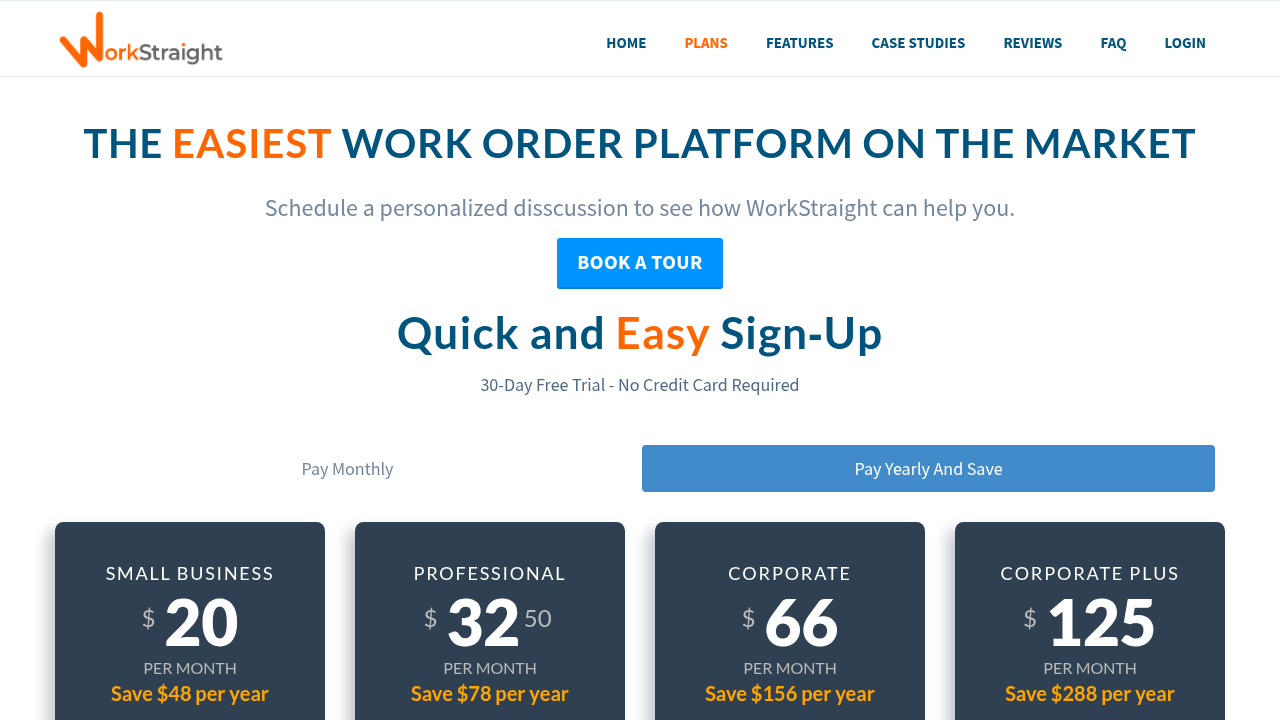
This only an estimated pricing range, visit WorkStraight pricing page to access all the information by clicking “Visit Now”.

-
Deals Available

This product comes with a special deal, see details

Visit Now
✨ Ask AI about pricing
63% Subscribed Score
info Icon

The Subscribed Score is an independent rating that combines user reviews, features, and value-for-money from multiple trusted sources. It’s designed as a quick benchmark, not a guarantee of individual experience.

Overview

WorkStraight

WorkStraight is a flexible, SaaS-based work order and asset management system that empowers businesses to streamline task assignment, tracking, and collaboration. Tailored for any business size, it allows customization of workflows to fit specific needs, from maintenance requests to service orders.

Why Use WorkStraight?

  • Customizable Work Orders: Define work orders as service requests, maintenance tasks, or any custom term, with options to link related orders and re-open closed ones.
  • Team Collaboration: Assign tasks to multiple users, require approvals, send notifications, and integrate with calendars for real-time updates.
  • Reporting and Insights: Generate downloadable reports on task progress, hours worked, status, and all work orders in one document for meetings.
  • Integrations and Automation: Connect with QuickBooks for invoicing, manage assets, create recurring tasks, and use API for custom workflows.

Who is WorkStraight For?

  • Property Managers: Track assigned work and field appointments via calendar.
  • Office Administrators: Download reports for spreadsheets and keep teams aligned.
  • Field Service Teams: Accept payments on-site with invoices and manage mobile access.
  • Any Business: Suitable for maintenance, service requests, or general task management.

Key Features and Benefits

  • Asset Management: Track assets with detailed databases for maintenance history.
  • Notifications and Calendar: Email alerts and integrated scheduling prevent missed tasks.
  • Multi-Language Support: Available in US Spanish for broader accessibility.
  • Scalable Flexibility: Web-based access increases task visibility without rigid structures.

Where WorkStraight performs best

What users like
  • Customizable workflows
  • QuickBooks integration
  • Asset tracking
  • Recurring tasks

Where WorkStraight falls short

What users dislike
  • No public pricing
  • Limited integrations
  • Basic reporting
  • No mobile app mentioned
Subscribed Score Metrics
23/36 Metric achieved
MetricsScore
Customer Support4/6
Security4/6
Ease of Use5/6
Value of Money4/6
Integration3/6
Popularity3/6
Radar Chart Table View
Ease of Use
Measures how simple and intuitive the product is to use, including setup, navigation, and overall user experience
5/6 Metric Checks
Security
Compares the product`s features, quality, and pricing to determine its overall cost-effectiveness.
4/6 Metric Checks
Value of Money
Assesses the product`s ability to protect data, prevent breaches, and comply with industry standards.
4/6 Metric Checks
Customer Support
Reflects the responsiveness, helpfulness, and quality of assistance provided by the product`s support team.
4/6 Metric Checks
Integrations
Evaluates how well the product connects with other tools and platforms, enabling seamless workflows.
3/6 Metric Checks
WorkStraight Pricing Range
-

WorkStraight in action
info Icon

A curated gallery of real screenshots and use cases from the product, so you can see how it works before trying it.

WorkStraight Full Screen Icon
WorkStraight
WorkStraight

Alternatives to WorkStraight
info Icon

A list of platforms similar to WorkStraight, helping you evaluate which tool best matches your needs.

How to cancel WorkStraight

Need to cancel WorkStraight? Here is how
info Icon

Thinking about how to cancel WorkStraight this is how you do it!

Cancellation likely requires logging into your account to manage subscriptions or contacting support via phone (510.990.1030) or email. Confirm via email and export data beforehand. No self-service details are public.

How to Cancel the WorkStraight

Cancellation likely requires logging into your account to manage subscriptions or contacting support via phone (510.990.1030) or email. Confirm via email and export data beforehand. No self-service details are public.

FAQs about WorkStraight

Every else you need to know about WorkStraight
info Icon

A collection of FAQs, guides, alternatives, and comparisons to help you quickly understand if WorkStraight is right for you.

Manage your WorkStraight profile

Create profile

Want to list your product on Subscribed.fyi? Create a profile to reach more buyers.

Pricing Range
info Icon

This only an estimated pricing range, visit WorkStraight pricing page to access all the information by clicking “Visit Now”.

-
Visit Now
Deals Available

This product comes with a special deal, see details

This product comes with a special deal, see details