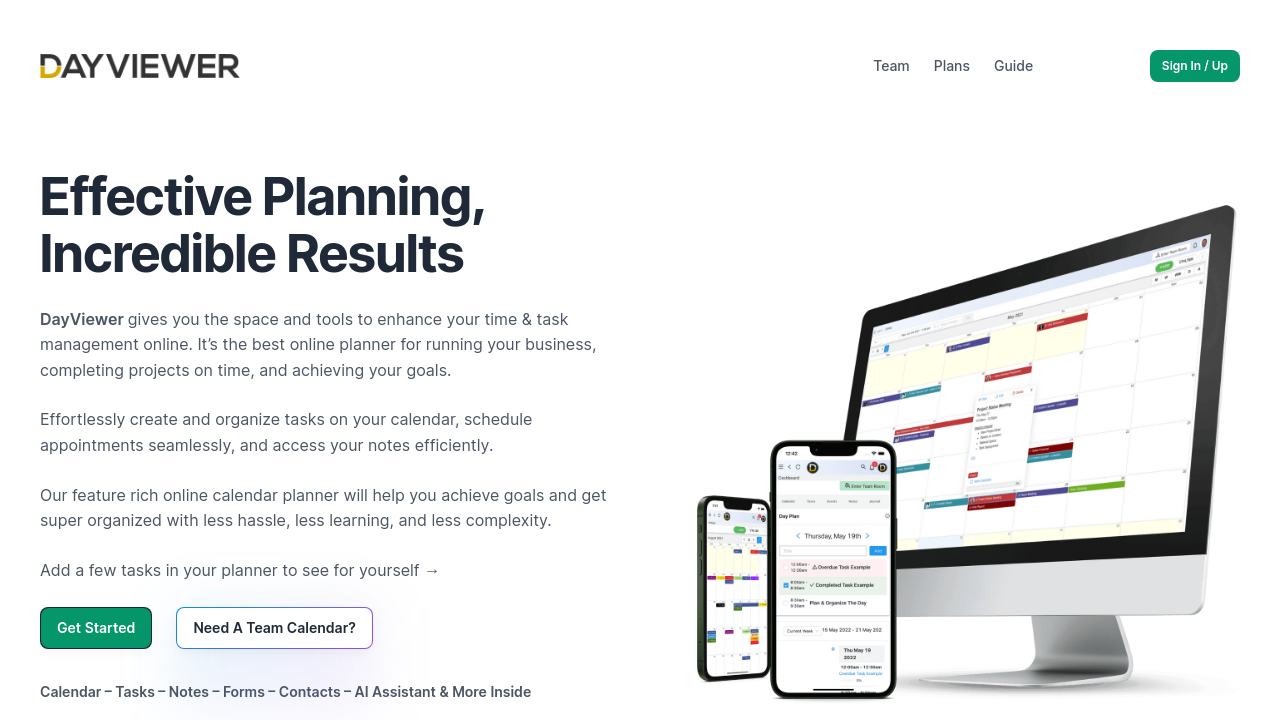
DayViewer is a feature-rich platform in the Online Collaboration category, designed to streamline task management, scheduling, and team collaboration. Built with simplicity in mind, this all-in-one online calendar, planner, and diary combines effective scheduling with innovative features tailored for both individual professionals and growing teams. Explore exclusive deals. For alternatives, consider Calendly, Google Workspace, and Zoho Mail.
Why Use DayViewer?
Choosing DayViewer offers numerous advantages for individuals and teams:
- Integrated Productivity Tools: DayViewer blends calendar management, task tracking, note-taking, and financial planning in a single intuitive platform, eliminating the need for multiple third-party apps.
- Effortless Scheduling: Its sophisticated calendar system supports daily, weekly, and monthly views, enabling seamless scheduling and easy navigation.
- Robust Collaboration via Team Rooms: The platform fosters better teamwork by allowing members to share a synchronized diary, ensuring visibility into tasks and schedules across the team.
- Built-in Reminders: Stay on track with push notifications and email reminders designed to enhance productivity and time management.
- Customizable and User-Friendly: The Fast Planner system enables drag-and-drop functionality for effortless task management while supporting workflows through color-coded labels.
- Cost-Effective Plans: With a competitive pricing structure, including options for individuals and teams, DayViewer makes powerful collaboration accessible for businesses of all sizes.
Who is DayViewer For?
DayViewer caters to a broad spectrum of users with varying needs:
- Professionals: Ideal for individuals aiming to stay organized with tools for task prioritization, journaling, and comprehensive scheduling.
- Small to Medium Teams: Facilitates improved communication through shared calendars and unified task management systems.
- Project Managers: Offers dynamic views (dashboard, timeline, table) for efficient tracking and collaboration across projects.
- Organizations: Lightweight yet powerful for businesses transitioning to cloud-based, centralized planning without complexities.
With its blend of simplicity and productivity, DayViewer is a standout choice for individuals and teams seeking a comprehensive Online Collaboration solution. Whether creating schedules, managing tasks, or collaborating in real-time, DayViewer empowers users to optimize every aspect of their workflow efficiently.