Trello Reviews 2026: Details, Pricing, & Features | Subscribed.fyi
Sign in to review
Join our community of software reviewers on Subscribed.fyi

Continue With Google
Continue With LinkedIn
Continue Review with Email
Continue with Email
Enter your email to continue.
Continue
Enter your password
Enter your password to finish setting up your account.
Continue
Activate your email
Enter activation code we sent to your email.
Submit
Reset your password
Enter activation code we sent to your email.
Submit
Set your new password
Enter a new password for your account.
Submit
✨ Ask AI Search
Categories
For Business
Log in
Provide Insight

Trello

4.6/5
(7)

Trello is a visual collaboration tool designed to streamline project management and team workflows. With customizable boards, lists, and cards, it enables efficient task organization and real-time collaboration across teams of any size. Its ease of use, automation features, and over 100 integrations make it a versatile solution for managing projects and enhancing productivity. Trello simplifies complex processes, fostering transparency, flexibility, and creativity in workspace management.

Trello

Work Hub
Most Loved Award
2026

All Awards

Work Hub
Most Loved Award
2026
4.6
7
Reviews
90%
Subscribed Score

Available for Claim - This listing is available to be claimed
Claim For Free

Unclaimed

Curated and listed by Subscribed Team

Claim For Free
Expert Support
Expert Support
Help available when you need it.
Fast & Efficient
Fast & Efficient
Optimized for speed and performance.
Data-Driven Insights
Make better decisions with analytics.

Trello is a leading solution in the Project Management category, offering a comprehensive platform to streamline task organization and team collaboration. Trello’s visually engaging Kanban boards, cards, and lists allow users to track tasks, progress, and deadlines with ease. Designed for businesses of all sizes and industries, it enables users to customize workflows, manage projects, and synchronize efforts across teams efficiently. Explore exclusive deals. For alternative options, consider JIRA, Monday.com, or Bitrix24.

Why Use Trello?

Choosing Trello comes with several standout advantages:

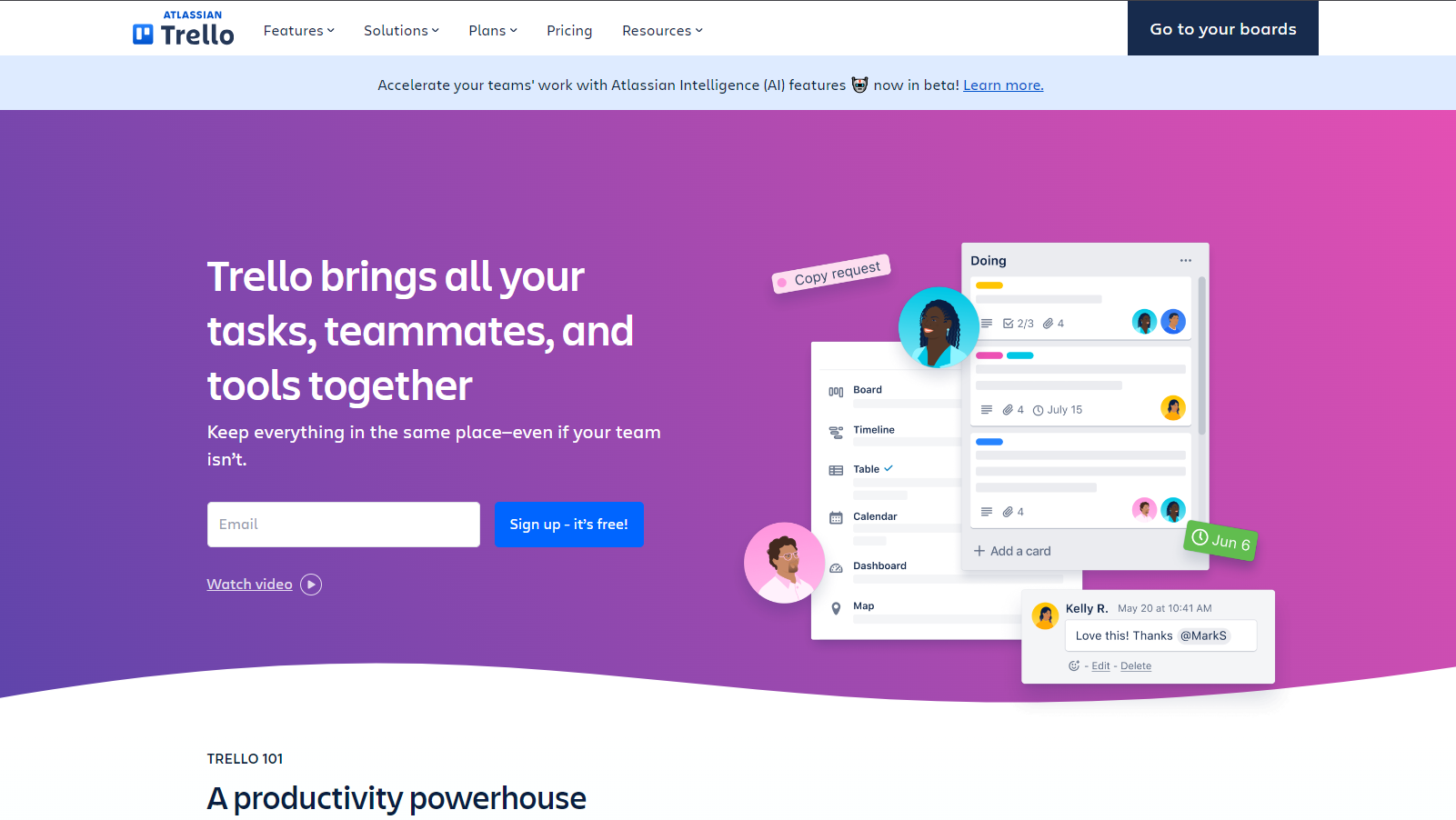
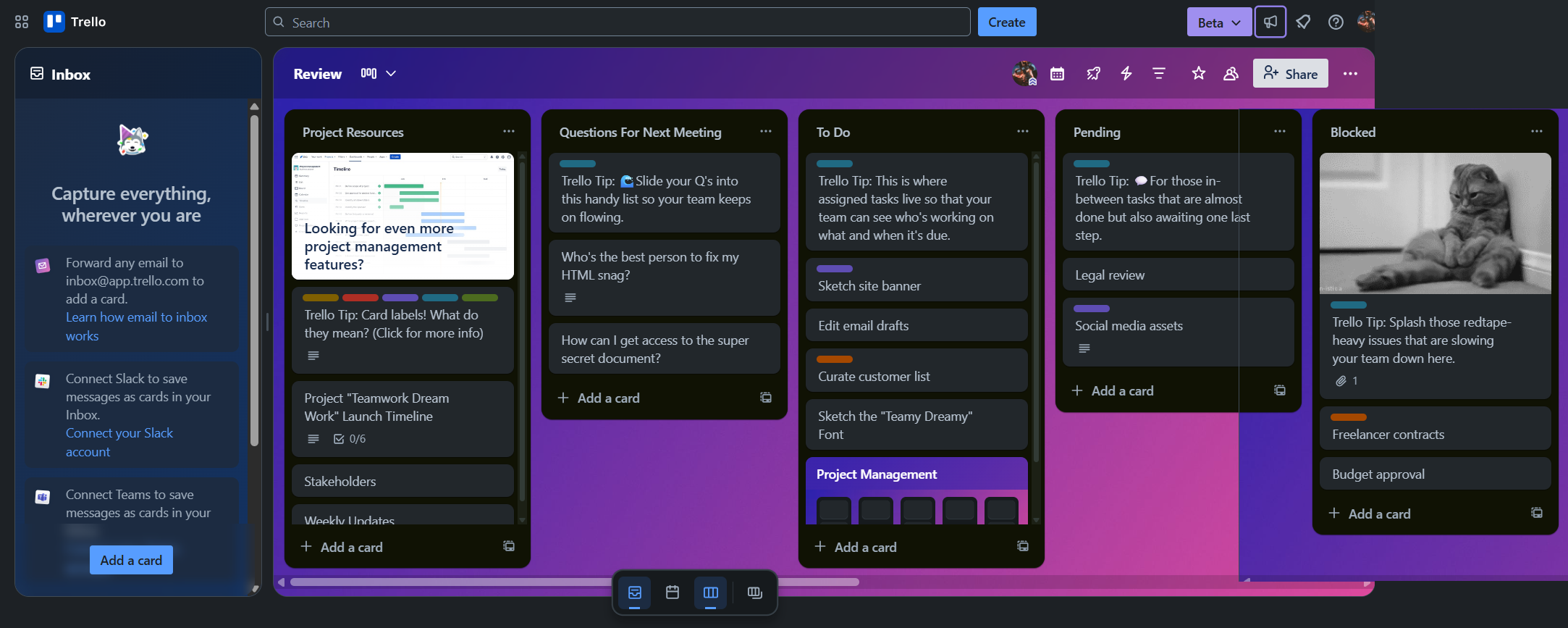
  • Visual Collaboration: Trello’s user-friendly interface mimics sticky notes, making it easy for users to create tasks, prioritize work, and track project progress intuitively.
  • Customizable Workflows: With flexible boards and cards, teams can design workflows tailored to specific business needs, ensuring clear communication across tasks.
  • Integrations: Trello integrates with over 100 tools, including Slack, Google Drive, and Jira, creating a unified hub for seamless collaboration.
  • Automation: Trello’s built-in automation features simplify recurring tasks, saving time and reducing manual errors.
  • Scalability: From solo freelancers to large enterprises, Trello accommodates diverse user needs with pricing tiers and expansive organizational features.

Who is Trello For?

Trello is designed to support a variety of users and industries:

  • Project Managers: Oversee multiple projects simultaneously, with the ability to track dependencies, assign tasks, and monitor deadlines at a glance.
  • Creative Teams: Manage content calendars, brainstorm ideas, and track the progress of creative projects collaboratively.
  • Marketing and Sales Teams: Organize campaigns, pipeline activities, and client follow-ups while maintaining cross-department alignment.
  • HR Departments: Simplify onboarding and employee tracking with customized workflows and task assignments.
  • Remote Teams: Enhance transparency and accountability with real-time updates and effective team communication tools.

Key Features:

  • Task Management: Easily create, assign, and organize tasks. Set due dates, priorities, and labels to maintain clarity.
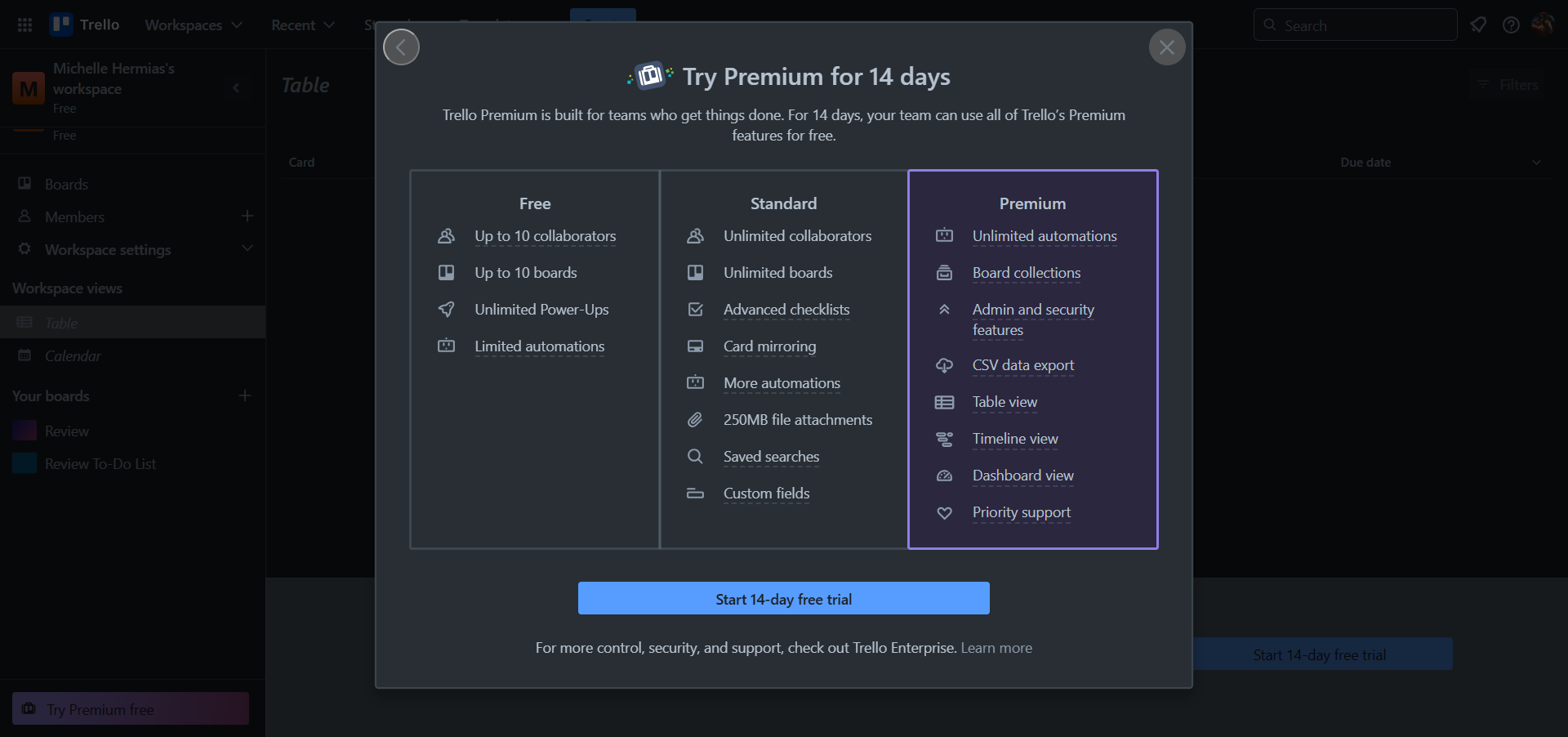
  • Multiple Views: Access data with Calendar, Dashboard, Timeline, and Map views to suit your workflow.
  • Security and Permissions: Enhance safety with customizable permissions, 2-factor authentication, and advanced admin controls.
  • Mobile Accessibility: Manage tasks and projects on the go through iOS and Android applications.

For professionals and teams seeking a powerful yet adaptable project management tool, Trello delivers a comprehensive solution to organize work, improve collaboration, and boost productivity.


Trello Summary

Trello is a leading solution in the Project Management category, offering a comprehensive platform to streamline task organization and team collaboration. Trello’s visually engaging Kanban boards, cards, and lists allow users to track tasks, progress, and deadlines with ease. Designed for businesses of all sizes and industries, it enables users to customize workflows, manage projects, and synchronize efforts across teams efficiently. Explore exclusive deals. For alternative options, consider JIRA, Monday.com, or Bitrix24.

Why Use Trello?

Choosing Trello comes with several standout advantages:

  • Visual Collaboration: Trello’s user-friendly interface mimics sticky notes, making it easy for users to create tasks, prioritize work, and track project progress intuitively.
  • Customizable Workflows: With flexible boards and cards, teams can design workflows tailored to specific business needs, ensuring clear communication across tasks.
  • Integrations: Trello integrates with over 100 tools, including Slack, Google Drive, and Jira, creating a unified hub for seamless collaboration.
  • Automation: Trello’s built-in automation features simplify recurring tasks, saving time and reducing manual errors.
  • Scalability: From solo freelancers to large enterprises, Trello accommodates diverse user needs with pricing tiers and expansive organizational features.

Who is Trello For?

Trello is designed to support a variety of users and industries:

  • Project Managers: Oversee multiple projects simultaneously, with the ability to track dependencies, assign tasks, and monitor deadlines at a glance.
  • Creative Teams: Manage content calendars, brainstorm ideas, and track the progress of creative projects collaboratively.
  • Marketing and Sales Teams: Organize campaigns, pipeline activities, and client follow-ups while maintaining cross-department alignment.
  • HR Departments: Simplify onboarding and employee tracking with customized workflows and task assignments.
  • Remote Teams: Enhance transparency and accountability with real-time updates and effective team communication tools.

Key Features:

  • Task Management: Easily create, assign, and organize tasks. Set due dates, priorities, and labels to maintain clarity.
  • Multiple Views: Access data with Calendar, Dashboard, Timeline, and Map views to suit your workflow.
  • Security and Permissions: Enhance safety with customizable permissions, 2-factor authentication, and advanced admin controls.
  • Mobile Accessibility: Manage tasks and projects on the go through iOS and Android applications.

For professionals and teams seeking a powerful yet adaptable project management tool, Trello delivers a comprehensive solution to organize work, improve collaboration, and boost productivity.

Trello reviews

Learn what people say about Trello

4.6
7 Reviews
90%
Subscribed Score

Lear more here about the Subscribed score on how it is composed. Learn more Click here

Overall rating

5
4
3
2
1
CX 4/6

How good is the customer support based on subscribed’s assessment

CX Icon
Security 5/6

How secure is the product based on Subscribed’s assessment?

Security Icon
Ease of Use 6/6

How easy is the product to use, based on Subscribed’s assessment?

EOU Icon
Value 5/6

What is the value for money based on Subscribed’s assessment?

coin Icon
Integration 6/6

How many integrations does the product offer?

gear Icon
Popularity 6/6

How popular is the product?

star
saiprasanna sabinikari Invitation
Senior Test Engineer
1 day ago
Share
What feature do you use most often?
Trello is super easy to use even beginners can start using it without any issues. That's the best part of it especially it's user-friendly nature.
What feature doesn’t work as expected?
It's not as good as Jira or Test rail as detailed test management tool.
Is there a workflow that could be simpler?
It can be much better for maintaing complex projects
Final thoughts, wrap up what you think
Because of simple user friendly interface.
Upvote
Hamza Rauf Organic
Full Stack Developer
See My Portfolio
3 days ago
Share
What do you like best about this product?
As a developer, I love the integration capability of Trello that really powers up productivity. For example, I can attach a merge request from Git Lab to a card, or I can attach a live pull request from Git Hub. Trello also provide excellent user experience for beginners. Breaking bigger tasks into smaller ones does not feel overwhelming.
What slows you down when using it?
Trello is great for simple task tracking, but it can feel cluttered as a project scales up. Mobile app lacks the same user experience as the desktop version, which can be frustrating when I'm trying to update cards.
What could make it even better?
There is a lot of potential in Trello. If they start integrating AI insights that can predict potentional bottle neck before happening in a workflow, it will be great.
Final thoughts, wrap up what you think
It's because of its intuitive user experience. And a large number of integrations it provides to streamline the process.
Upvote
Elizabeth Hermance Invitation
Wordpress developer
See My Portfolio
4 days ago
Share
How has it made your work/life easier?
What I like about Trello is that it makes things easy to see and organize. It helps me keep track of tasks without making everything feel complicated.
What feature doesn’t work as expected?
Overall it works well, but sometimes it feels a little slow, especially on bigger boards. I also think updates do not always show up as quickly as they should.c
What’s still missing for your needs?
If I could change one thing, I would make it better for bigger and more complex projects. It would help to have stronger built-in tools for timelines, reporting, and seeing work across boards.
Final thoughts, wrap up what you think
I gave it a 9 because Trello is simple, useful, and makes it easy to stay organized. It works well for everyday task management, but I still think there is room to improve things like speed and handling bigger projects.
Upvote (1)
M Raza Akhter Organic
QA Engineer
4 days ago
Share
What’s the biggest benefit you’ve noticed?
Trello is simple to operate and simplifies it to have tasks arranged visually by use of boards, lists and cards. The greatest advantage is the rapid way teams can monitor progress and cooperate with very little set up or training.
What slows you down when using it?
Trello can feel limited when managing more complex projects that need deeper reporting, dependencies, or advanced workflow controls. It also becomes slower to navigate when boards grow large and contain too many cards.
What’s still missing for your needs?
Trello has good prospects to expand with additional functions like enhanced reporting, inbuilt time tracker, and enhanced dependency management of complex projects. A more customizable dashboards and analytics without having to really depend on external integrations are what is still lacking to meet my needs.
Final thoughts, wrap up what you think
I would strongly recommend it since Trello is visual, easy, and simple to be taken up by teams in a short duration. I would suggest it to peers and friends who wish to have an easy task management tool that is not heavy like other project management tools
Upvote

Trello User Reviews

7 User Reviews

saiprasanna sabinikari Invitation
Senior Test Engineer
1 day ago
Share
What feature do you use most often?
Trello is super easy to use even beginners can start using it without any issues. That's the best part of it especially it's user-friendly nature.
What feature doesn’t work as expected?
It's not as good as Jira or Test rail as detailed test management tool.
Is there a workflow that could be simpler?
It can be much better for maintaing complex projects
Final thoughts, wrap up what you think
Because of simple user friendly interface.
Upvote
Hamza Rauf Organic
Full Stack Developer
See My Portfolio
3 days ago
Share
What do you like best about this product?
As a developer, I love the integration capability of Trello that really powers up productivity. For example, I can attach a merge request from Git Lab to a card, or I can attach a live pull request from Git Hub. Trello also provide excellent user experience for beginners. Breaking bigger tasks into smaller ones does not feel overwhelming.
What slows you down when using it?
Trello is great for simple task tracking, but it can feel cluttered as a project scales up. Mobile app lacks the same user experience as the desktop version, which can be frustrating when I'm trying to update cards.
What could make it even better?
There is a lot of potential in Trello. If they start integrating AI insights that can predict potentional bottle neck before happening in a workflow, it will be great.
Final thoughts, wrap up what you think
It's because of its intuitive user experience. And a large number of integrations it provides to streamline the process.
Upvote
Elizabeth Hermance Invitation
Wordpress developer
See My Portfolio
4 days ago
Share
How has it made your work/life easier?
What I like about Trello is that it makes things easy to see and organize. It helps me keep track of tasks without making everything feel complicated.
What feature doesn’t work as expected?
Overall it works well, but sometimes it feels a little slow, especially on bigger boards. I also think updates do not always show up as quickly as they should.c
What’s still missing for your needs?
If I could change one thing, I would make it better for bigger and more complex projects. It would help to have stronger built-in tools for timelines, reporting, and seeing work across boards.
Final thoughts, wrap up what you think
I gave it a 9 because Trello is simple, useful, and makes it easy to stay organized. It works well for everyday task management, but I still think there is room to improve things like speed and handling bigger projects.
Upvote (1)
M Raza Akhter Organic
QA Engineer
4 days ago
Share
What’s the biggest benefit you’ve noticed?
Trello is simple to operate and simplifies it to have tasks arranged visually by use of boards, lists and cards. The greatest advantage is the rapid way teams can monitor progress and cooperate with very little set up or training.
What slows you down when using it?
Trello can feel limited when managing more complex projects that need deeper reporting, dependencies, or advanced workflow controls. It also becomes slower to navigate when boards grow large and contain too many cards.
What’s still missing for your needs?
Trello has good prospects to expand with additional functions like enhanced reporting, inbuilt time tracker, and enhanced dependency management of complex projects. A more customizable dashboards and analytics without having to really depend on external integrations are what is still lacking to meet my needs.
Final thoughts, wrap up what you think
I would strongly recommend it since Trello is visual, easy, and simple to be taken up by teams in a short duration. I would suggest it to peers and friends who wish to have an easy task management tool that is not heavy like other project management tools
Upvote
Kris Castillo Invitation
Quality Assurance Engineer
See My Portfolio
1 month ago
Share
How has it made your work/life easier?
dragging cards between lists easier and quick. Is really easy to see progress at a glance. I use it to plan my content for YOutube
Have you experienced any bugs or errors?
App can feel slow at times. Sync delays sometimes happen but not often.
What’s still missing for your needs?
Maybe some sort of automatic reporting on weekly performance/productivity would be helpful for me and saves time
Final thoughts, wrap up what you think
Perfect because its simple to use, and I like to use it for my personal task tracking
Upvote
Melville Invitation
1 month ago
Share
What exceeded your expectations?
Compared to Jira, Trello feels much lighter and easier to use. For small analytics tasks or personal backlogs, it is faster to use.
What’s been frustrating in your experience?
Hard to see real progress. No clear sense of ownership or priority.
Is there a workflow that could be simpler?
Simple views for what is blocked or overdue. Stronger integration with code and data tools.
Final thoughts, wrap up what you think
7/10. Great for simple tracking and lightweight coordination.
Upvote
afaqihdeaz2 Organic
Product Designer
5 months ago
Share
What do you like best about this product?
The best thing about Trello is its intuitive, drag-and-drop interface that makes managing projects feel natural and easy. It’s incredibly user-friendly, requiring minimal setup or training for new users. The ability to customize boards with lists, cards, labels, and power-ups allows teams to tailor Trello to their workflow. Integration with apps like Slack, Google Drive, and Jira adds flexibility, while its real-time updates make collaboration seamless across distributed teams.
Is there something that almost made you stop using it?
Trello’s simplicity can become a limitation as teams grow or workflows become more complex. It lacks robust built-in reporting, time tracking, and automation capabilities unless supplemented with paid power-ups or third-party integrations. Managing large projects across multiple boards can get cumbersome, and the search and filtering features are somewhat limited. Additionally, advanced workflow management often requires upgrading to premium tiers, which can add cost for scaling teams.
What problem did this product solve for you?
Trello simplified project organization and made collaboration far more visual and transparent. It replaced disorganized spreadsheets and long email chains with a shared, interactive workspace that everyone can easily understand at a glance. The system of boards, lists, and cards allowed the team to clearly track progress, assign responsibilities, and visualize workflows particularly effective for agile task management, content planning, and sprint tracking.
Final thoughts, wrap up what you think
Trello is an excellent choice for teams seeking a simple, visual, and intuitive project management solution. It’s perfect for smaller teams or creative workflows where flexibility and ease of use are priorities over complexity. While it may not offer the depth required for enterprise-level project management, its lightweight design and approachable learning curve make it a favorite among startups, freelancers, and agile teams.
Upvote (2)
Reviews from G2, Capterra, Trustpilot
info Icon

These ratings come directly from third-party platforms like G2, Capterra, and Trustpilot. They reflect real user feedback collected independently on those sites.

Trello

Pricing Range
info Icon

This only an estimated pricing range, visit Trello pricing page to access all the information by clicking “Visit Now”.

$0-$17.50 / Month
Deals Available

This product comes with a special deal, see details

Visit Now
✨ Ask AI about pricing
90% Subscribed Score
info Icon

The Subscribed Score is an independent rating that combines user reviews, features, and value-for-money from multiple trusted sources. It’s designed as a quick benchmark, not a guarantee of individual experience.

Analysis

Trello is a leading solution in the Project Management category, offering a comprehensive platform to streamline task organization and team collaboration. Trello’s visually engaging Kanban boards, cards, and lists allow users to track tasks, progress, and deadlines with ease. Designed for businesses of all sizes and industries, it enables users to customize workflows, manage projects, and synchronize efforts across teams efficiently. Explore exclusive deals. For alternative options, consider JIRA, Monday.com, or Bitrix24.

Why Use Trello?

Choosing Trello comes with several standout advantages:

  • Visual Collaboration: Trello’s user-friendly interface mimics sticky notes, making it easy for users to create tasks, prioritize work, and track project progress intuitively.
  • Customizable Workflows: With flexible boards and cards, teams can design workflows tailored to specific business needs, ensuring clear communication across tasks.
  • Integrations: Trello integrates with over 100 tools, including Slack, Google Drive, and Jira, creating a unified hub for seamless collaboration.
  • Automation: Trello’s built-in automation features simplify recurring tasks, saving time and reducing manual errors.
  • Scalability: From solo freelancers to large enterprises, Trello accommodates diverse user needs with pricing tiers and expansive organizational features.

Who is Trello For?

Trello is designed to support a variety of users and industries:

  • Project Managers: Oversee multiple projects simultaneously, with the ability to track dependencies, assign tasks, and monitor deadlines at a glance.
  • Creative Teams: Manage content calendars, brainstorm ideas, and track the progress of creative projects collaboratively.
  • Marketing and Sales Teams: Organize campaigns, pipeline activities, and client follow-ups while maintaining cross-department alignment.
  • HR Departments: Simplify onboarding and employee tracking with customized workflows and task assignments.
  • Remote Teams: Enhance transparency and accountability with real-time updates and effective team communication tools.

Key Features:

  • Task Management: Easily create, assign, and organize tasks. Set due dates, priorities, and labels to maintain clarity.
  • Multiple Views: Access data with Calendar, Dashboard, Timeline, and Map views to suit your workflow.
  • Security and Permissions: Enhance safety with customizable permissions, 2-factor authentication, and advanced admin controls.
  • Mobile Accessibility: Manage tasks and projects on the go through iOS and Android applications.

For professionals and teams seeking a powerful yet adaptable project management tool, Trello delivers a comprehensive solution to organize work, improve collaboration, and boost productivity.

Pros
  • Easy to use with intuitive interface.
  • Highly customizable Kanban boards.
  • Great for team collaboration and task tracking.
  • Cost-effective free and basic plans.
Cons
  • Pricing can be a hurdle for small teams.
  • UI feels outdated compared to rivals.
  • Limited advanced features for complex needs.
  • Reliance on internet; lacks offline flexibility.
Subscribed Score Metrics
32/36 Metric achieved
MetricsScore
Customer Support4/6
Security5/6
Ease of Use6/6
Value of Money5/6
Integration6/6
Popularity6/6
Radar Chart Table View
Ease of Use
Measures how simple and intuitive the product is to use, including setup, navigation, and overall user experience
6/6 Metric Checks
Security
Compares the product`s features, quality, and pricing to determine its overall cost-effectiveness.

5/6 Metric Checks
Value of Money
Assesses the product`s ability to protect data, prevent breaches, and comply with industry standards.
5/6 Metric Checks
Customer Support
Reflects the responsiveness, helpfulness, and quality of assistance provided by the product`s support team.
4/6 Metric Checks
Integrations
Evaluates how well the product connects with other tools and platforms, enabling seamless workflows.
6/6 Metric Checks
Trello Pricing Range
$0-$17.50 / Month

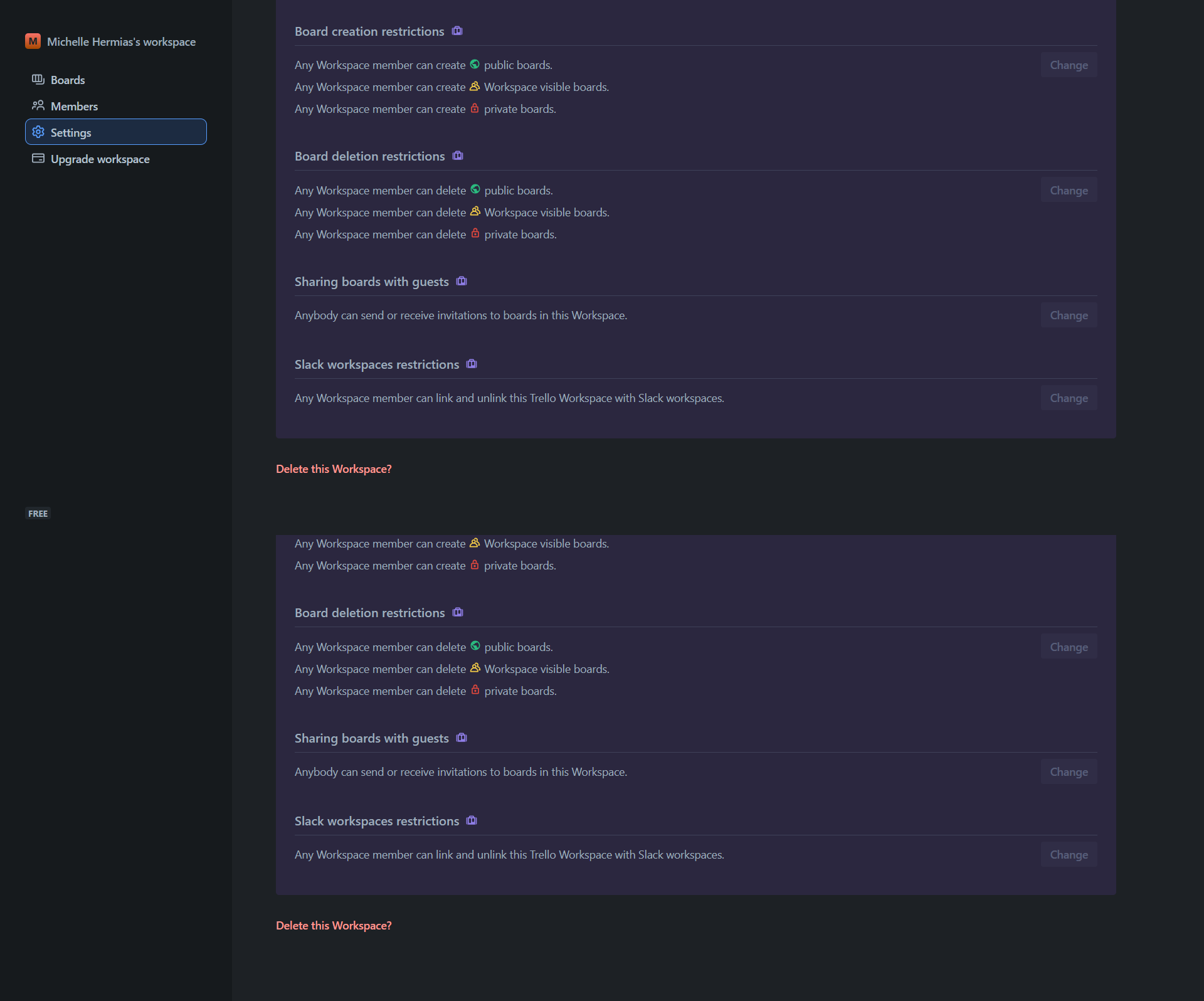
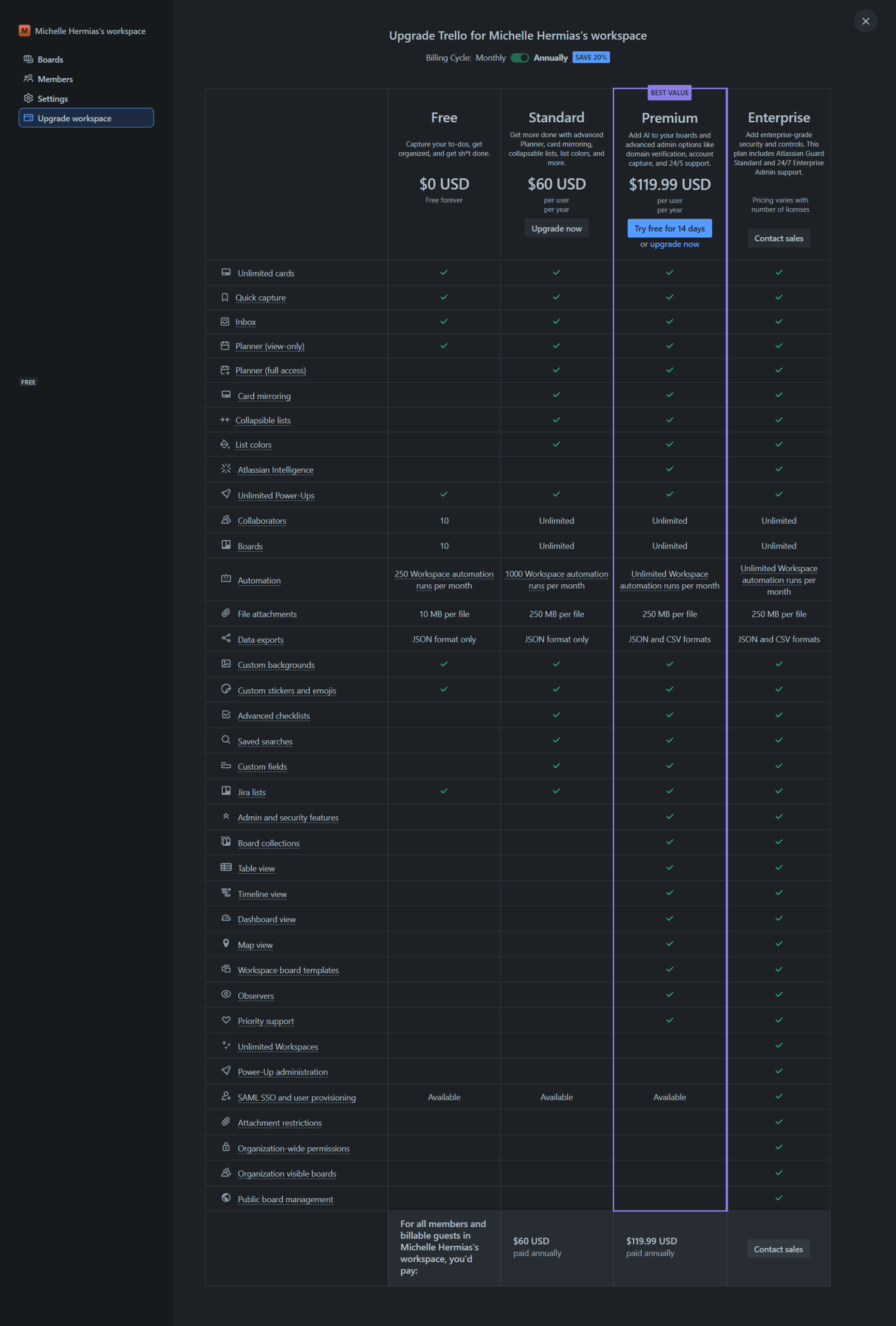
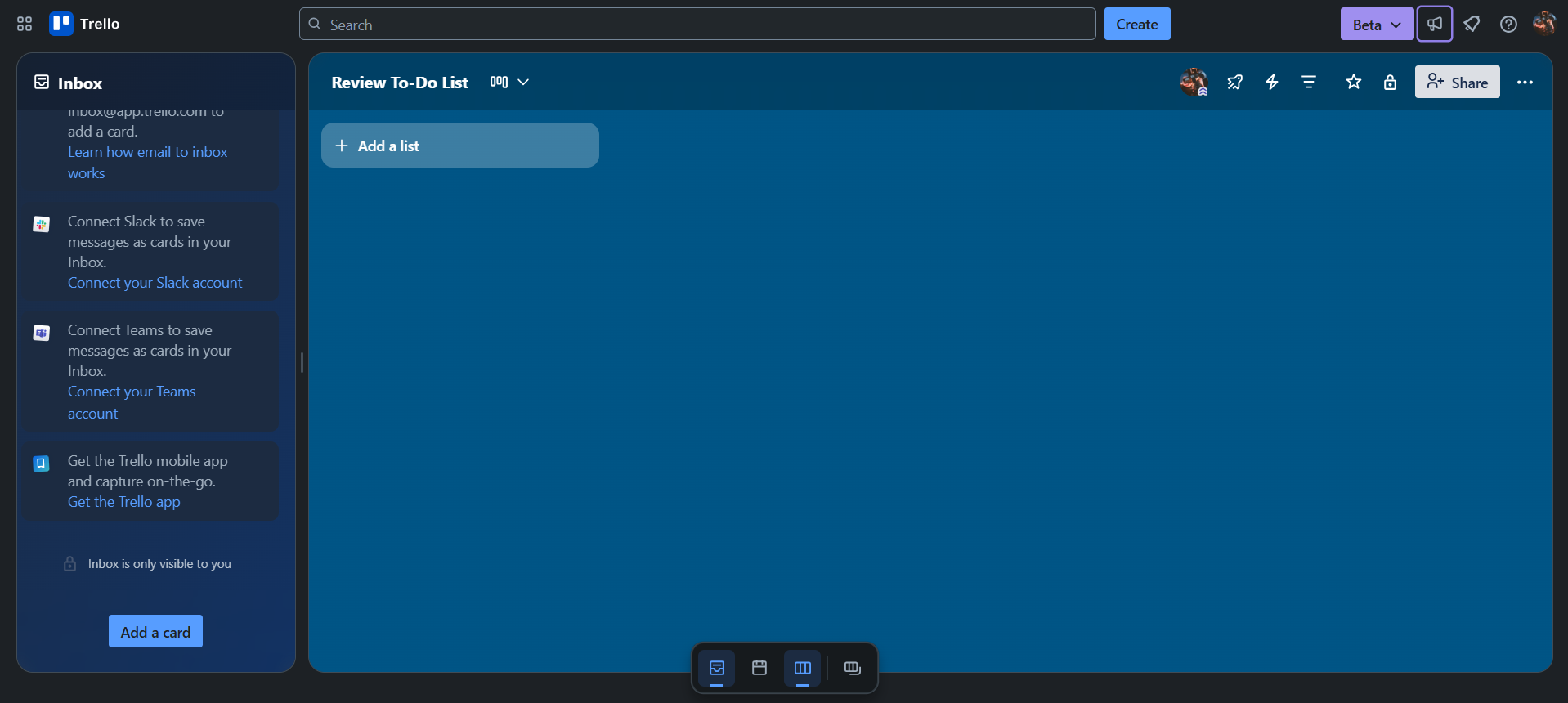
Trello Showcase
info Icon

A curated gallery of real screenshots and use cases from the product, so you can see how it works before trying it.

Full Screen Icon
Full Screen Icon
Full Screen Icon
Full Screen Icon
Full Screen Icon
Full Screen Icon
Full Screen Icon
https://www.youtube.com/watch?v=IrXL2ANDr6U
Full Screen Icon
https://www.youtube.com/watch?v=lfMJ-NeoUGM
Full Screen Icon

What else exists next to Trello
info Icon

A list of platforms similar to Trello, helping you evaluate which tool best matches your needs.

Need to cancel Trello? Here is how
info Icon

Thinking about how to cancel Trello this is how you do it!

To cancel a Trello subscription:

  • Navigate to your Workspace’s billing page.
  • Scroll to the bottom and click the "Cancel" link.
  • Confirm the cancellation to stop future billing.
  • Your plan will remain active until the end of the prepaid service period.

How to Cancel the Trello

To cancel a Trello subscription:

  • Navigate to your Workspace’s billing page.
  • Scroll to the bottom and click the "Cancel" link.
  • Confirm the cancellation to stop future billing.
  • Your plan will remain active until the end of the prepaid service period.
Every else you need to know about Trello
info Icon

A collection of FAQs, guides, alternatives, and comparisons to help you quickly understand if Trello is right for you.

Pricing Range
info Icon

This only an estimated pricing range, visit Trello pricing page to access all the information by clicking “Visit Now”.

$0-$17.50 / Month
Visit Now
Deals Available

This product comes with a special deal, see details

This product comes with a special deal, see details