Airtable Reviews 2026: Details, Pricing, & Features | Subscribed.fyi
Sign in to review
Join our community of software reviewers on Subscribed.fyi

Continue With Google
Continue With LinkedIn
Continue Review with Email
Continue with Email
Enter your email to continue.
Continue
Enter your password
Enter your password to finish setting up your account.
Continue
Activate your email
Enter activation code we sent to your email.
Submit
Reset your password
Enter activation code we sent to your email.
Submit
Set your new password
Enter a new password for your account.
Submit
✨ Ask AI Search
Categories
For Business
Log in
Provide My Insights

Airtable

4.8/5
(4)

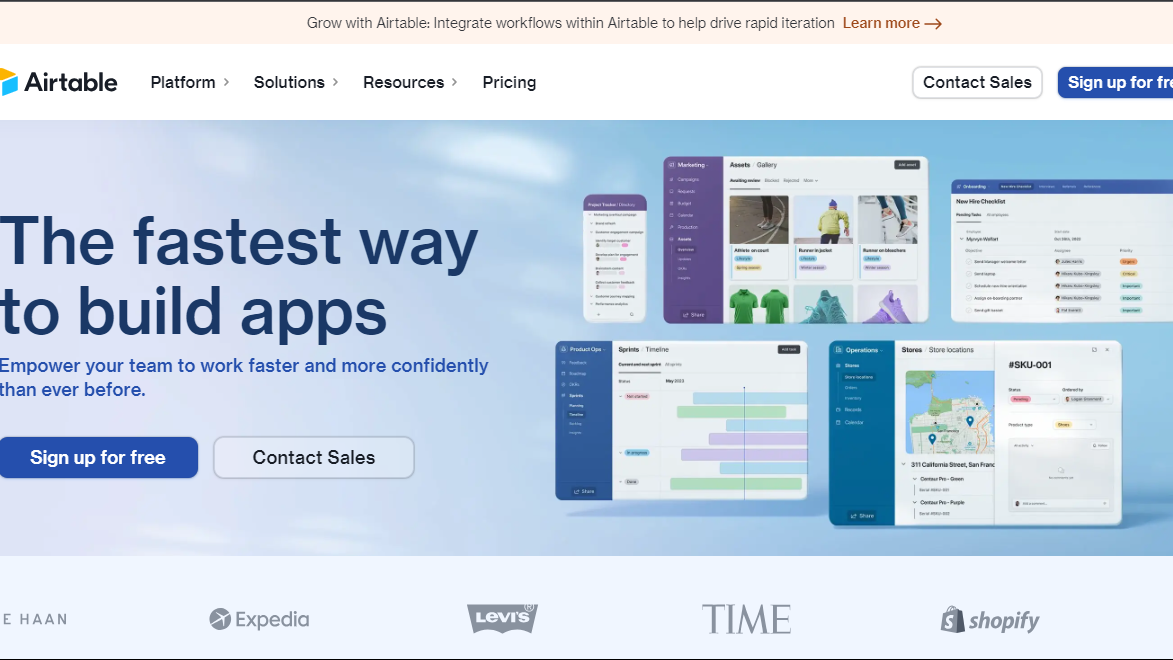
Airtable is a versatile, cloud-based collaboration platform that combines the simplicity of a spreadsheet with the power of a database. Organize, share, and collaborate seamlessly on projects with ease.

Airtable

Operations
AI Choice Award
2025

All Awards

Operations
AI Choice Award
2025
4.8
4
Reviews
85%
Subscribed Score

Available for Claim - This listing is available to be claimed
Claim For Free

Unclaimed

Curated and listed by Subscribed Team

Claim For Free
Scales with You
Scales with You
Grows with your business needs.
Built for Flexibility
Adaptable for multiple use cases.
Fully Customizable
Fully Customizable
Tailor it to your brand and workflow.

What is Airtable?

Airtable is a cloud-based collaboration platform that seamlessly merges the flexibility of a spreadsheet with the robust capabilities of a database. Users can create and organize information in structured tables, akin to spreadsheets, with each table functioning as a customizable database. This platform is renowned for its adaptability, real-time collaboration features, and the ability to create diverse views of data.

Key Features of Airtable:

  • Flexibility: Customizable databases with support for various data types, attachments, and linked records.
  • Collaboration: Real-time collaboration, allowing multiple users to work simultaneously with instant updates.
  • Blocks: Pre-built apps and tools (Blocks) for enhanced functionality, including calendars, kanban boards, and charts.
  • Integration: Connectivity with third-party tools to automate workflows and streamline processes.
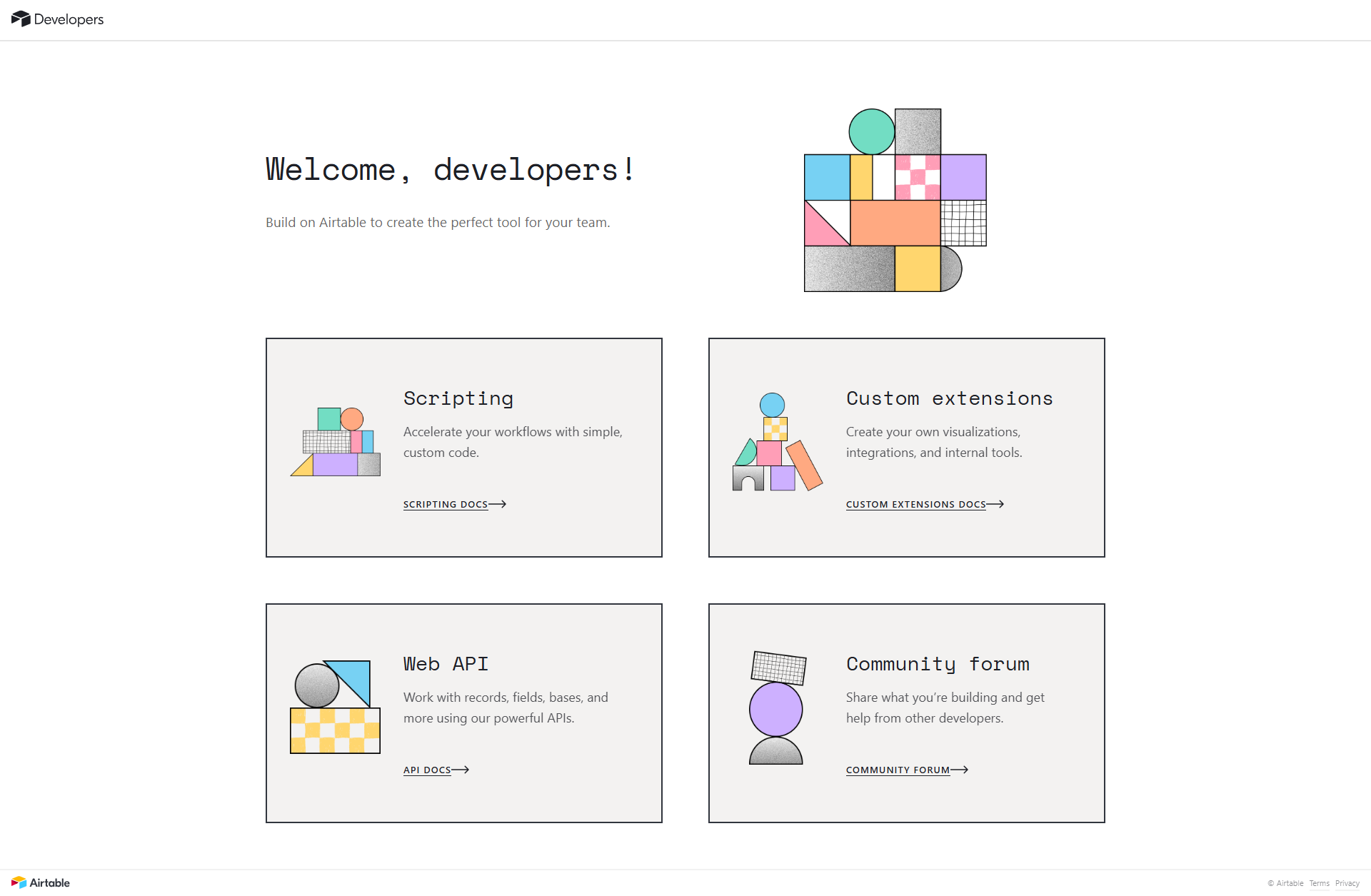
  • API: Developers can use the Airtable API to build custom applications and integrate with other systems.
  • User-friendly Interface: Intuitive design for accessibility without extensive technical knowledge.
  • Mobile Access: On-the-go access and updates through mobile apps.

In summary, Airtable serves as a dynamic platform for structured information management, catering to a broad spectrum of use cases through its combination of spreadsheet-like simplicity and powerful database functionalities.

Airtable Summary

What is Airtable?

Airtable is a cloud-based collaboration platform that seamlessly merges the flexibility of a spreadsheet with the robust capabilities of a database. Users can create and organize information in structured tables, akin to spreadsheets, with each table functioning as a customizable database. This platform is renowned for its adaptability, real-time collaboration features, and the ability to create diverse views of data.

Key Features of Airtable:

  • Flexibility: Customizable databases with support for various data types, attachments, and linked records.
  • Collaboration: Real-time collaboration, allowing multiple users to work simultaneously with instant updates.
  • Blocks: Pre-built apps and tools (Blocks) for enhanced functionality, including calendars, kanban boards, and charts.
  • Integration: Connectivity with third-party tools to automate workflows and streamline processes.
  • API: Developers can use the Airtable API to build custom applications and integrate with other systems.
  • User-friendly Interface: Intuitive design for accessibility without extensive technical knowledge.
  • Mobile Access: On-the-go access and updates through mobile apps.

In summary, Airtable serves as a dynamic platform for structured information management, catering to a broad spectrum of use cases through its combination of spreadsheet-like simplicity and powerful database functionalities.

Airtable reviews

Learn what people say about Airtable

4.8
4 Reviews
85%
Subscribed Score

Lear more here about the Subscribed score on how it is composed. Learn more Click here

Overall rating

5
4
3
2
1
CX 4/6

How good is the customer support based on subscribed’s assessment

CX Icon
Security 4/6

How secure is the product based on Subscribed’s assessment?

Security Icon
Ease of Use 5/6

How easy is the product to use, based on Subscribed’s assessment?

EOU Icon
Value 5/6

What is the value for money based on Subscribed’s assessment?

coin Icon
Integration 6/6

How many integrations does the product offer?

gear Icon
Popularity 6/6

How popular is the product?

star
Gochmurad Eyyamberdiyev User Test Enabled
3 days ago
Share
What feature do you use most often?
As I understand it, this is an AI tool for creating a control table. The AI ​​assistant first asked me what I do. Then it created a table for me.
What slows you down when using it?
There's no reason to change anything here. It's a great idea. If possible, I'd suggest changing the interface design a bit.
Is there a workflow that could be simpler?
All the features are simply perfect. I can't even think of anything to add here except the design. I would change the design.
Final thoughts, wrap up what you think
Of course, there are a ton of AI apps on the market right now. There are also popular alternatives. But it's still worth an 8 out of 10.
Upvote
M Raza Akhter Organic
QA Engineer
5 days ago
Share
How has it made your work/life easier?
Airtable is unique in that it is flexible, easy to use, and how it merges spreadsheet ease with database strength. It has simplified working because it has facilitated planning of projects, information, and work processes in a far more pictorial and systematic manner.
Is there something that almost made you stop using it?
Pricing might be limiting with increase in usage and need of higher capabilities. A few automations and huge bases also begin to appear restrictive in comparison to more specialized tools.
What problem did this product solve for you?
Airtable would benefit by having better reporting and more scalable automation. It helped in solving the issue of sorting out intricate information in a flexible, yet simple to handle format.
Final thoughts, wrap up what you think
I would highly recommend it as Airtable is adaptable, user-friendly, and suitable to plan data and processes. I would prescribe it to peers and friends who would desire a more robust and graphical substitute of spreadsheets.
Upvote
Melville Organic
1 month ago
Share
What feature do you use most often?
Mainly used as a lightweight database for tracking experiments, data requests, and dashboard ownership.
Have you experienced any bugs or errors?
Nothing critical, but formulas can behave oddly with empty or partially filled fields.
Is there a workflow that could be simpler?
Permissions and access control could be clearer.
Final thoughts, wrap up what you think
8/10. It fills the gap between spreadsheets and a real database very well.
Upvote
Batrisyia K Invitation
Product Owner
See My Portfolio
1 month ago
Share
What was your first impression when you started using it?
I used airtable to set up tables for venues, events, and tags in minutes. Linking records and adding views made it easy to model relationships without writing code. good enough for early experimentation.
What do you dislike about this product?
As the data grows, it get messy quickly. Simple logic often requires workarounds or automations that feel unstable. Harder to maintain cleanly.
What’s still missing for your needs?
Better support for acting like a real backend, e.g more control over APIs, permissions, and data validation would help. Good to have more guidance on how to migrate data seamlessly, especially for someone not so technical.
Final thoughts, wrap up what you think
Excellent for prototyping and small projects where speed matters.Would recommend it for early-stage apps
Upvote

Airtable User Reviews

4 User Reviews

Gochmurad Eyyamberdiyev User Test Enabled
3 days ago
Share
What feature do you use most often?
As I understand it, this is an AI tool for creating a control table. The AI ​​assistant first asked me what I do. Then it created a table for me.
What slows you down when using it?
There's no reason to change anything here. It's a great idea. If possible, I'd suggest changing the interface design a bit.
Is there a workflow that could be simpler?
All the features are simply perfect. I can't even think of anything to add here except the design. I would change the design.
Final thoughts, wrap up what you think
Of course, there are a ton of AI apps on the market right now. There are also popular alternatives. But it's still worth an 8 out of 10.
Upvote
M Raza Akhter Organic
QA Engineer
5 days ago
Share
How has it made your work/life easier?
Airtable is unique in that it is flexible, easy to use, and how it merges spreadsheet ease with database strength. It has simplified working because it has facilitated planning of projects, information, and work processes in a far more pictorial and systematic manner.
Is there something that almost made you stop using it?
Pricing might be limiting with increase in usage and need of higher capabilities. A few automations and huge bases also begin to appear restrictive in comparison to more specialized tools.
What problem did this product solve for you?
Airtable would benefit by having better reporting and more scalable automation. It helped in solving the issue of sorting out intricate information in a flexible, yet simple to handle format.
Final thoughts, wrap up what you think
I would highly recommend it as Airtable is adaptable, user-friendly, and suitable to plan data and processes. I would prescribe it to peers and friends who would desire a more robust and graphical substitute of spreadsheets.
Upvote
Melville Organic
1 month ago
Share
What feature do you use most often?
Mainly used as a lightweight database for tracking experiments, data requests, and dashboard ownership.
Have you experienced any bugs or errors?
Nothing critical, but formulas can behave oddly with empty or partially filled fields.
Is there a workflow that could be simpler?
Permissions and access control could be clearer.
Final thoughts, wrap up what you think
8/10. It fills the gap between spreadsheets and a real database very well.
Upvote
Batrisyia K Invitation
Product Owner
See My Portfolio
1 month ago
Share
What was your first impression when you started using it?
I used airtable to set up tables for venues, events, and tags in minutes. Linking records and adding views made it easy to model relationships without writing code. good enough for early experimentation.
What do you dislike about this product?
As the data grows, it get messy quickly. Simple logic often requires workarounds or automations that feel unstable. Harder to maintain cleanly.
What’s still missing for your needs?
Better support for acting like a real backend, e.g more control over APIs, permissions, and data validation would help. Good to have more guidance on how to migrate data seamlessly, especially for someone not so technical.
Final thoughts, wrap up what you think
Excellent for prototyping and small projects where speed matters.Would recommend it for early-stage apps
Upvote
Reviews from G2, Capterra, Trustpilot
info Icon

These ratings come directly from third-party platforms like G2, Capterra, and Trustpilot. They reflect real user feedback collected independently on those sites.

Airtable

Pricing Range
info Icon

This only an estimated pricing range, visit Airtable pricing page to access all the information by clicking “Visit Now”.

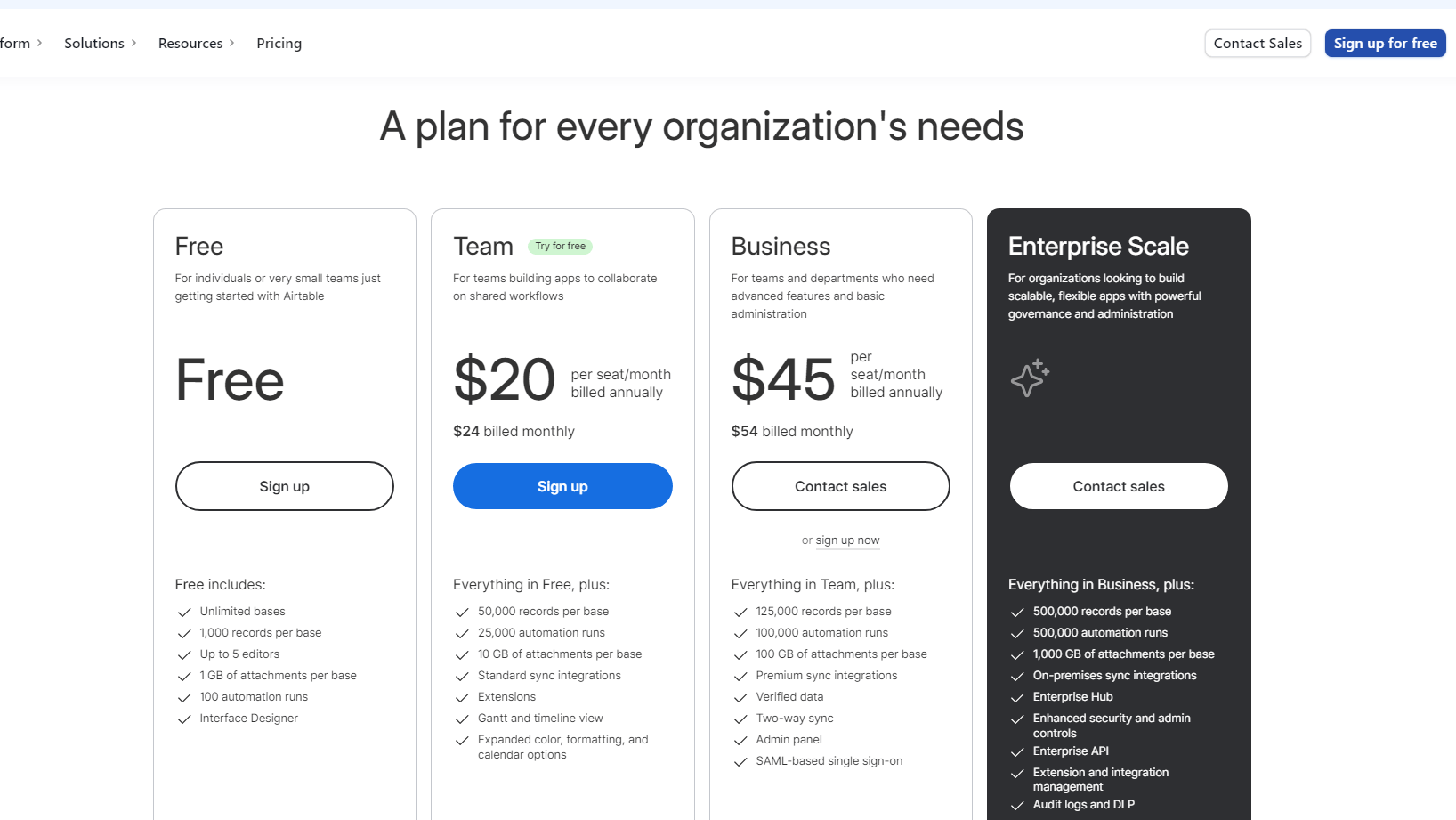
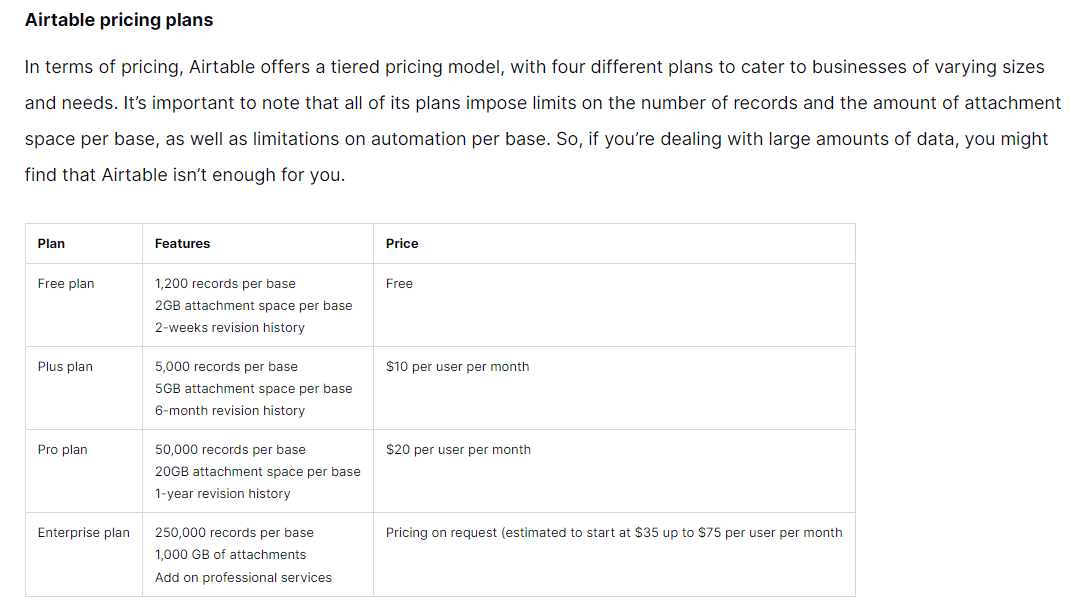
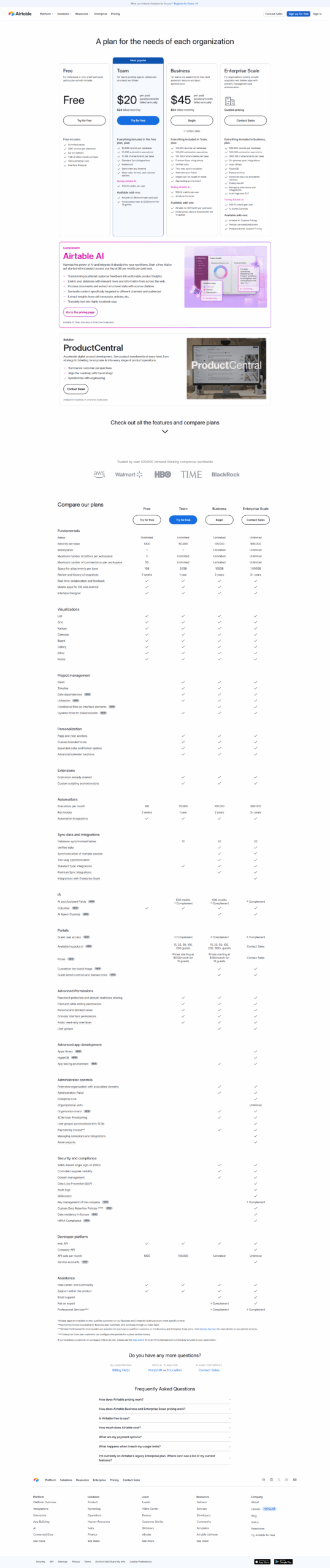
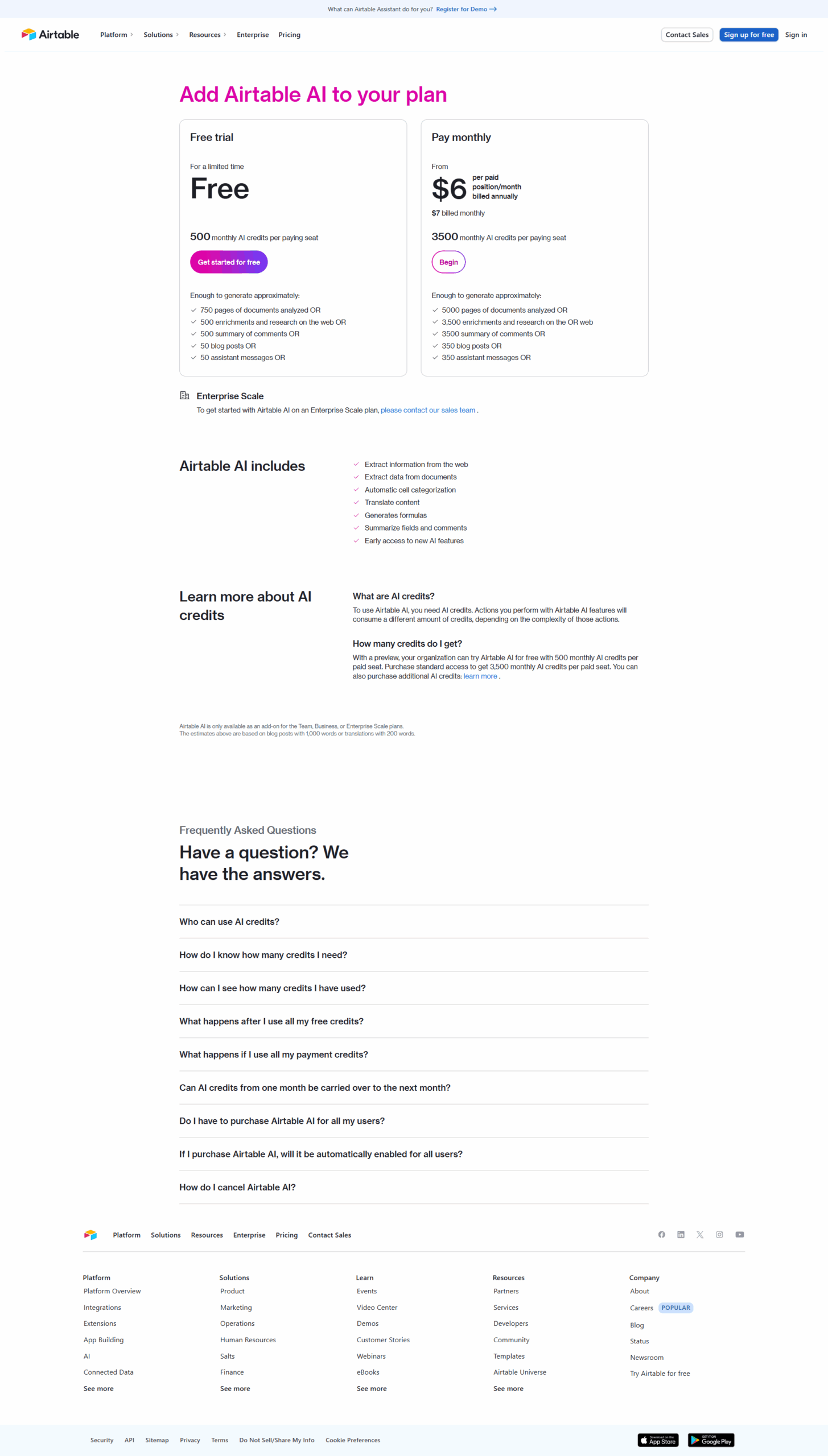
$7-$45 / Month
Deals Available

This product comes with a special deal, see details

Visit Now
✨ Ask AI about pricing
85% Subscribed Score
info Icon

The Subscribed Score is an independent rating that combines user reviews, features, and value-for-money from multiple trusted sources. It’s designed as a quick benchmark, not a guarantee of individual experience.

Analysis

What is Airtable?

Airtable is a cloud-based collaboration platform that seamlessly merges the flexibility of a spreadsheet with the robust capabilities of a database. Users can create and organize information in structured tables, akin to spreadsheets, with each table functioning as a customizable database. This platform is renowned for its adaptability, real-time collaboration features, and the ability to create diverse views of data.

Key Features of Airtable:

  • Flexibility: Customizable databases with support for various data types, attachments, and linked records.
  • Collaboration: Real-time collaboration, allowing multiple users to work simultaneously with instant updates.
  • Blocks: Pre-built apps and tools (Blocks) for enhanced functionality, including calendars, kanban boards, and charts.
  • Integration: Connectivity with third-party tools to automate workflows and streamline processes.
  • API: Developers can use the Airtable API to build custom applications and integrate with other systems.
  • User-friendly Interface: Intuitive design for accessibility without extensive technical knowledge.
  • Mobile Access: On-the-go access and updates through mobile apps.

In summary, Airtable serves as a dynamic platform for structured information management, catering to a broad spectrum of use cases through its combination of spreadsheet-like simplicity and powerful database functionalities.

Pros
  • Highly flexible and customizable
  • Excellent collaboration features
  • Simple spreadsheet-database combo
  • Wide range of integrations and templates
Cons
  • Advanced features are costly
  • Steep learning curve for new users
  • Limited offline functionalities
  • Overwhelming setup for complex workflows

Subscribed Score Metrics
30/36 Metric achieved
MetricsScore
Customer Support4/6
Security4/6
Ease of Use5/6
Value of Money5/6
Integration6/6
Popularity6/6
Radar Chart Table View
Ease of Use
Measures how simple and intuitive the product is to use, including setup, navigation, and overall user experience
5/6 Metric Checks
Security
Compares the product`s features, quality, and pricing to determine its overall cost-effectiveness.

4/6 Metric Checks
Value of Money
Assesses the product`s ability to protect data, prevent breaches, and comply with industry standards.
5/6 Metric Checks
Customer Support
Reflects the responsiveness, helpfulness, and quality of assistance provided by the product`s support team.
4/6 Metric Checks
Integrations
Evaluates how well the product connects with other tools and platforms, enabling seamless workflows.
6/6 Metric Checks
Airtable Pricing Range
$7-$45 / Month

Airtable Showcase
info Icon

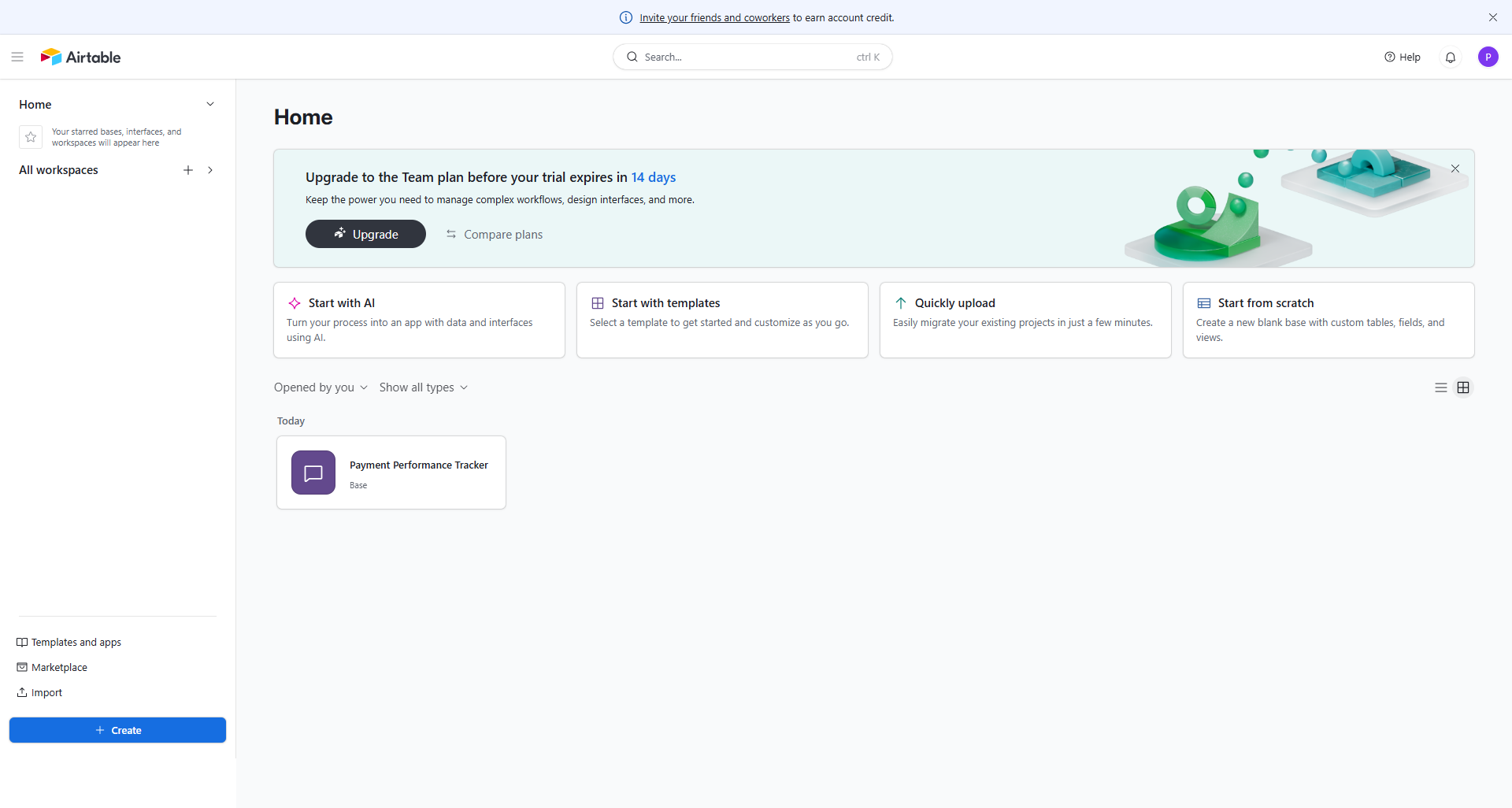
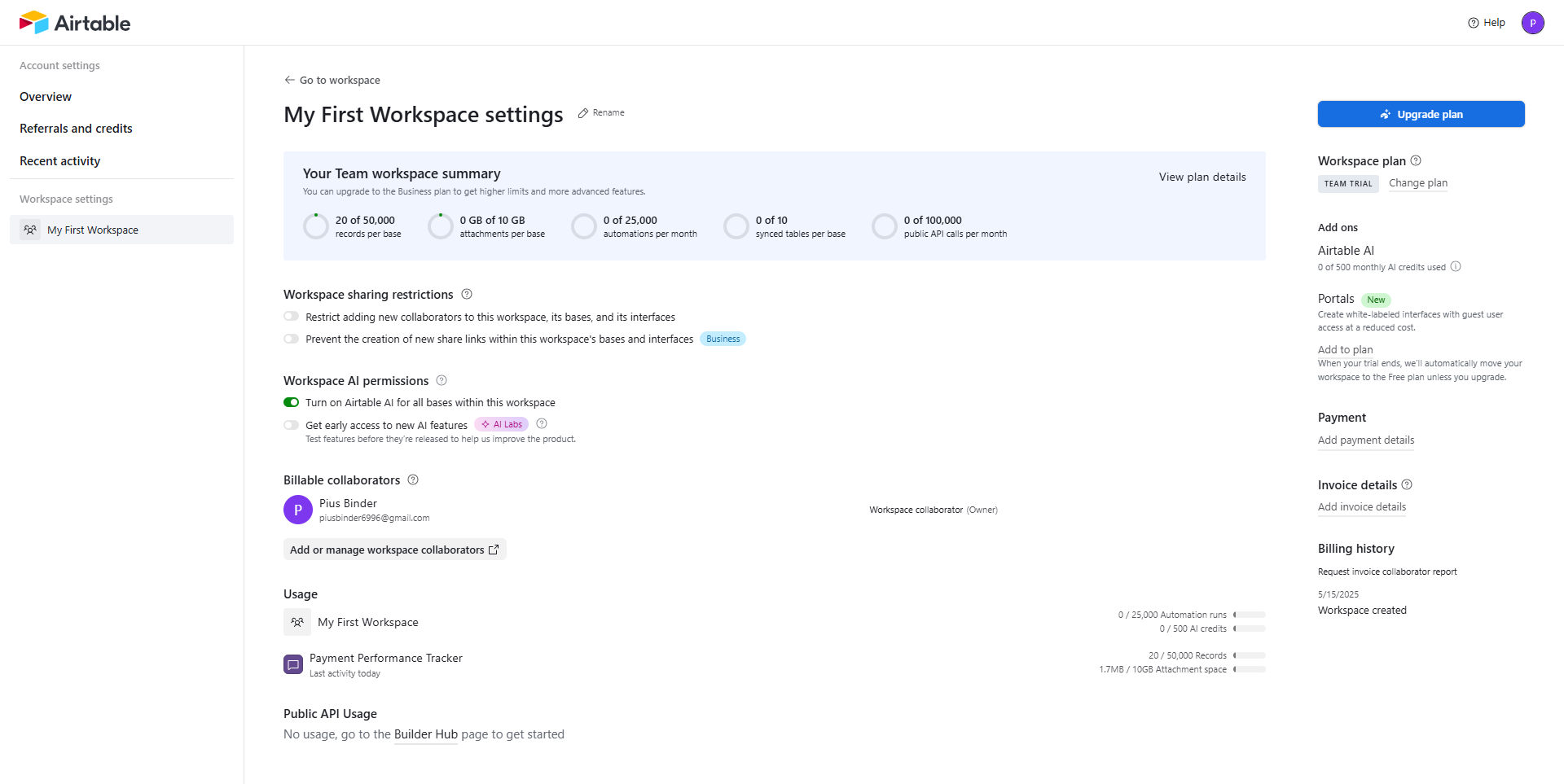
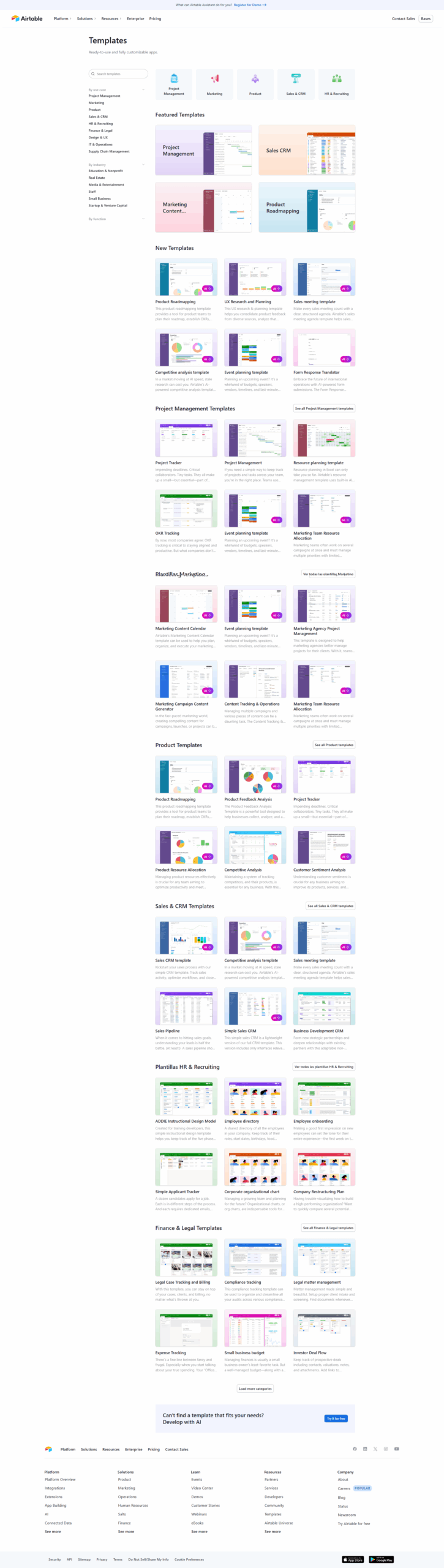
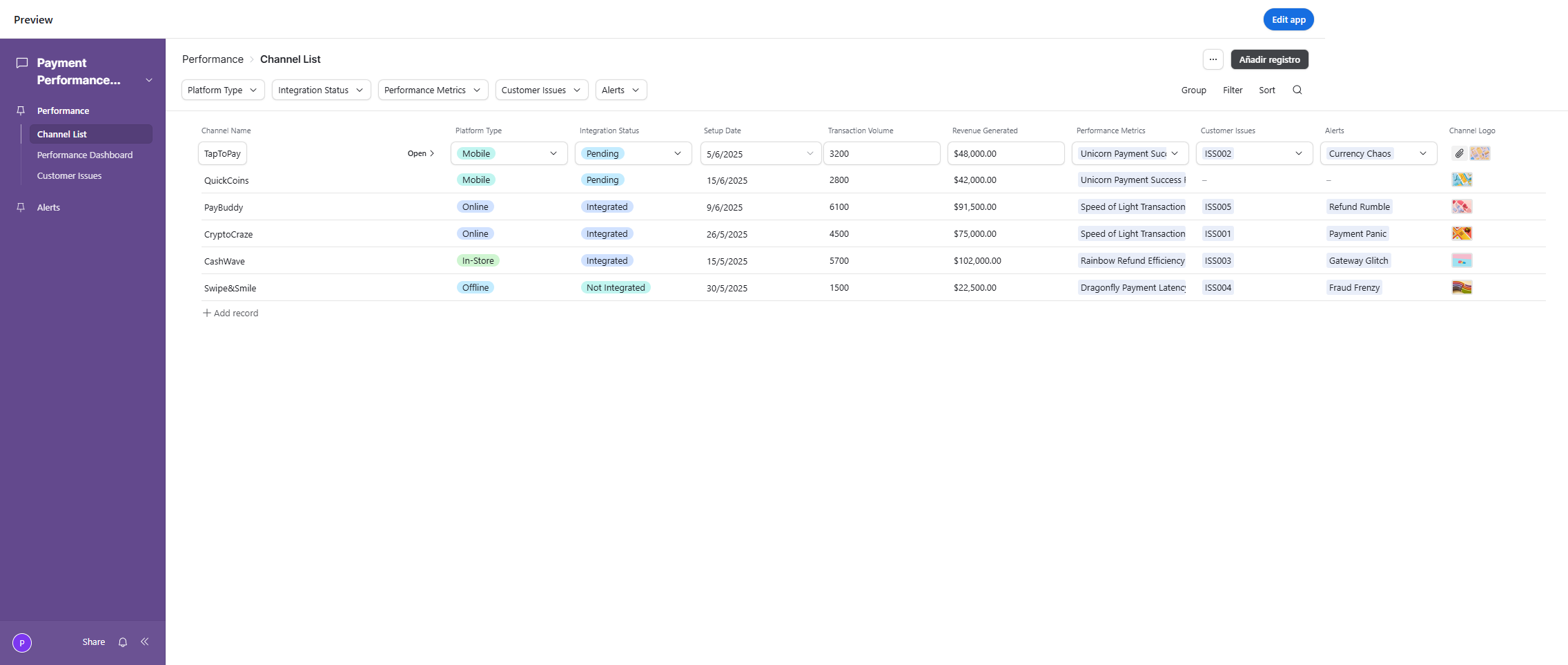
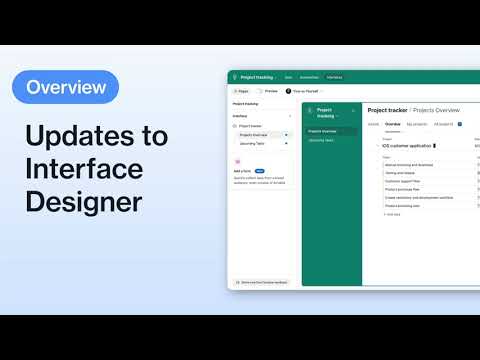
A curated gallery of real screenshots and use cases from the product, so you can see how it works before trying it.

Full Screen Icon
Full Screen Icon
Full Screen Icon
Full Screen Icon
Full Screen Icon
Full Screen Icon
Full Screen Icon
Full Screen Icon
Full Screen Icon
Full Screen Icon
https://www.youtube.com/watch?v=fM_Yw1udG_c?feature=oembed
Full Screen Icon

What else exists next to Airtable
info Icon

A list of platforms similar to Airtable, helping you evaluate which tool best matches your needs.

Need to cancel Airtable? Here is how
info Icon

Thinking about how to cancel Airtable this is how you do it!

Steps to Cancel Airtable.

To cancel your Airtable subscription, log in to your account, navigate to “Account Settings” or “Billing,” find the subscription details, click on “Cancel Subscription,” follow the provided instructions, and verify the cancellation. For the latest information, visit Airtable’s official support documentation, Click here.

How to Cancel the Airtable

Steps to Cancel Airtable.

To cancel your Airtable subscription, log in to your account, navigate to “Account Settings” or “Billing,” find the subscription details, click on “Cancel Subscription,” follow the provided instructions, and verify the cancellation. For the latest information, visit Airtable’s official support documentation, Click here.

Pricing Range
info Icon

This only an estimated pricing range, visit Airtable pricing page to access all the information by clicking “Visit Now”.

$7-$45 / Month
Visit Now
Deals Available

This product comes with a special deal, see details

This product comes with a special deal, see details