Sign in to review
Join our community of software reviewers on Subscribed.fyi

Continue With Google
Continue With LinkedIn
Continue Review with Email
Continue with Email
Enter your email to continue.
Continue
Enter your password
Enter your password to finish setting up your account.
Continue
Activate your email
Enter activation code we sent to your email.
Submit
Reset your password
Enter activation code we sent to your email.
Submit
Set your new password
Enter a new password for your account.
Submit
Log in
Provide My Insights
Browse AI logo
Browse AI logo

Browse AI Reviews, Pricing, Features & Alternatives (2026)

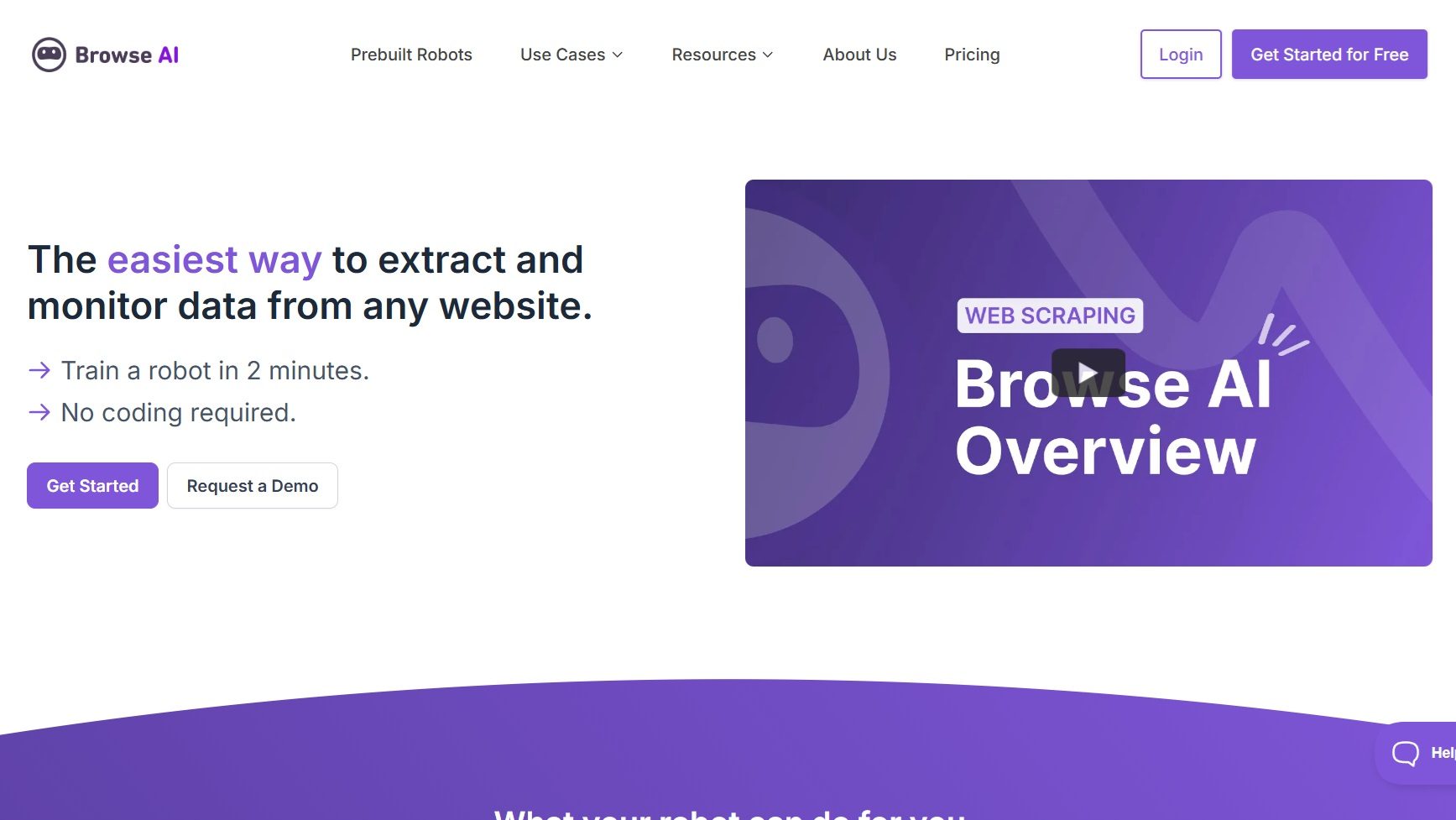
Browse AI is a no-code web automation platform for data extraction and monitoring, ideal for market researchers, business analysts, e-commerce professionals, and non-technical users. It simplifies web scraping and automates online tasks efficiently.

Browse AI logo
Browse AI logo
Browse AI logo

Browse AI Overview

What is Browse AI?

N/A
★ ★ ★ ★ ★
0
Reviews

Available for Claim - This listing is available to be claimed
Claim Profile

Unclaimed

Claim this profile to manage it.

Claim Profile

Why teams choose Browse AI

Key Features

Eco-Friendly
Eco-Friendly
Designed with sustainability in mind.
Built for Flexibility
Adaptable for multiple use cases.
Plug & Play Setup
Plug & Play Setup
Get started in minutes, not weeks.

Who is Browse AI for?

Simplify Web Automation with Browse AI – The Data Collection Expert

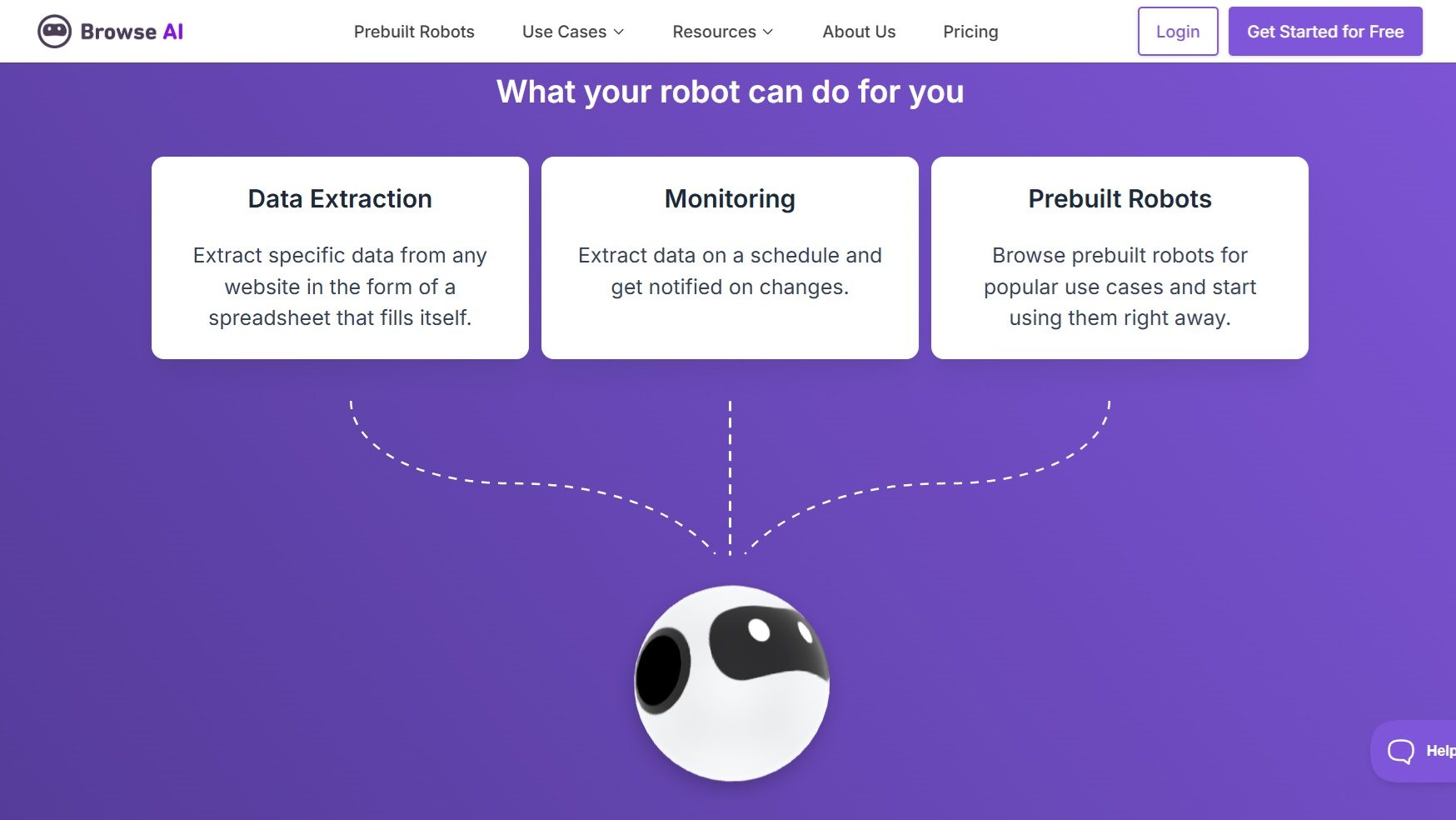
Browse AI, a leader in the AI Tools category, makes web data extraction effortless and code-free. With intuitive tools to create custom scrapers, automate online tasks, and streamline data monitoring, Browse AI empowers users to save time and boost efficiency.

Why Use Browse AI?

In the realm of web automation tools, Browse AI stands out by:

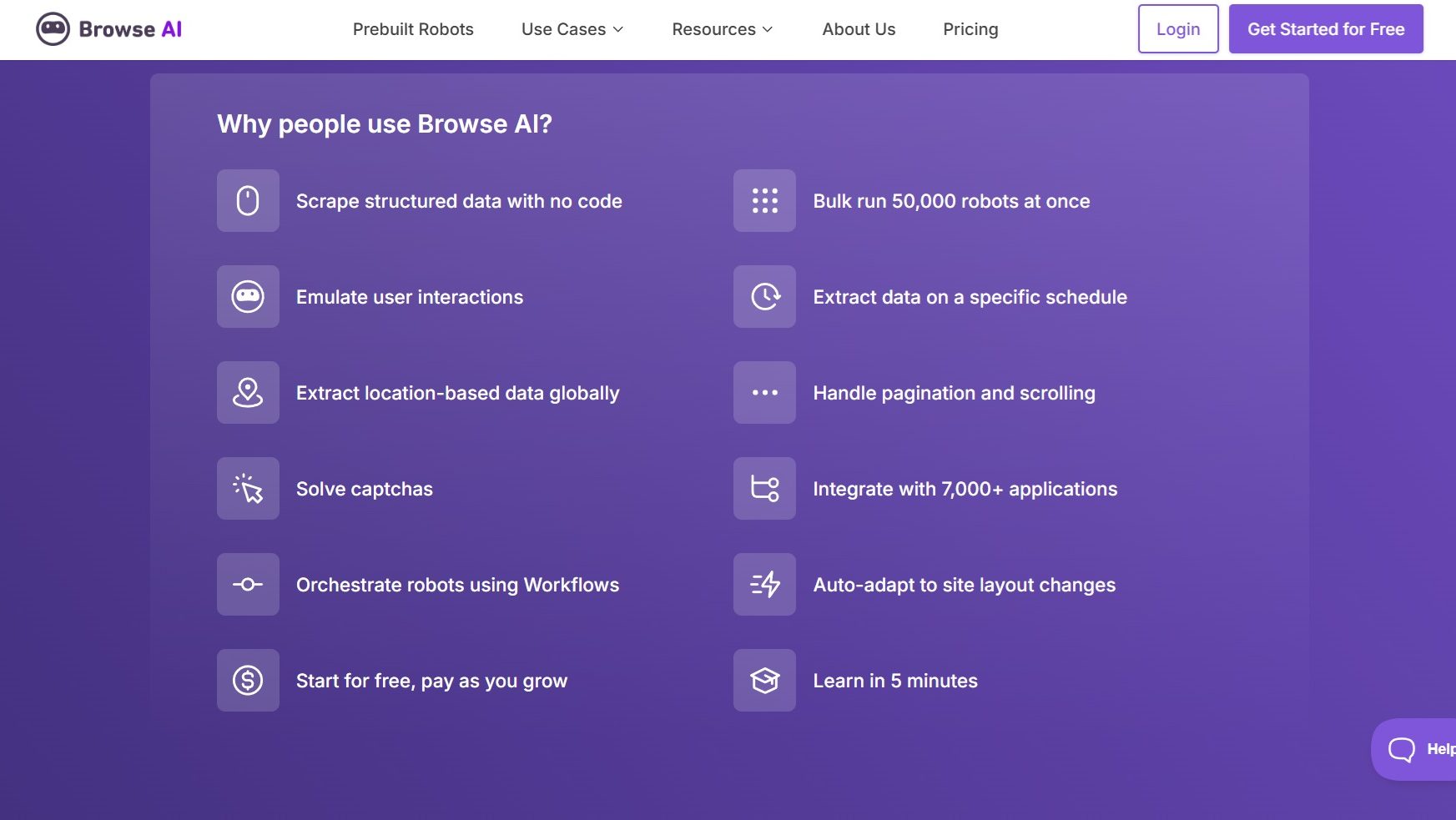
  1. No-Code Web Scraping: Browse AI empowers users to extract data from websites without any programming knowledge, making web scraping accessible to non-technical users.
  2. Automated Data Monitoring: The platform allows users to set up automated monitoring of websites, ensuring they receive timely updates and changes in data, which is crucial for competitive analysis and market research.
  3. Customizable Workflows: Users can create tailored workflows to automate repetitive online tasks, streamlining processes and saving valuable time and resources.
  4. User-Friendly Interface: With an intuitive interface, Browse AI simplifies the setup and management of web automation tasks, reducing the learning curve for new users.

Who is Browse AI For?

Browse AI caters to a wide range of users:

  1. Market Researchers: Market researchers use Browse AI to gather and monitor data from various sources, enabling them to stay informed about industry trends and competitor activities.
  2. Business Analysts: Business analysts leverage Browse AI for data collection and analysis, helping them make data-driven decisions and optimize business strategies.
  3. E-commerce Professionals: E-commerce professionals utilize Browse AI to track product prices, availability, and competitor offerings, ensuring they remain competitive in the market.
  4. Non-Technical Users: With its no-code approach, Browse AI is ideal for individuals and teams without programming expertise who need to automate web tasks and extract data efficiently.

In conclusion, Browse AI is a powerful tool for automating web data extraction and monitoring. Whether you’re a market researcher, business analyst, e-commerce professional, or a non-technical user, Browse AI provides the capabilities needed to streamline data collection and enhance decision-making processes.

Browse AI Summary

Simplify Web Automation with Browse AI – The Data Collection Expert

Browse AI, a leader in the AI Tools category, makes web data extraction effortless and code-free. With intuitive tools to create custom scrapers, automate online tasks, and streamline data monitoring, Browse AI empowers users to save time and boost efficiency.

Why Use Browse AI?

In the realm of web automation tools, Browse AI stands out by:

  1. No-Code Web Scraping: Browse AI empowers users to extract data from websites without any programming knowledge, making web scraping accessible to non-technical users.
  2. Automated Data Monitoring: The platform allows users to set up automated monitoring of websites, ensuring they receive timely updates and changes in data, which is crucial for competitive analysis and market research.
  3. Customizable Workflows: Users can create tailored workflows to automate repetitive online tasks, streamlining processes and saving valuable time and resources.
  4. User-Friendly Interface: With an intuitive interface, Browse AI simplifies the setup and management of web automation tasks, reducing the learning curve for new users.

Who is Browse AI For?

Browse AI caters to a wide range of users:

  1. Market Researchers: Market researchers use Browse AI to gather and monitor data from various sources, enabling them to stay informed about industry trends and competitor activities.
  2. Business Analysts: Business analysts leverage Browse AI for data collection and analysis, helping them make data-driven decisions and optimize business strategies.
  3. E-commerce Professionals: E-commerce professionals utilize Browse AI to track product prices, availability, and competitor offerings, ensuring they remain competitive in the market.
  4. Non-Technical Users: With its no-code approach, Browse AI is ideal for individuals and teams without programming expertise who need to automate web tasks and extract data efficiently.

In conclusion, Browse AI is a powerful tool for automating web data extraction and monitoring. Whether you’re a market researcher, business analyst, e-commerce professional, or a non-technical user, Browse AI provides the capabilities needed to streamline data collection and enhance decision-making processes.

Browse AI reviews and insights

Learn what people say about Browse AI

N/A ★ ★ ★ ★ ★
0 Reviews

No Reviews Yet!

Be the first to share your experience and help others in the community.

Browse AI logo

Browse AI User Reviews

0 User Reviews

Browse AI pricing

Pricing model

Browse AI logo
Pricing Range
info Icon

This only an estimated pricing range, visit Browse AI pricing page to access all the information by clicking “Visit Now”.

$39-$312 / Month
Visit Now

Overview

Simplify Web Automation with Browse AI – The Data Collection Expert

Browse AI, a leader in the AI Tools category, makes web data extraction effortless and code-free. With intuitive tools to create custom scrapers, automate online tasks, and streamline data monitoring, Browse AI empowers users to save time and boost efficiency.

Why Use Browse AI?

In the realm of web automation tools, Browse AI stands out by:

  1. No-Code Web Scraping: Browse AI empowers users to extract data from websites without any programming knowledge, making web scraping accessible to non-technical users.
  2. Automated Data Monitoring: The platform allows users to set up automated monitoring of websites, ensuring they receive timely updates and changes in data, which is crucial for competitive analysis and market research.
  3. Customizable Workflows: Users can create tailored workflows to automate repetitive online tasks, streamlining processes and saving valuable time and resources.
  4. User-Friendly Interface: With an intuitive interface, Browse AI simplifies the setup and management of web automation tasks, reducing the learning curve for new users.

Who is Browse AI For?

Browse AI caters to a wide range of users:

  1. Market Researchers: Market researchers use Browse AI to gather and monitor data from various sources, enabling them to stay informed about industry trends and competitor activities.
  2. Business Analysts: Business analysts leverage Browse AI for data collection and analysis, helping them make data-driven decisions and optimize business strategies.
  3. E-commerce Professionals: E-commerce professionals utilize Browse AI to track product prices, availability, and competitor offerings, ensuring they remain competitive in the market.
  4. Non-Technical Users: With its no-code approach, Browse AI is ideal for individuals and teams without programming expertise who need to automate web tasks and extract data efficiently.

In conclusion, Browse AI is a powerful tool for automating web data extraction and monitoring. Whether you’re a market researcher, business analyst, e-commerce professional, or a non-technical user, Browse AI provides the capabilities needed to streamline data collection and enhance decision-making processes.

Where Browse AI performs best

What users like
  • Intuitive and easy-to-use interface
  • No coding experience required
  • Efficient for data extraction and workflows
  • Helpful customer support and resources

Where Browse AI falls short

What users dislike
  • Occasional UI bugs and slow navigation
  • Limited credits in free plan for extensive use
  • Improvement needed in tutorial clarity
  • Slow response time for support in some cases
Browse AI Pricing Range
$39-$312 / Month

Browse AI in action
info Icon

A curated gallery of real screenshots and use cases from the product, so you can see how it works before trying it.

Browse AI screenshot 1 Full Screen Icon
Browse AI screenshot 2 Full Screen Icon
Browse AI screenshot 3 Full Screen Icon
Browse AI screenshot 4 Full Screen Icon
Browse AI screenshot 1
Browse AI screenshot 2
Browse AI screenshot 3
Browse AI screenshot 4
Browse AI screenshot 1
Browse AI screenshot 2
Browse AI screenshot 3
Browse AI screenshot 4

Alternatives to Browse AI
info Icon

A list of platforms similar to Browse AI, helping you evaluate which tool best matches your needs.

How to cancel Browse AI

Need to cancel Browse AI? Here is how
info Icon

Thinking about how to cancel Browse AI this is how you do it!

Steps to Cancel Browse AI Subscription.

Canceling your Browse AI Subscription is a straightforward process. You can follow a few simple steps to initiate the cancellation or explore options to switch to a different plan. For detailed instructions, refer to Browse AI Cancellation Guide.

How to Cancel the Browse AI

Steps to Cancel Browse AI Subscription.

Canceling your Browse AI Subscription is a straightforward process. You can follow a few simple steps to initiate the cancellation or explore options to switch to a different plan. For detailed instructions, refer to Browse AI Cancellation Guide.

Manage your Browse AI profile

Create profile

Want to list your product on Subscribed.fyi? Create a profile to reach more buyers.

Pricing Range
info Icon

This only an estimated pricing range, visit Browse AI pricing page to access all the information by clicking “Visit Now”.

$39-$312 / Month
Visit Now