Sign in to review
Join our community of software reviewers on Subscribed.fyi

Continue With Google
Continue With LinkedIn
Continue Review with Email
Continue with Email
Enter your email to continue.
Continue
Enter your password
Enter your password to finish setting up your account.
Continue
Activate your email
Enter activation code we sent to your email.
Submit
Reset your password
Enter activation code we sent to your email.
Submit
Set your new password
Enter a new password for your account.
Submit
Log in
Provide My Insights
Web Development Most Loved Award award
GitLab logo
Web Development Most Loved Award award
GitLab logo

GitLab Reviews, Pricing, Features & Alternatives (2026)

4.3/5
(3)
Kris Castillo Invitation
Quality Assurance Engineer
See My Portfolio
9 months ago
Share
What’s the biggest benefit you’ve noticed?
For QA, seeing test results directly connected to merge requests is very helpful.
What slows you down when using it?
Pages with pipelines or merge requests take a while to load. It can feel overwhelming for smaller tasks.
If you could change one thing, what would it be?
Common QA workflows could be more visible and easier to access.
Final thoughts, wrap up what you think
Powerful and comprehensive. It has a learning curve, but very effective
Upvote

GitLab revolutionizes DevOps with a unified platform for the entire software development lifecycle, enhancing collaboration, automating CI/CD, and ensuring security. Ideal for developers, DevOps teams, project managers, and security professionals.

Web Development Most Loved Award award
GitLab logo
Web Development Most Loved Award award
GitLab logo
Web Development Most Loved Award award
GitLab logo

GitLab Overview

What is GitLab?

Web Development Most Loved Award award
Web Development
Most Loved Award
2026

All Awards

Web Development
Web Development
Most Loved Award
2026
4.3
β˜… β˜… β˜… β˜… β˜…
3
Reviews

Available for Claim - This listing is available to be claimed
Claim Profile

Unclaimed

Claim this profile to manage it.

Claim Profile

Why teams choose GitLab

Key Features

Secure by Design
Secure by Design
Data protection and compliance built in.
Eco-Friendly
Eco-Friendly
Designed with sustainability in mind.
Collaborate Easily
Collaborate Easily
Built for teams and communication.

Who is GitLab for?

GitLab, a leading platform in theΒ Bug Feedback Tracking SoftwareΒ category, revolutionizes the DevOps landscape by offering a unified application for the entire software development lifecycle. With integrated features like source code management, CI/CD, and project management, GitLab empowers teams to collaborate more efficiently and accelerate software delivery. Ready to streamline your development process? ExploreΒ exclusive deals. For more tools in this category, check outΒ Jira,Β ClickUp, andΒ GitHub.

Why Use GitLab?

In the realm of DevOps platforms,Β GitLabΒ stands out by:

  1. Comprehensive DevOps Solution:Β GitLab provides a single application that covers the entire DevOps lifecycle, from planning and source code management to CI/CD and monitoring, reducing the need for multiple tools.
  2. Enhanced Collaboration:Β With features designed to improve team collaboration, GitLab enables seamless communication and coordination among developers, project managers, and operations teams.
  3. Integrated CI/CD Pipelines:Β GitLab’s built-in CI/CD pipelines automate testing and deployment processes, ensuring faster and more reliable software delivery.
  4. Robust Security Features:Β GitLab includes security scanning and vulnerability management tools to help teams identify and address potential security issues early in the development process.

Who is GitLab For?

GitLabΒ caters to a wide range of users:

  1. Developers:Β Developers use GitLab for source code management, code review, and collaboration, benefiting from its integrated development environment.
  2. DevOps Teams:Β DevOps teams leverage GitLab’s comprehensive toolset to automate and streamline their workflows, from code integration to deployment.
  3. Project Managers:Β Project managers utilize GitLab’s project management features to track progress, manage tasks, and ensure alignment across teams.
  4. Security Professionals:Β Security professionals rely on GitLab’s security features to conduct vulnerability assessments and maintain compliance throughout the development lifecycle.

In conclusion,Β GitLabΒ is an essential tool for teams looking to enhance their DevOps practices and improve collaboration. Whether you’re a developer, part of a DevOps team, a project manager, or a security professional, GitLab offers the tools needed to streamline workflows and deliver high-quality software efficiently.

GitLab Summary

GitLab, a leading platform in theΒ Bug Feedback Tracking SoftwareΒ category, revolutionizes the DevOps landscape by offering a unified application for the entire software development lifecycle. With integrated features like source code management, CI/CD, and project management, GitLab empowers teams to collaborate more efficiently and accelerate software delivery. Ready to streamline your development process? ExploreΒ exclusive deals. For more tools in this category, check outΒ Jira,Β ClickUp, andΒ GitHub.

Why Use GitLab?

In the realm of DevOps platforms,Β GitLabΒ stands out by:

  1. Comprehensive DevOps Solution:Β GitLab provides a single application that covers the entire DevOps lifecycle, from planning and source code management to CI/CD and monitoring, reducing the need for multiple tools.
  2. Enhanced Collaboration:Β With features designed to improve team collaboration, GitLab enables seamless communication and coordination among developers, project managers, and operations teams.
  3. Integrated CI/CD Pipelines:Β GitLab’s built-in CI/CD pipelines automate testing and deployment processes, ensuring faster and more reliable software delivery.
  4. Robust Security Features:Β GitLab includes security scanning and vulnerability management tools to help teams identify and address potential security issues early in the development process.

Who is GitLab For?

GitLabΒ caters to a wide range of users:

  1. Developers:Β Developers use GitLab for source code management, code review, and collaboration, benefiting from its integrated development environment.
  2. DevOps Teams:Β DevOps teams leverage GitLab’s comprehensive toolset to automate and streamline their workflows, from code integration to deployment.
  3. Project Managers:Β Project managers utilize GitLab’s project management features to track progress, manage tasks, and ensure alignment across teams.
  4. Security Professionals:Β Security professionals rely on GitLab’s security features to conduct vulnerability assessments and maintain compliance throughout the development lifecycle.

In conclusion,Β GitLabΒ is an essential tool for teams looking to enhance their DevOps practices and improve collaboration. Whether you’re a developer, part of a DevOps team, a project manager, or a security professional, GitLab offers the tools needed to streamline workflows and deliver high-quality software efficiently.

GitLab reviews and insights

Learn what people say about GitLab

4.3 β˜… β˜… β˜… β˜… β˜…
3 Reviews
Kris Castillo Invitation
Quality Assurance Engineer
See My Portfolio
9 months ago
Share
What’s the biggest benefit you’ve noticed?
For QA, seeing test results directly connected to merge requests is very helpful.
What slows you down when using it?
Pages with pipelines or merge requests take a while to load. It can feel overwhelming for smaller tasks.
If you could change one thing, what would it be?
Common QA workflows could be more visible and easier to access.
Final thoughts, wrap up what you think
Powerful and comprehensive. It has a learning curve, but very effective
Upvote
Melville Invitation
9 months ago
Share
What do you like best about this product?
It felt very all in one from the start. code, issues, CI, and deployments all live in the same place. Coming from GitHub, Felt heavier but more structured.
What feels confusing or hard to use?
The interface can feel cluttered and slow at times. Simple actions sometimes take more clicks than expected.
What’s still missing for your needs?
clearer guidance for setting up CI for data projects like dbt. Reviewing large SQL changes could be more readable.
Final thoughts, wrap up what you think
7/10. Works well if you want everything in one platform. For data teams, it can feel a bit heavy compared to GitHub
Upvote
11 months ago
Share
What do you like best about this product?
The fact that Gitlab allows to self-host the community addition is the most important feature. That means that you get a high grade and completely private source control. Other things that standout: The fact that continuous integration is a first class citizen in the gitlab world, making you put more focus on CI. The clean and simple UI which mostly works very well.
What feels confusing or hard to use?
Groups have always been confusing.
What new feature would you love to see added?
I am inventing things because Gitlab is already a pretty well rounded product. What could improve is a more opinionated setup of branches, branch names, workflows, Ci pipelines ... or at least a templating of that. Other: the various searches and filtering features are not top notch. For example, if you don't use almost exactly the correct project name, the search misses.
Final thoughts, wrap up what you think
my go to source control UI
Upvote (2)
GitLab logo

GitLab User Reviews

3 User Reviews

Reviews from G2, Capterra, Trustpilot
info Icon

These ratings come directly from third-party platforms like G2, Capterra, and Trustpilot. They reflect real user feedback collected independently on those sites.

GitLab pricing

Pricing model

Web Development Most Loved Award award
GitLab logo
Pricing Range
info Icon

This only an estimated pricing range, visit GitLab pricing page to access all the information by clicking β€œVisit Now”.

$29-$99 / Month
Deals Available

This product comes with a special deal, see details

Visit Now

Overview

GitLab, a leading platform in theΒ Bug Feedback Tracking SoftwareΒ category, revolutionizes the DevOps landscape by offering a unified application for the entire software development lifecycle. With integrated features like source code management, CI/CD, and project management, GitLab empowers teams to collaborate more efficiently and accelerate software delivery. Ready to streamline your development process? ExploreΒ exclusive deals. For more tools in this category, check outΒ Jira,Β ClickUp, andΒ GitHub.

Why Use GitLab?

In the realm of DevOps platforms,Β GitLabΒ stands out by:

  1. Comprehensive DevOps Solution:Β GitLab provides a single application that covers the entire DevOps lifecycle, from planning and source code management to CI/CD and monitoring, reducing the need for multiple tools.
  2. Enhanced Collaboration:Β With features designed to improve team collaboration, GitLab enables seamless communication and coordination among developers, project managers, and operations teams.
  3. Integrated CI/CD Pipelines:Β GitLab’s built-in CI/CD pipelines automate testing and deployment processes, ensuring faster and more reliable software delivery.
  4. Robust Security Features:Β GitLab includes security scanning and vulnerability management tools to help teams identify and address potential security issues early in the development process.

Who is GitLab For?

GitLabΒ caters to a wide range of users:

  1. Developers:Β Developers use GitLab for source code management, code review, and collaboration, benefiting from its integrated development environment.
  2. DevOps Teams:Β DevOps teams leverage GitLab’s comprehensive toolset to automate and streamline their workflows, from code integration to deployment.
  3. Project Managers:Β Project managers utilize GitLab’s project management features to track progress, manage tasks, and ensure alignment across teams.
  4. Security Professionals:Β Security professionals rely on GitLab’s security features to conduct vulnerability assessments and maintain compliance throughout the development lifecycle.

In conclusion,Β GitLabΒ is an essential tool for teams looking to enhance their DevOps practices and improve collaboration. Whether you’re a developer, part of a DevOps team, a project manager, or a security professional, GitLab offers the tools needed to streamline workflows and deliver high-quality software efficiently.

Where GitLab performs best

What users like
  • Efficient CI/CD features with robust pipelines
  • Streamlined collaboration and task management
  • User-friendly interface for ease of use
  • Comprehensive DevOps toolchain

Where GitLab falls short

What users dislike
  • Steep learning curve for beginners
  • Occasional sluggish UI performance
  • Limited integrations compared to competitors
  • Complex setup for on-premise solutions
GitLab Pricing Range
$29-$99 / Month

GitLab in action
info Icon

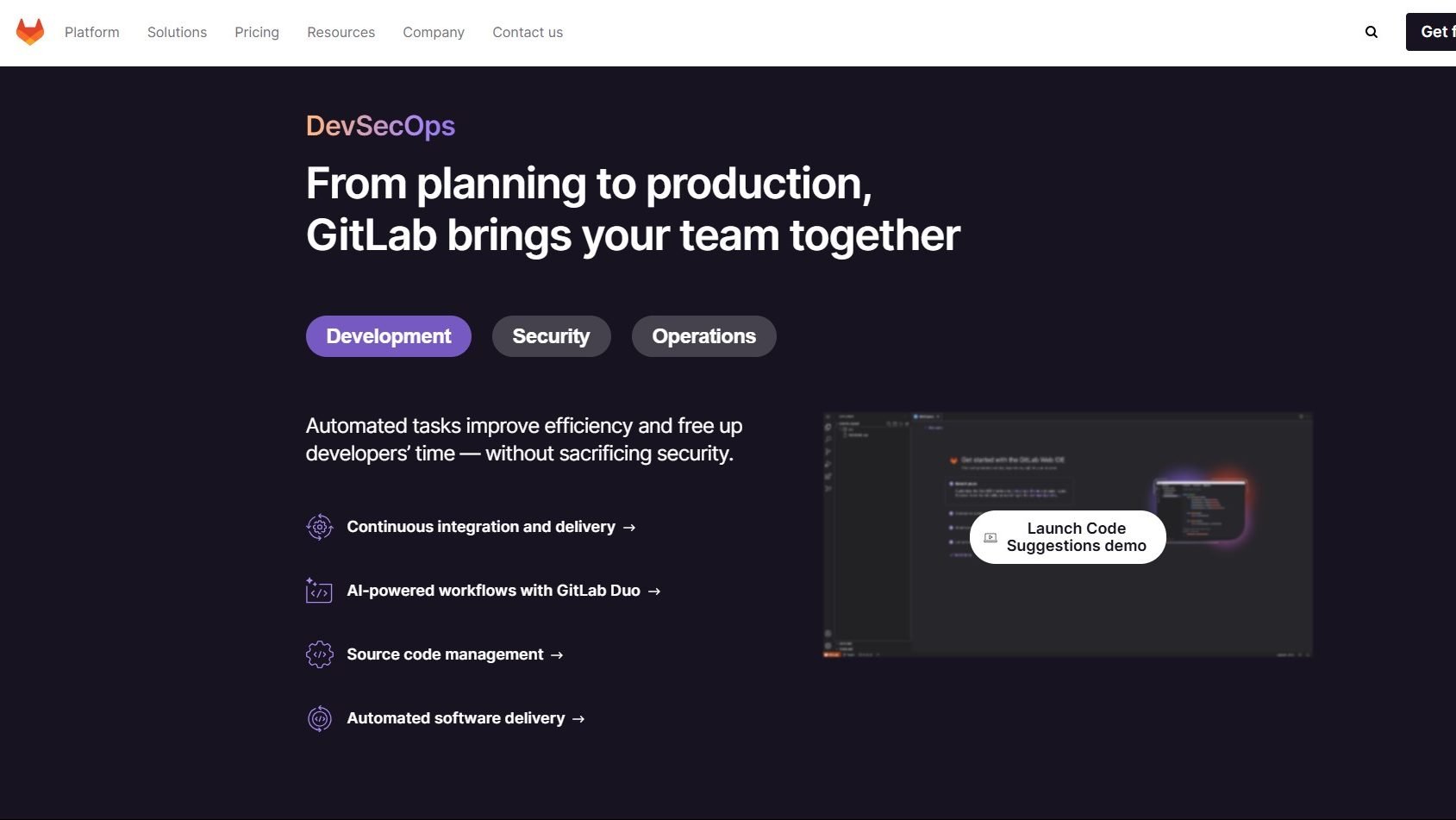
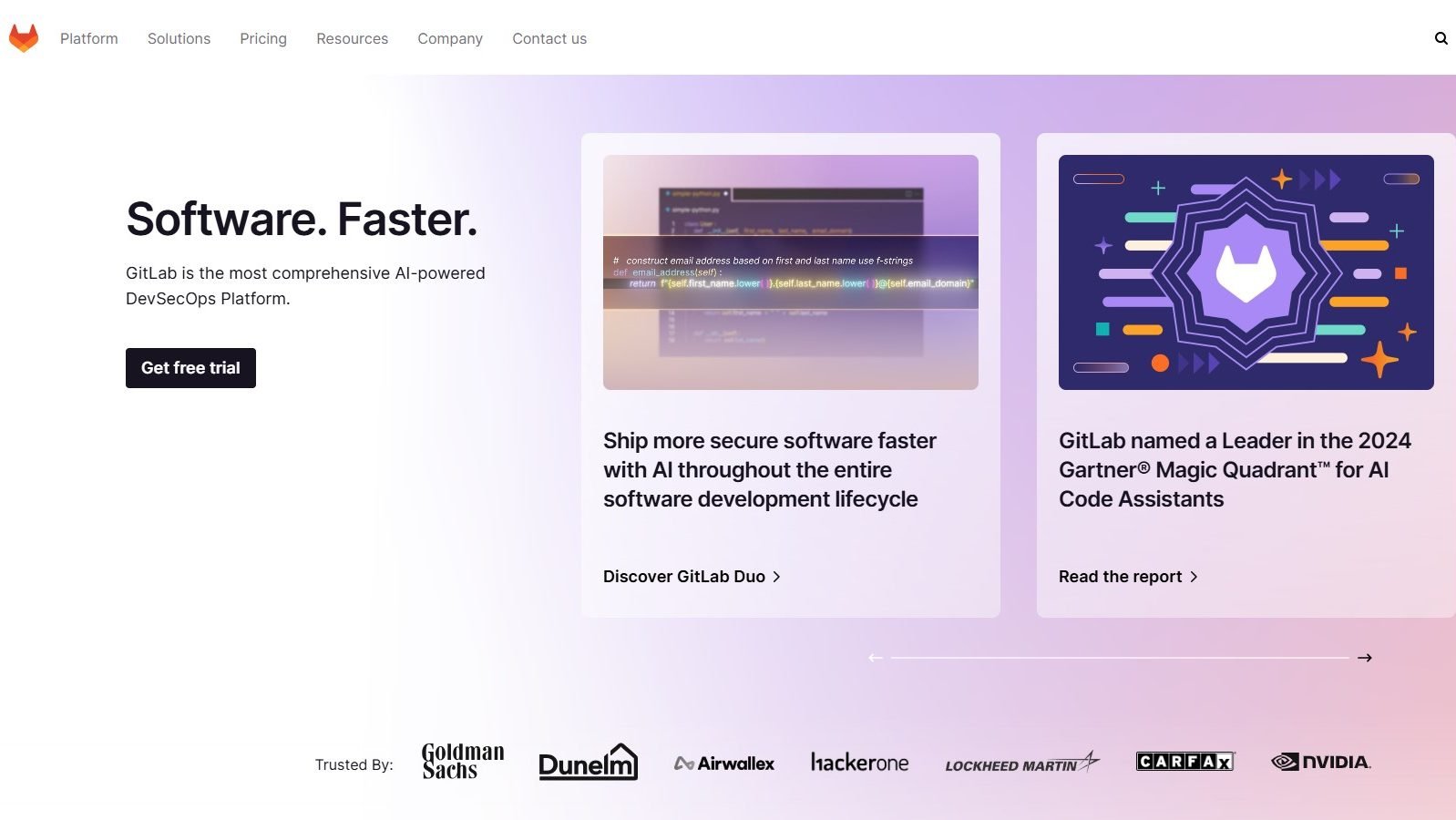
A curated gallery of real screenshots and use cases from the product, so you can see how it works before trying it.

GitLab screenshot 1 Full Screen Icon
GitLab screenshot 2 Full Screen Icon
https://www.youtube.com/watch?v=tLD9MhOz-6w?feature=oembed
Full Screen Icon
GitLab screenshot 1
GitLab screenshot 2
Video thumbnail
GitLab screenshot 1
GitLab screenshot 2

Alternatives to GitLab
info Icon

A list of platforms similar to GitLab, helping you evaluate which tool best matches your needs.

How to cancel GitLab

Need to cancel GitLab? Here is how
info Icon

Thinking about how to cancel GitLab this is how you do it!

Steps to Cancel gitlab Subscription.

Canceling your gitlab Subscription is a straightforward process. You can follow a few simple steps to initiate the cancellation or explore options to switch to a different plan. For detailed instructions, refer toΒ gitlab Cancellation Guide.

How to Cancel the GitLab

Steps to Cancel gitlab Subscription.

Canceling your gitlab Subscription is a straightforward process. You can follow a few simple steps to initiate the cancellation or explore options to switch to a different plan. For detailed instructions, refer toΒ gitlab Cancellation Guide.

Manage your GitLab profile

Create profile

Want to list your product on Subscribed.fyi? Create a profile to reach more buyers.

Pricing Range
info Icon

This only an estimated pricing range, visit GitLab pricing page to access all the information by clicking β€œVisit Now”.

$29-$99 / Month
Visit Now
Deals Available

This product comes with a special deal, see details

This product comes with a special deal, see details