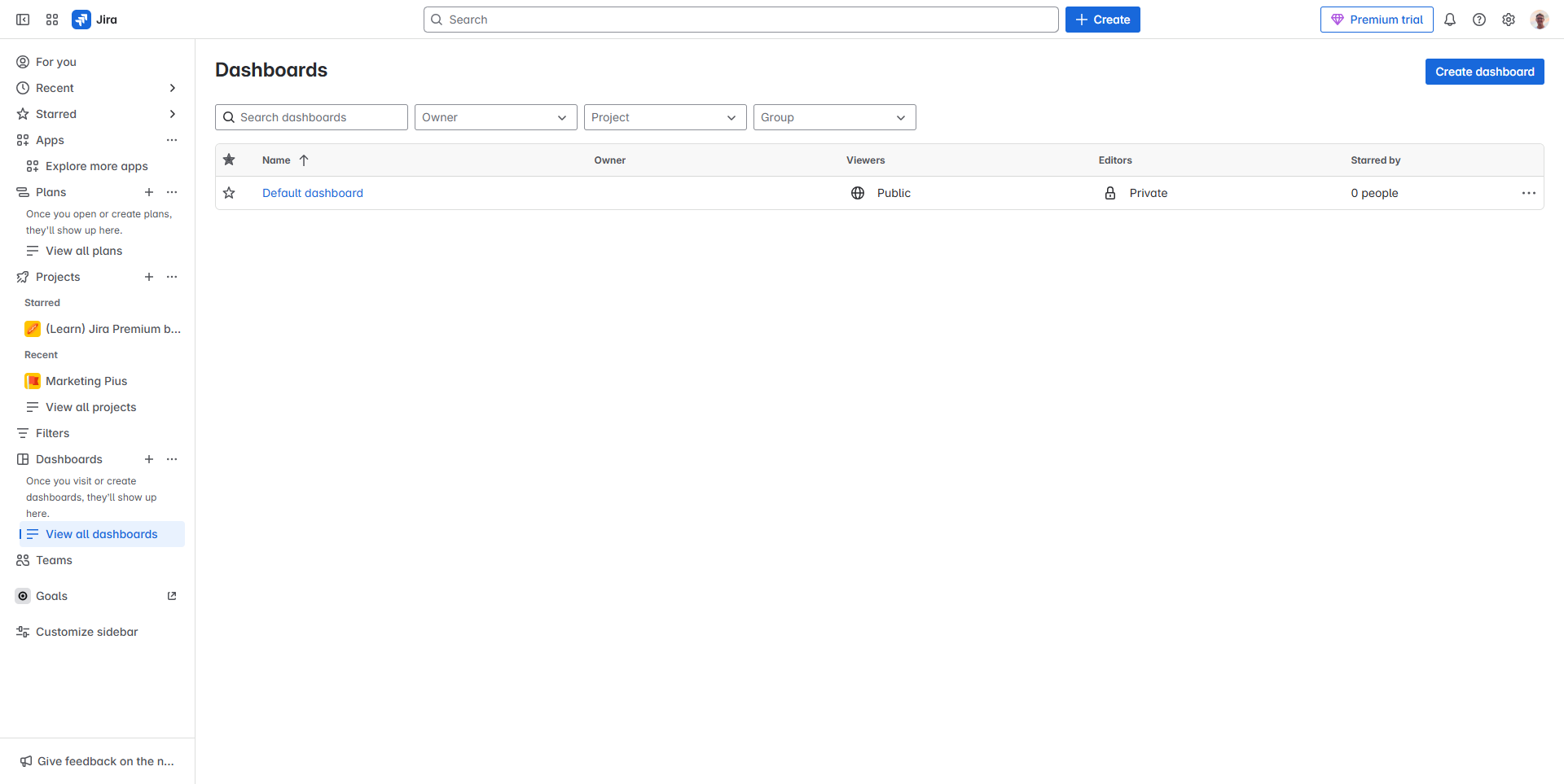
JIRA Reviews 2026: Details, Pricing, & Features | Subscribed.fyi
Sign in to review
Join our community of software reviewers on Subscribed.fyi

Continue With Google
Continue With LinkedIn
Continue Review with Email
Continue with Email
Enter your email to continue.
Continue
Enter your password
Enter your password to finish setting up your account.
Continue
Activate your email
Enter activation code we sent to your email.
Submit
Reset your password
Enter activation code we sent to your email.
Submit
Set your new password
Enter a new password for your account.
Submit
Categories
For Business
Log in
Provide My Insights
Work Hub Most Loved Award award

JIRA Reviews, Pricing, Features & Alternatives (2026)

4.3/5
(13)
Rev De Guzman Invitation
QA Engineer
3 months ago
Share
How does this compare to similar products you’ve tried?
A powerful, highly customizable project management tool tailored for agile software development, featuring robust issue tracking,
What slows you down when using it?
While ideal for scaling teams, it is frequently criticized for its steep learning curve, complex configuration, and cluttered interface.
If you could change one thing, what would it be?
Jira is evolving from a specialized bug-tracking tool into a centralized AI-powered operational platform for enterprises, focusing on cross-team collaboration and automation. Its potential lies in becoming the single "source of truth" for technical, service, and business teams, significantly reduced by native AI capabilities like Rovo, which automates routine work and generates insights from Atlassian’s Teamwork Graph.

Final thoughts, wrap up what you think
None
Upvote (1)

Jira, from Atlassian, is a versatile project management tool widely used in software development. It supports agile methodologies, offers customizable workflows, and integrates seamlessly with other tools, streamlining project management and collaboration.

Work Hub Most Loved Award award

JIRA Overview

What is JIRA?

Work Hub Most Loved Award award
Work Hub
Most Loved Award
2026

All Awards

Work Hub
Most Loved Award
2026
4.3
13
Reviews
90%
Subscribed Score

Available for Claim - This listing is available to be claimed
Claim Profile For Free

Unclaimed

Manage profile with subsig, and unlock 23+ social and review monitoring. Get partnership options with

Claim Profile For Free

Why teams choose JIRA

Key Features

Plug & Play Setup

Plug & Play Setup
Get started in minutes, not weeks.
Seamless Integrations
Connect easily with your favorite tools.
Fully Customizable
Fully Customizable
Tailor it to your brand and workflow.

Who is JIRA for?

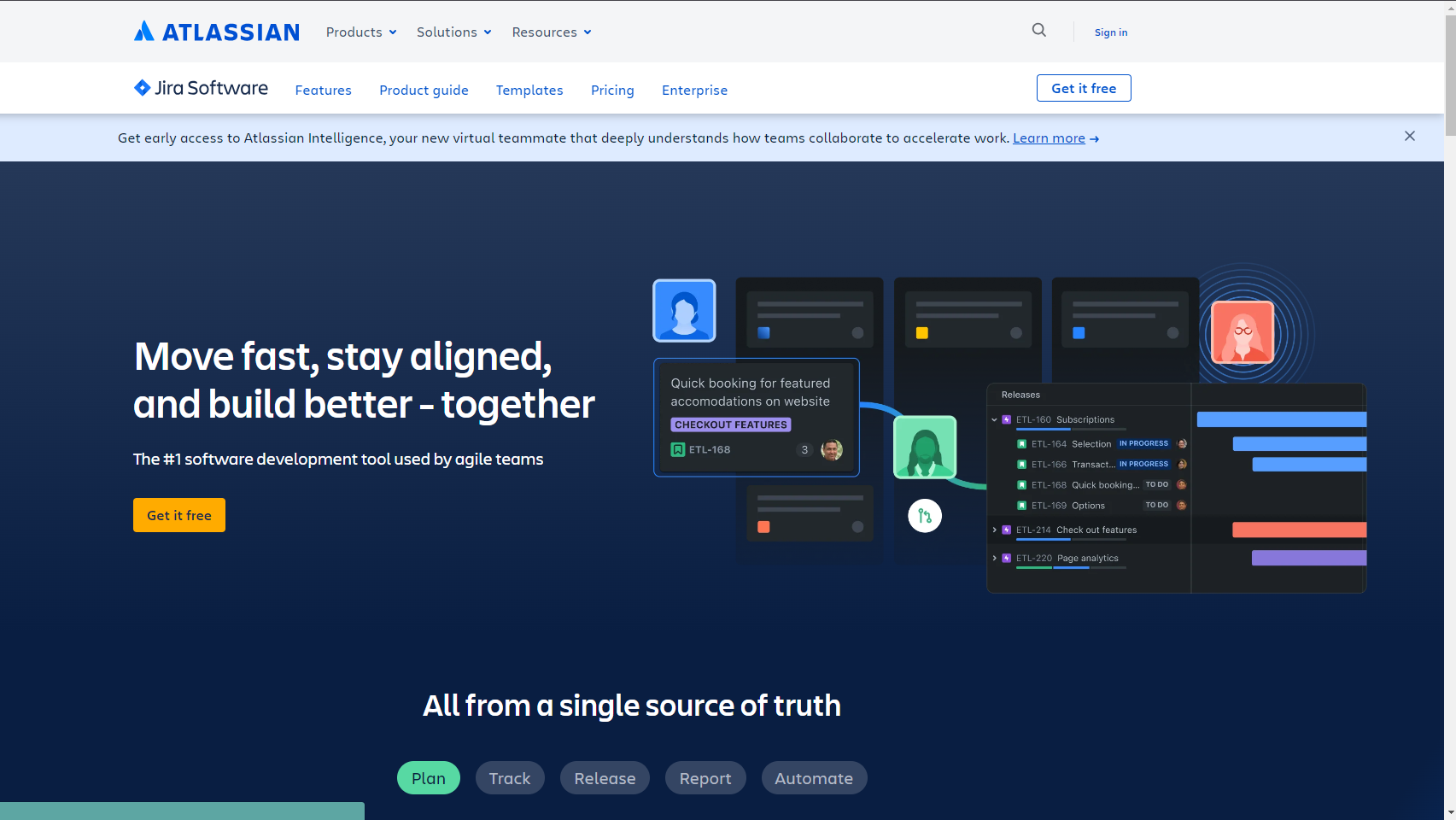
What is Jira?

Jira is a widely-used project management and issue tracking tool developed by Atlassian. Designed for software development teams, Jira provides a comprehensive platform for planning, tracking, and managing projects, as well as facilitating collaboration among team members. It is known for its flexibility, customization capabilities, and integration with various development and collaboration tools.

Why Use Jira?

In the realm of project management and issue tracking, Jira excels by:

  • Agile Project Management: Jira supports agile methodologies, allowing teams to plan, track, and manage projects using Scrum, Kanban, or a combination of agile practices.
  • Issue Tracking: Jira serves as a centralized platform for tracking issues, bugs, tasks, and user stories throughout the development lifecycle. Teams can prioritize and manage work efficiently.
  • Custom Workflows: Jira offers customizable workflows that align with the specific processes and requirements of development teams. This flexibility allows teams to adapt Jira to their unique workflows.
  • Integration with Development Tools: Jira seamlessly integrates with various development tools, version control systems, and collaboration platforms, creating a unified environment for development teams.

Who is Jira For?

Jira is primarily designed for software development teams and is suitable for a diverse range of users:

  • Developers: Developers use Jira to track and manage tasks, bugs, and code changes, ensuring a streamlined and organized development process.
  • Product Managers: Product managers leverage Jira for prioritizing features, planning releases, and collaborating with development teams to deliver high-quality products.
  • Scrum Masters and Agile Coaches: Scrum Masters and agile coaches use Jira to facilitate agile ceremonies, track sprint progress, and maintain transparency within the team.
  • QA/Testers: QA teams use Jira to log and track software defects, manage test cases, and collaborate with developers to ensure the delivery of bug-free software.

Jira serves as a powerful project management and issue tracking tool tailored for software development teams. Whether you’re a developer, product manager, agile coach, or QA professional, Jira provides the essential features and flexibility needed to manage projects efficiently and deliver high-quality software products.

JIRA Summary

What is Jira?

Jira is a widely-used project management and issue tracking tool developed by Atlassian. Designed for software development teams, Jira provides a comprehensive platform for planning, tracking, and managing projects, as well as facilitating collaboration among team members. It is known for its flexibility, customization capabilities, and integration with various development and collaboration tools.

Why Use Jira?

In the realm of project management and issue tracking, Jira excels by:

  • Agile Project Management: Jira supports agile methodologies, allowing teams to plan, track, and manage projects using Scrum, Kanban, or a combination of agile practices.
  • Issue Tracking: Jira serves as a centralized platform for tracking issues, bugs, tasks, and user stories throughout the development lifecycle. Teams can prioritize and manage work efficiently.
  • Custom Workflows: Jira offers customizable workflows that align with the specific processes and requirements of development teams. This flexibility allows teams to adapt Jira to their unique workflows.
  • Integration with Development Tools: Jira seamlessly integrates with various development tools, version control systems, and collaboration platforms, creating a unified environment for development teams.

Who is Jira For?

Jira is primarily designed for software development teams and is suitable for a diverse range of users:

  • Developers: Developers use Jira to track and manage tasks, bugs, and code changes, ensuring a streamlined and organized development process.
  • Product Managers: Product managers leverage Jira for prioritizing features, planning releases, and collaborating with development teams to deliver high-quality products.
  • Scrum Masters and Agile Coaches: Scrum Masters and agile coaches use Jira to facilitate agile ceremonies, track sprint progress, and maintain transparency within the team.
  • QA/Testers: QA teams use Jira to log and track software defects, manage test cases, and collaborate with developers to ensure the delivery of bug-free software.

Jira serves as a powerful project management and issue tracking tool tailored for software development teams. Whether you’re a developer, product manager, agile coach, or QA professional, Jira provides the essential features and flexibility needed to manage projects efficiently and deliver high-quality software products.

JIRA reviews and insights

Learn what people say about JIRA

4.3
13 Reviews
90%
Subscribed Score

Lear more here about the Subscribed score on how it is composed. Learn more Click here

Overall rating

5
4
3
2
1
CX 5/6

How good is the customer support based on subscribed’s assessment

CX Icon
Security 5/6

How secure is the product based on Subscribed’s assessment?

Security Icon
Ease of Use 5/6

How easy is the product to use, based on Subscribed’s assessment?

EOU Icon
Value 5/6

What is the value for money based on Subscribed’s assessment?

coin Icon
Integration 6/6

How many integrations does the product offer?

gear Icon
Popularity 6/6

How popular is the product?

star
LAIRIN LACBAOAN Organic
Salesforce Administrator/Devops Support
2 weeks ago
Share
How has it made your work/life easier?
Jira is out project management tool for over 6 years. Can integrate other ITSM tools and were able to manage everything alone on this platform. Greatly helped us admins and developers achieve our biweekly tasks.
What slows you down when using it?
Workflow creation since I am not that knowledgeable on flow actions. A bit difficult to setup in Jira.
What problem did this product solve for you?
Tasks management because we were able to create epics and user stories on Jira. Velocity helped us know where we stand.
Final thoughts, wrap up what you think
A must have tool for every large enterprise. Offers a lot of features to achieve sales target.
Upvote
Pooja Anant Organic
Student
3 weeks ago
Share
What’s the biggest benefit you’ve noticed?
Jira has been the most beneficial tool when it comes to logging in issues, it helps user stay consistent with issue tracking in the system and to also create logs for the same. The ease of use is really something you can get trained on easily.
Have you experienced any bugs or errors?
Yes some bugs were where the system couldn't save the uploaded deatils.
What’s still missing for your needs?
Better visualisation
Final thoughts, wrap up what you think
It's the best tool in the market currently when it comes to Agile development framework and Issue monitoring
Upvote
Rev De Guzman Invitation
QA Engineer
3 months ago
Share
How does this compare to similar products you’ve tried?
A powerful, highly customizable project management tool tailored for agile software development, featuring robust issue tracking,
What slows you down when using it?
While ideal for scaling teams, it is frequently criticized for its steep learning curve, complex configuration, and cluttered interface.
If you could change one thing, what would it be?
Jira is evolving from a specialized bug-tracking tool into a centralized AI-powered operational platform for enterprises, focusing on cross-team collaboration and automation. Its potential lies in becoming the single "source of truth" for technical, service, and business teams, significantly reduced by native AI capabilities like Rovo, which automates routine work and generates insights from Atlassian’s Teamwork Graph.
Final thoughts, wrap up what you think
None
Upvote (1)
Irfan Ali Invitation
Developer
3 months ago
Share
How does this compare to similar products you’ve tried?
good software for managing project tasks, and easily assigns and discuss different tasks, its higly customizable for differnt types of project easily, it has software engineering methods and options for using agile methodologies , it easily connects with github for manage projects and issues, best option for small and large teams
What feature doesn’t work as expected?
It has a complex ui, at first i got confused and not realy know how this works, needs ease of use to improve, its really confusing when start, its has reverse comments style, like new comments appears at top, instead of bottom most other tools do, learning curve is going to be high for this, but worth it,
What new feature would you love to see added?
can improve their ease of use and easy layout for better usability of software, improve performance on large projects to reduce lags and page load times, integration for ai models for smart suggestions and give overview of project and task. , pricing is higher which can be affordable for small teams
Final thoughts, wrap up what you think
Overall good for managing projects tasks, ux is not that great, its ideal tool software development using agile methodologies, suitable for large and small teams, enterprises and startups can use it easily for managing their projects, adding tutorials and walk through for new beginners will help understand better
Upvote

JIRA User Reviews

13 User Reviews

Reviews from G2, Capterra, Trustpilot
info Icon

These ratings come directly from third-party platforms like G2, Capterra, and Trustpilot. They reflect real user feedback collected independently on those sites.

JIRA pricing

Pricing model

Work Hub Most Loved Award award
Pricing Range
info Icon

This only an estimated pricing range, visit JIRA pricing page to access all the information by clicking “Visit Now”.

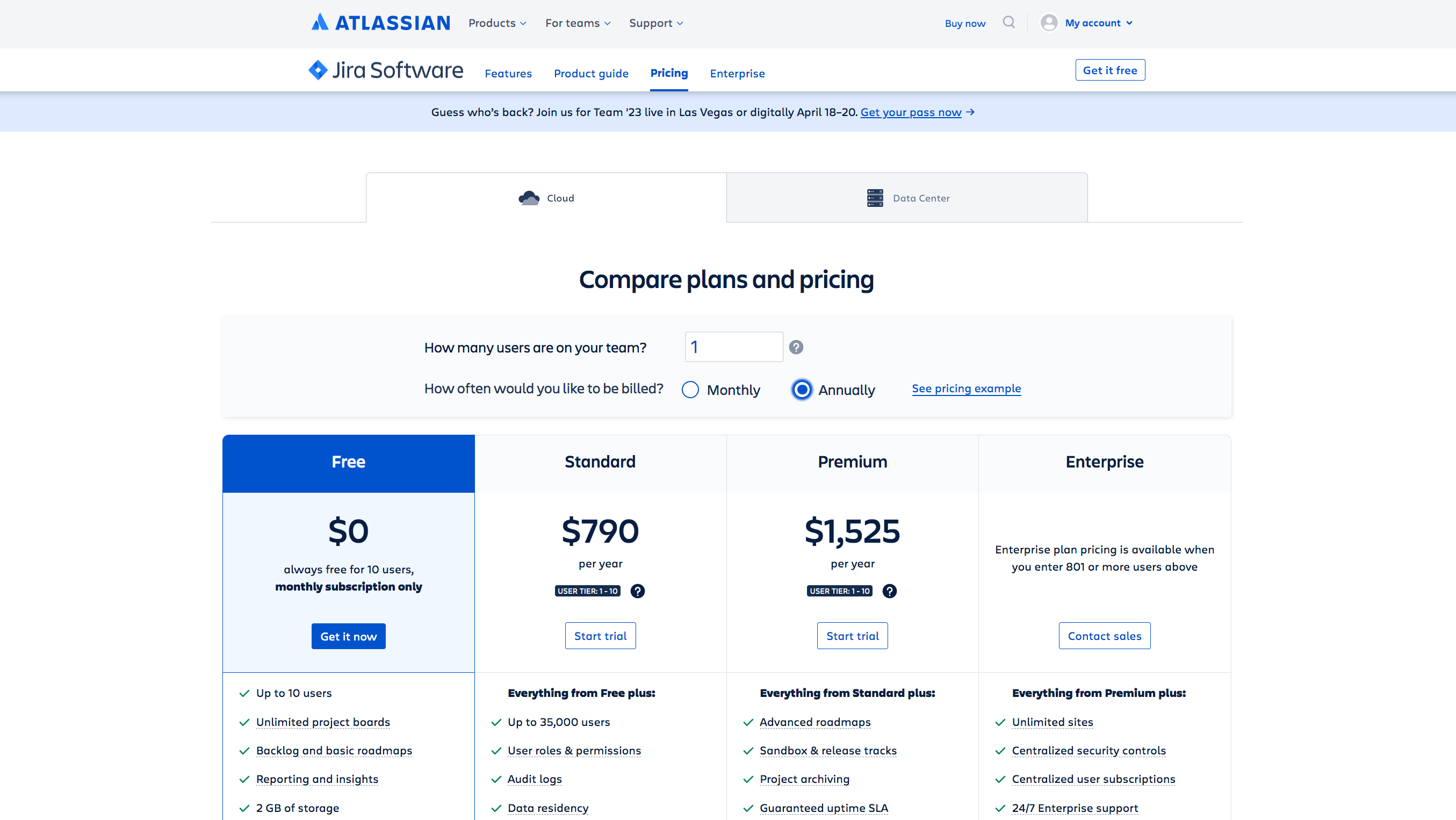
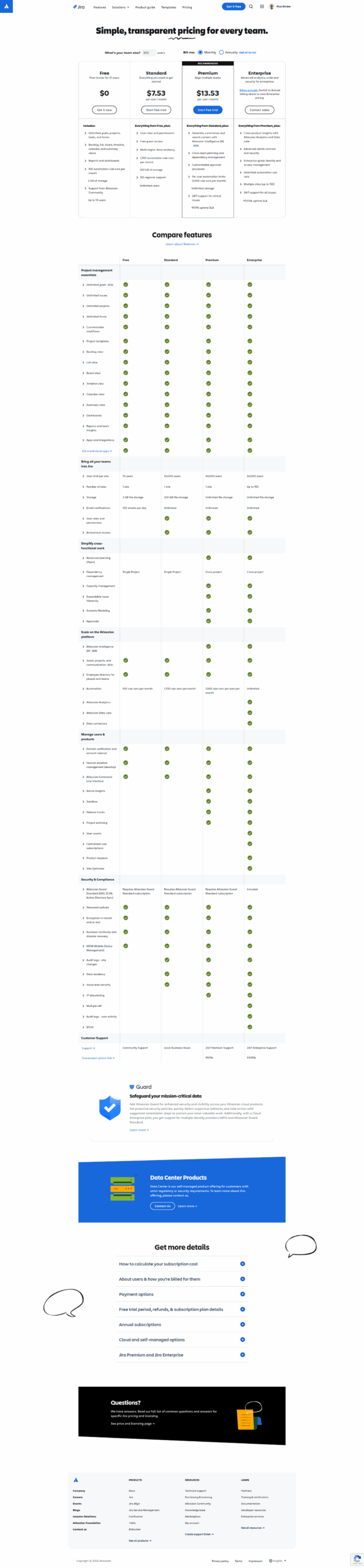
$7.53-$17 / Month
Deals Available

This product comes with a special deal, see details

Visit Now
✨ Ask AI about pricing
90% Subscribed Score
info Icon

The Subscribed Score is an independent rating that combines user reviews, features, and value-for-money from multiple trusted sources. It’s designed as a quick benchmark, not a guarantee of individual experience.

Overview

What is Jira?

Jira is a widely-used project management and issue tracking tool developed by Atlassian. Designed for software development teams, Jira provides a comprehensive platform for planning, tracking, and managing projects, as well as facilitating collaboration among team members. It is known for its flexibility, customization capabilities, and integration with various development and collaboration tools.

Why Use Jira?

In the realm of project management and issue tracking, Jira excels by:

  • Agile Project Management: Jira supports agile methodologies, allowing teams to plan, track, and manage projects using Scrum, Kanban, or a combination of agile practices.
  • Issue Tracking: Jira serves as a centralized platform for tracking issues, bugs, tasks, and user stories throughout the development lifecycle. Teams can prioritize and manage work efficiently.
  • Custom Workflows: Jira offers customizable workflows that align with the specific processes and requirements of development teams. This flexibility allows teams to adapt Jira to their unique workflows.
  • Integration with Development Tools: Jira seamlessly integrates with various development tools, version control systems, and collaboration platforms, creating a unified environment for development teams.

Who is Jira For?

Jira is primarily designed for software development teams and is suitable for a diverse range of users:

  • Developers: Developers use Jira to track and manage tasks, bugs, and code changes, ensuring a streamlined and organized development process.
  • Product Managers: Product managers leverage Jira for prioritizing features, planning releases, and collaborating with development teams to deliver high-quality products.
  • Scrum Masters and Agile Coaches: Scrum Masters and agile coaches use Jira to facilitate agile ceremonies, track sprint progress, and maintain transparency within the team.
  • QA/Testers: QA teams use Jira to log and track software defects, manage test cases, and collaborate with developers to ensure the delivery of bug-free software.

Jira serves as a powerful project management and issue tracking tool tailored for software development teams. Whether you’re a developer, product manager, agile coach, or QA professional, Jira provides the essential features and flexibility needed to manage projects efficiently and deliver high-quality software products.

Where JIRA performs best

What users like
  • Highly customizable workflows.
  • Efficient task and project tracking.
  • Integration with third-party tools.
  • Robust reporting and analytics.

Where JIRA falls short

What users dislike
  • Steep learning curve for beginners.
  • Can feel slow with large datasets.
  • Email notifications can be overwhelming.
  • Advanced configurations are complex.
Subscribed Score Metrics
32/36 Metric achieved
MetricsScore
Customer Support5/6
Security5/6
Ease of Use5/6
Value of Money5/6
Integration6/6
Popularity6/6
Radar Chart Table View
Ease of Use
Measures how simple and intuitive the product is to use, including setup, navigation, and overall user experience
5/6 Metric Checks
Security
Compares the product`s features, quality, and pricing to determine its overall cost-effectiveness.
5/6 Metric Checks
Value of Money
Assesses the product`s ability to protect data, prevent breaches, and comply with industry standards.
5/6 Metric Checks
Customer Support
Reflects the responsiveness, helpfulness, and quality of assistance provided by the product`s support team.
5/6 Metric Checks
Integrations
Evaluates how well the product connects with other tools and platforms, enabling seamless workflows.
6/6 Metric Checks
JIRA Pricing Range
$7.53-$17 / Month

JIRA in action
info Icon

A curated gallery of real screenshots and use cases from the product, so you can see how it works before trying it.

JIRA screenshot Full Screen Icon
https://www.youtube.com/watch?v=X2yYnADRYTw?feature=oembed
Full Screen Icon
Video thumbnail
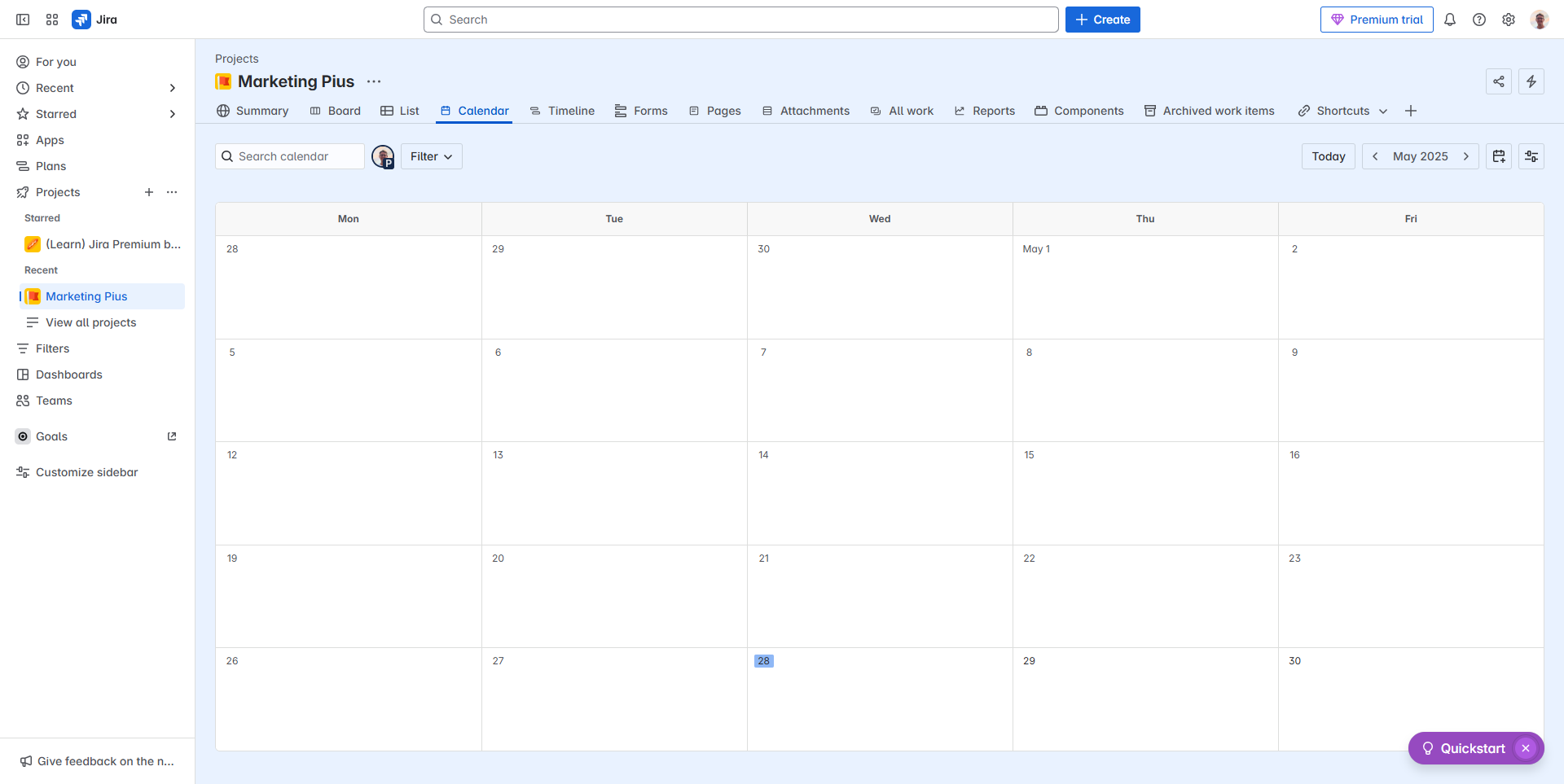
JIRA screenshot
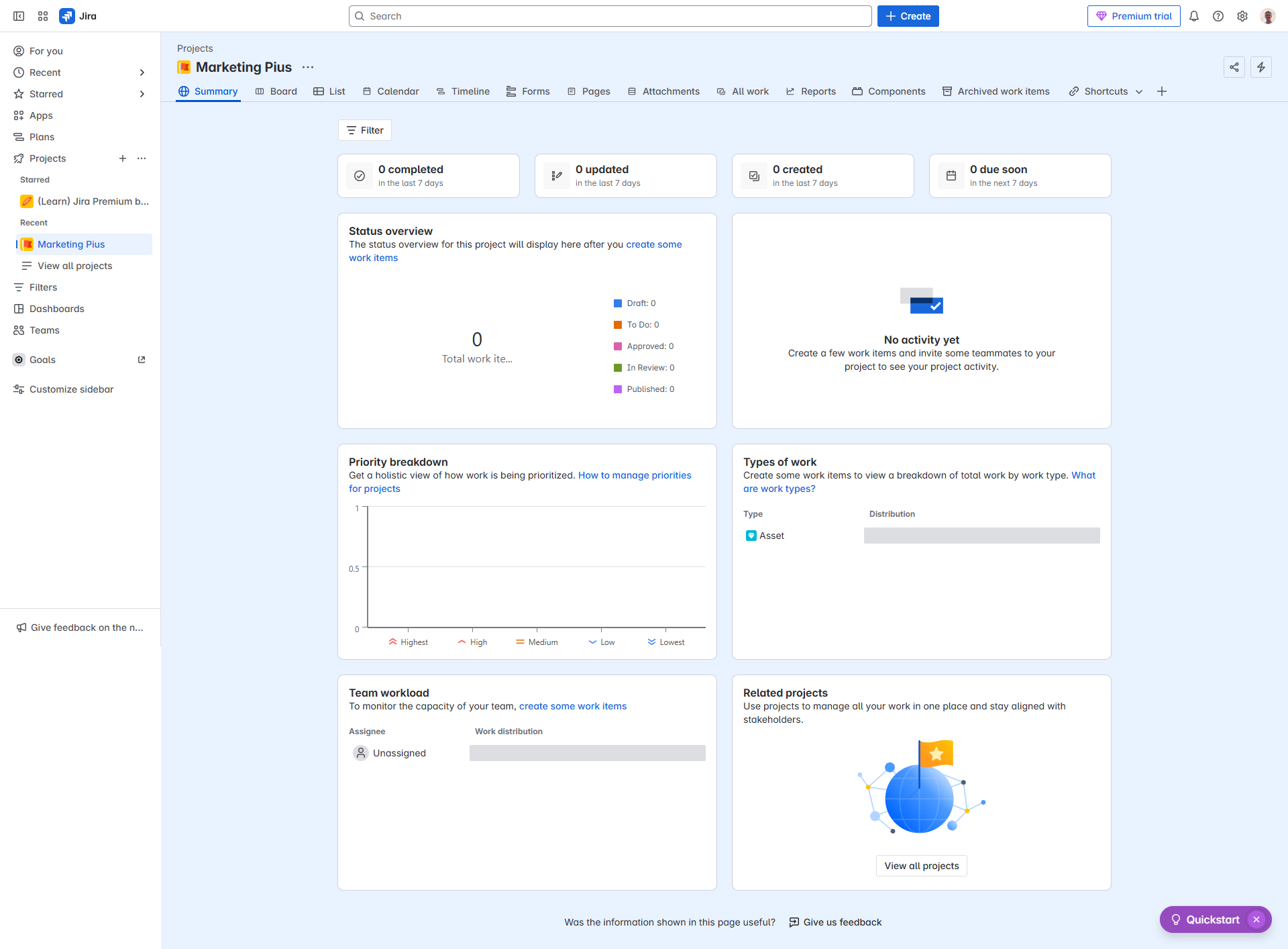
JIRA screenshot
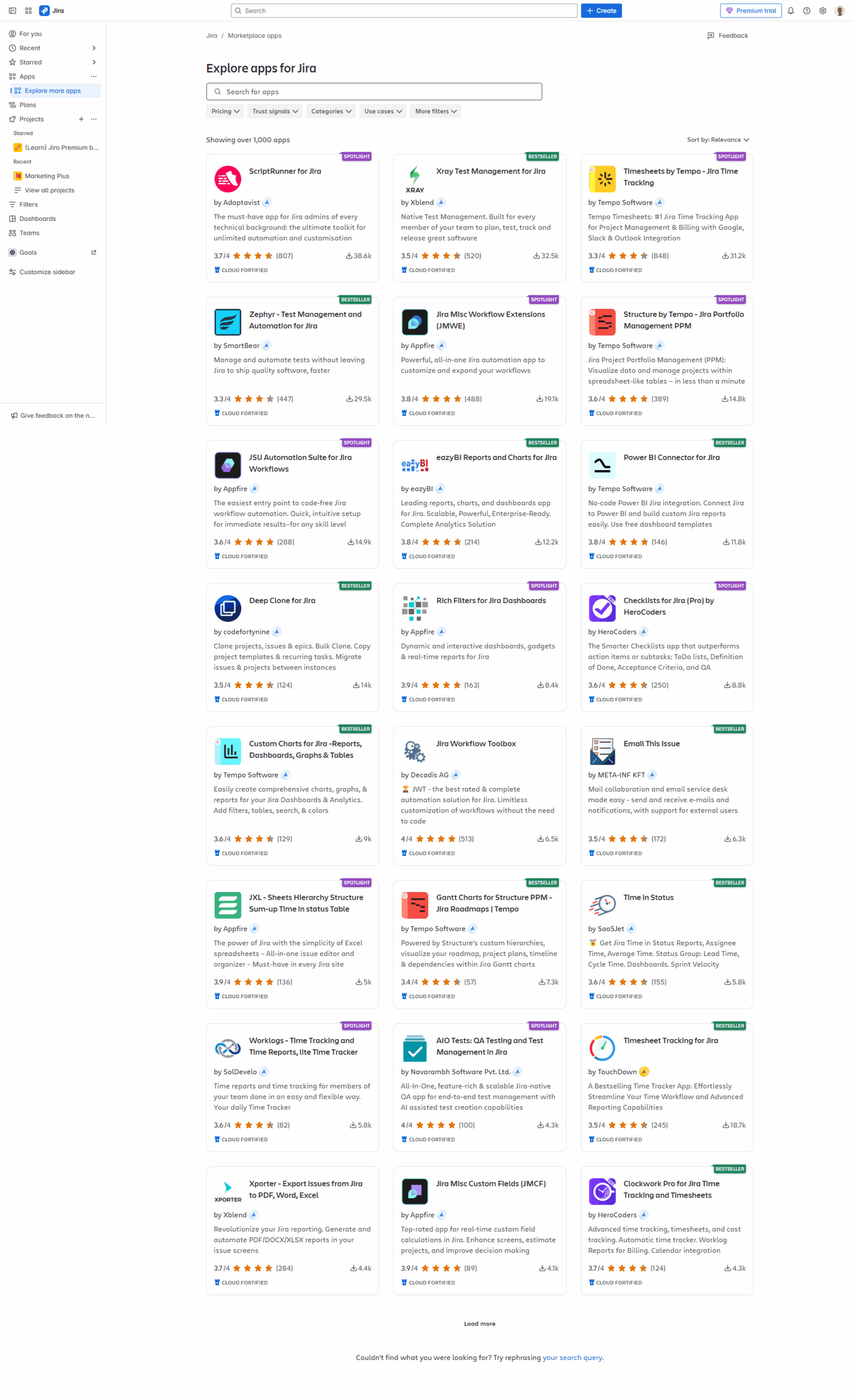
JIRA screenshot
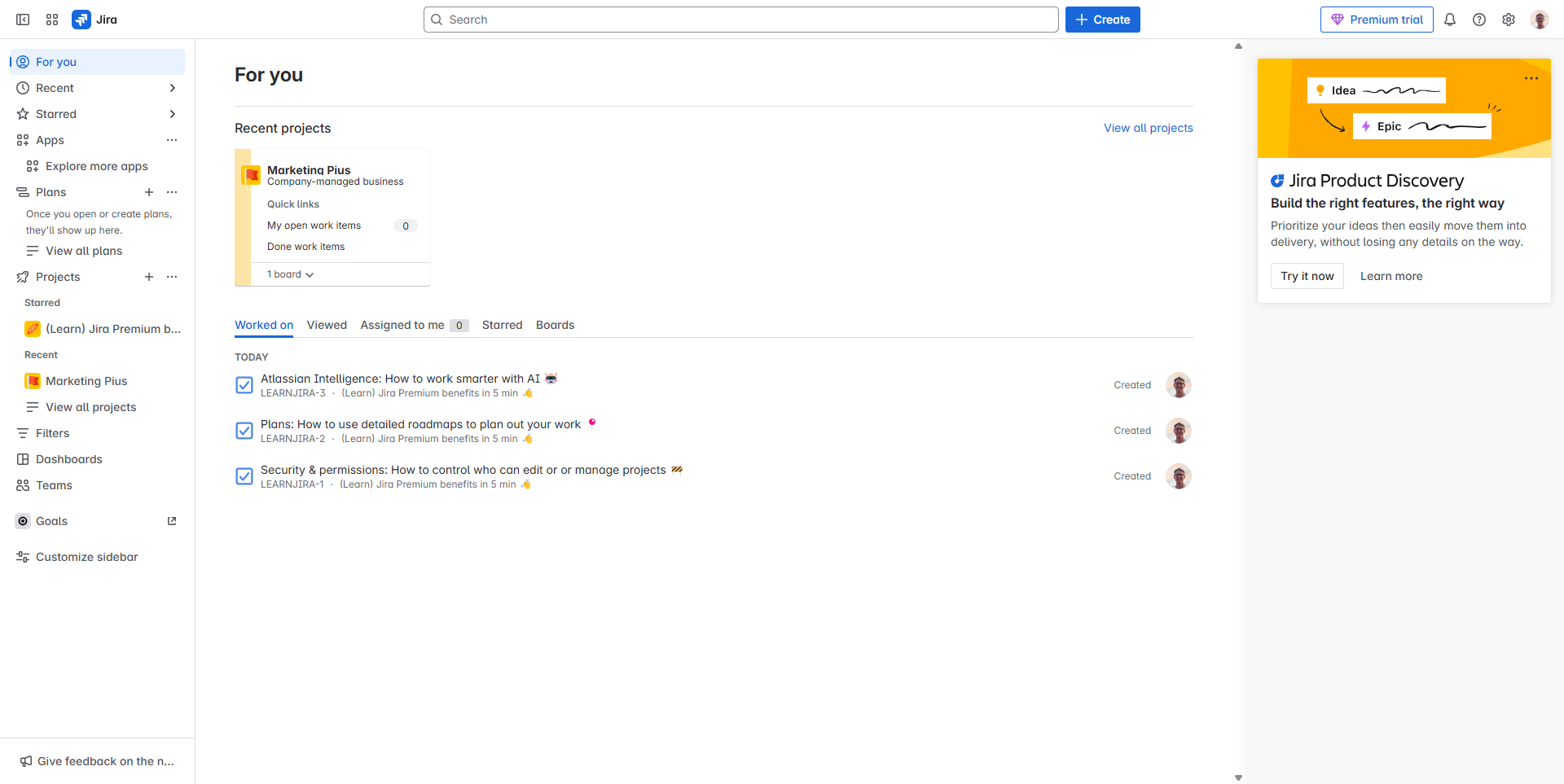
JIRA screenshot
JIRA screenshot
JIRA screenshot
JIRA screenshot
JIRA screenshot
JIRA screenshot
JIRA screenshot

Alternatives to JIRA
info Icon

A list of platforms similar to JIRA, helping you evaluate which tool best matches your needs.

How to cancel JIRA

Need to cancel JIRA? Here is how
info Icon

Thinking about how to cancel JIRA this is how you do it!

Steps to Cancel Jira Subscription.

Canceling your Jira subscription is a straightforward process. For detailed instructions, please refer to the official Atlassian support page: Jira Subscription Cancellation Guide.

How to Cancel the JIRA

Steps to Cancel Jira Subscription.

Canceling your Jira subscription is a straightforward process. For detailed instructions, please refer to the official Atlassian support page: Jira Subscription Cancellation Guide.

FAQs about JIRA

Every else you need to know about JIRA
info Icon

A collection of FAQs, guides, alternatives, and comparisons to help you quickly understand if JIRA is right for you.

Manage your JIRA profile

Create profile

Want to list your product on Subscribed.fyi? Create a profile to reach more buyers.

Pricing Range
info Icon

This only an estimated pricing range, visit JIRA pricing page to access all the information by clicking “Visit Now”.

$7.53-$17 / Month
Visit Now
Deals Available

This product comes with a special deal, see details

This product comes with a special deal, see details