Joplin Reviews 2026: Details, Pricing, & Features | Subscribed.fyi
Sign in to review
Join our community of software reviewers on Subscribed.fyi

Continue With Google
Continue With LinkedIn
Continue Review with Email
Continue with Email
Enter your email to continue.
Continue
Enter your password
Enter your password to finish setting up your account.
Continue
Activate your email
Enter activation code we sent to your email.
Submit
Reset your password
Enter activation code we sent to your email.
Submit
Set your new password
Enter a new password for your account.
Submit
✨ Ask AI Search
Categories
For Business
Log in
Provide My Insights

Joplin

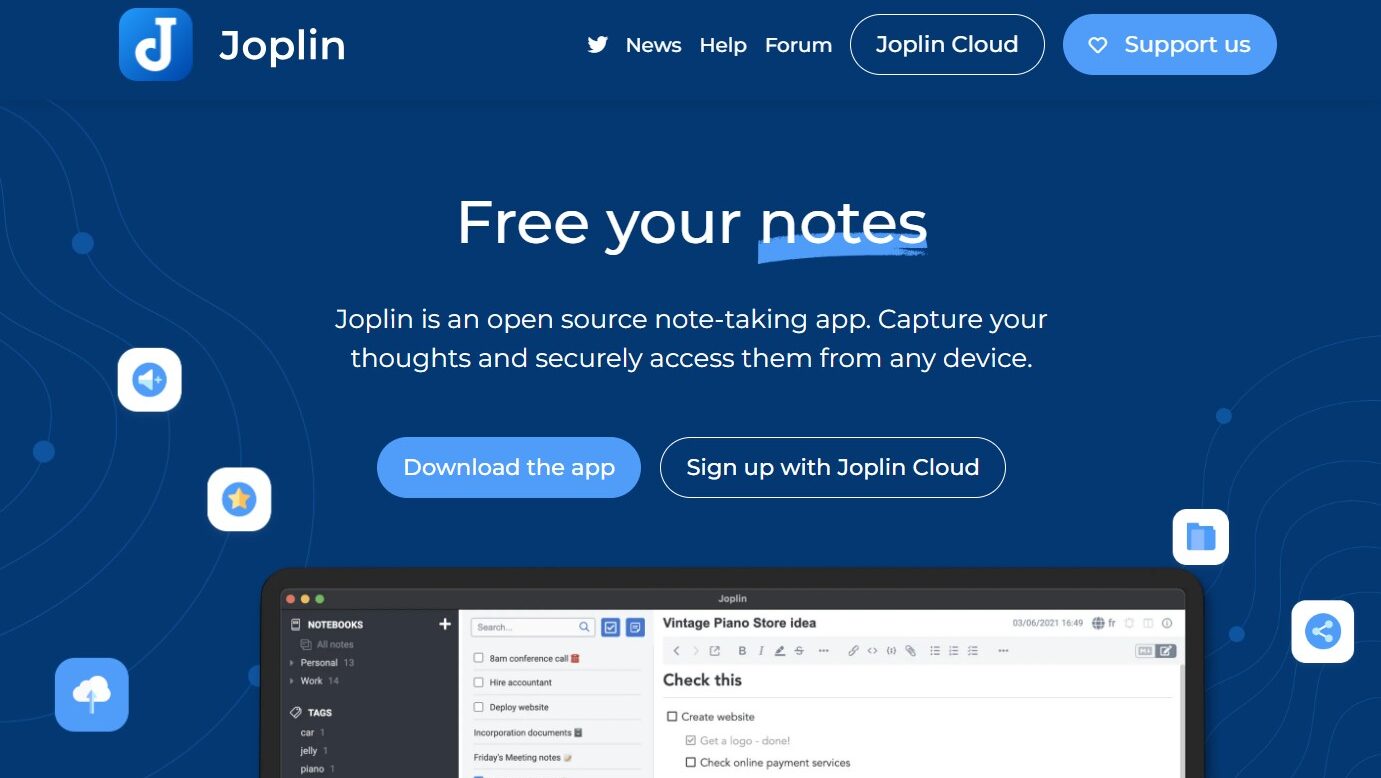
Joplin, the open-source note-taking app, prioritizes flexibility and security. With markdown formatting, cross-platform accessibility, encryption, and customization, it's ideal for students, writers, professionals, and privacy-conscious users, providing effortless organization of thoughts and knowledge.

Joplin

N/A
0
Reviews
75%
Subscribed Score

Available for Claim - This listing is available to be claimed
Claim For Free

Unclaimed

Curated and listed by Subscribed Team

Claim For Free
Eco-Friendly
Eco-Friendly
Designed with sustainability in mind.
Built for Flexibility
Adaptable for multiple use cases.
No-Code Simplicity
No-Code Simplicity
Launch without writing a single line of code.

Organize Your Ideas with Joplin – The Flexible Open-Source Note-Taking App

Joplin, a standout in the Open-Source category, is more than just a note-taking tool—it’s a secure, cross-platform solution for capturing and organizing your thoughts. With offline-first functionality and robust formatting options, Joplin makes it easy to manage your notes across devices without clutter. Ready to streamline your workflow? Check out exclusive deals. For more open-source tools, explore LagoFormKit, and LiveKit.

Why Use Joplin?

Struggling with messy notes scattered across different apps and platforms? Joplin offers a compelling solution:

  • Open-source and free: Joplin’s code is openly available, fostering transparency and allowing customization like importing Evernote notes. You’ll never be locked in or face hidden costs.
  • Offline first: Access your notes anytime, anywhere, even without an internet connection. Joplin prioritizes local storage, ensuring your information is always available.
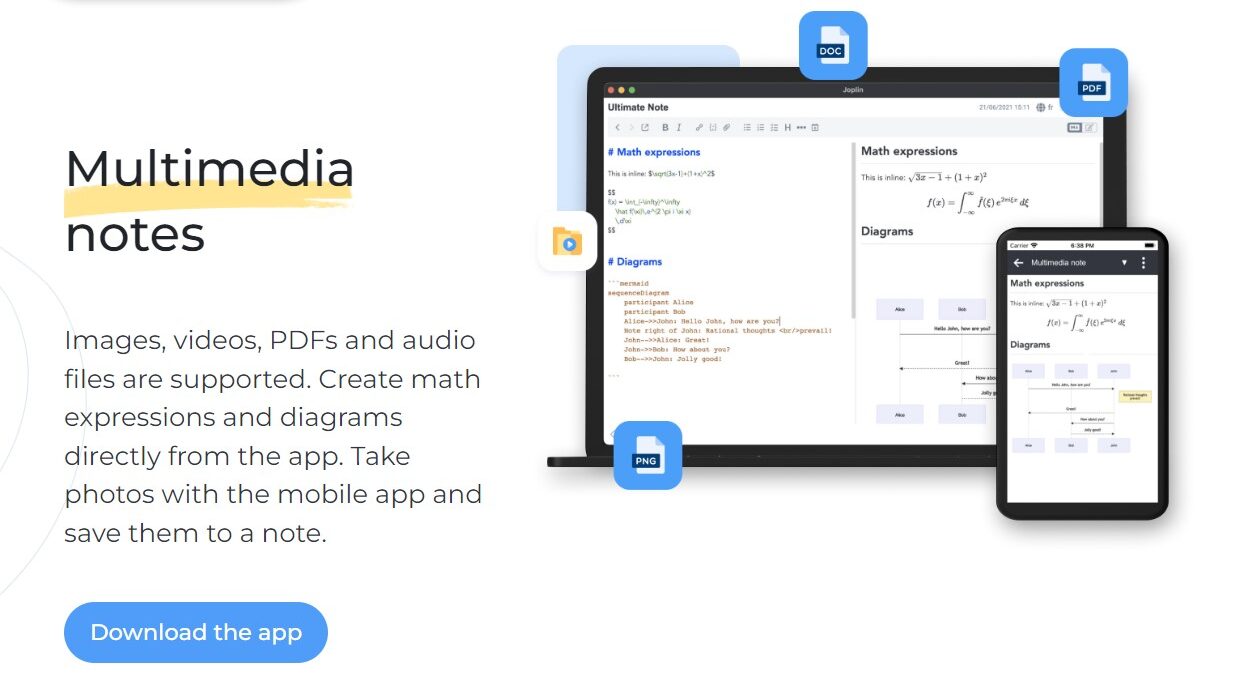
  • Powerful markdown formatting: Create beautifully structured notes with rich text formatting, images, attachments, and even code snippets. Markdown makes note-taking expressive and flexible.
  • Cross-platform accessibility: Use Joplin on Windows, macOS, Linux, Android, and iOS. Your notes seamlessly sync across all your devices, keeping you organized on the go.
  • Encryption and privacy: Protect your sensitive information with end-to-end encryption. Joplin keeps your notes secure, whether you use personal cloud storage or your own server.
  • Highly customizable: Adapt Joplin to your workflow with plugins and themes. Integrate with services like Dropbox or Todoist, or tailor the interface to suit your preferences.

Who is Joplin For?

Joplin welcomes anyone who wants to organize their thoughts and knowledge effectively. It’s perfect for:

  • Students and learners: Capture classroom notes, organize research materials, and create study guides with rich formatting and tags.
  • Writers and researchers: Craft ideas, draft blog posts, or manage complex projects with flexible note organization and offline access.
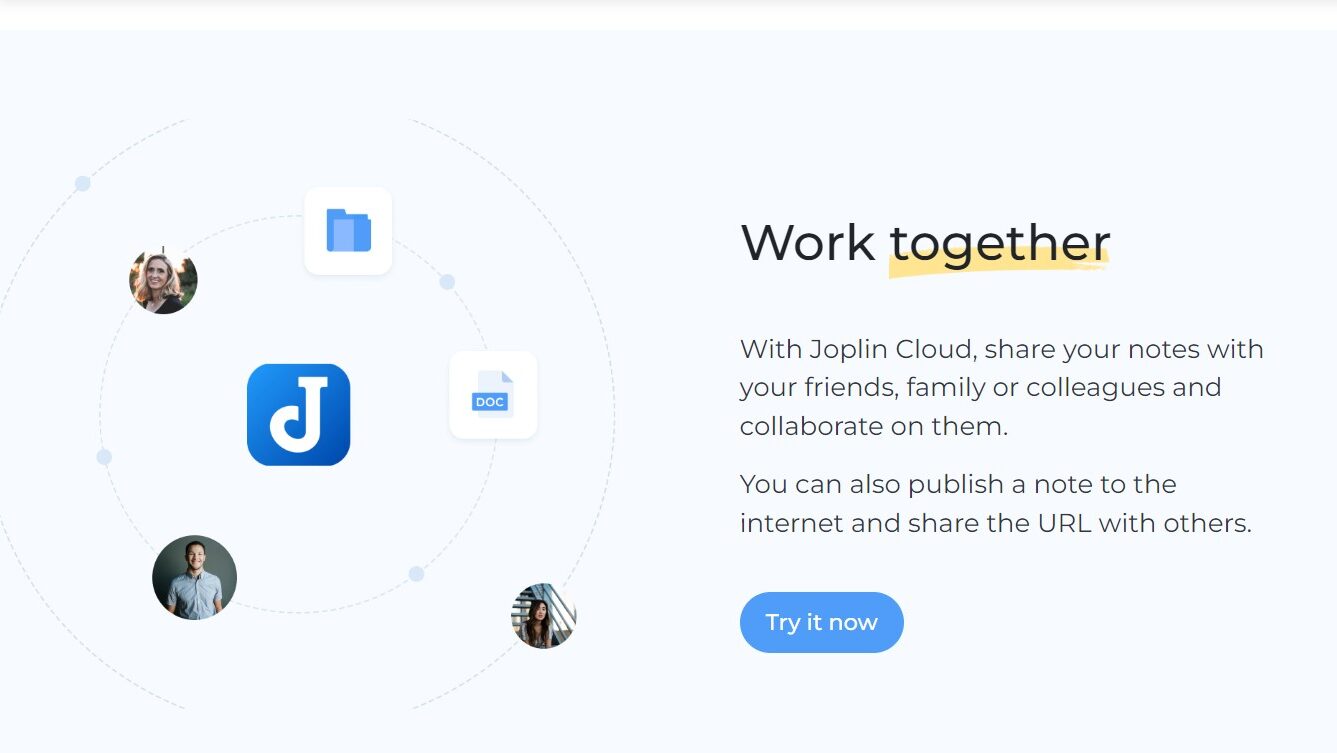
  • Professionals and teams: Take meeting minutes, manage tasks, and collaborate on shared notebooks, all within a secure and accessible platform.
  • Privacy-conscious individuals: Enjoy complete control over your data with offline storage and end-to-end encryption, ensuring your notes remain private.
  • Power users and developers: Leverage Joplin’s open-source nature to create custom plugins, integrations, and workflows tailored to your specific needs.

Joplin stands out as a versatile and secure note-taking platform that prioritizes both user freedom and powerful functionality. Its commitment to open-source principles, offline accessibility, and robust encryption makes it an attractive choice for individuals, students, professionals, and anyone who values organized and secure knowledge management. Whether you’re taking quick notes or crafting detailed research papers, Joplin empowers you to capture, organize, and access your thoughts with ease.


Joplin Summary

Organize Your Ideas with Joplin – The Flexible Open-Source Note-Taking App

Joplin, a standout in the Open-Source category, is more than just a note-taking tool—it’s a secure, cross-platform solution for capturing and organizing your thoughts. With offline-first functionality and robust formatting options, Joplin makes it easy to manage your notes across devices without clutter. Ready to streamline your workflow? Check out exclusive deals. For more open-source tools, explore LagoFormKit, and LiveKit.

Why Use Joplin?

Struggling with messy notes scattered across different apps and platforms? Joplin offers a compelling solution:

  • Open-source and free: Joplin’s code is openly available, fostering transparency and allowing customization like importing Evernote notes. You’ll never be locked in or face hidden costs.
  • Offline first: Access your notes anytime, anywhere, even without an internet connection. Joplin prioritizes local storage, ensuring your information is always available.
  • Powerful markdown formatting: Create beautifully structured notes with rich text formatting, images, attachments, and even code snippets. Markdown makes note-taking expressive and flexible.
  • Cross-platform accessibility: Use Joplin on Windows, macOS, Linux, Android, and iOS. Your notes seamlessly sync across all your devices, keeping you organized on the go.
  • Encryption and privacy: Protect your sensitive information with end-to-end encryption. Joplin keeps your notes secure, whether you use personal cloud storage or your own server.
  • Highly customizable: Adapt Joplin to your workflow with plugins and themes. Integrate with services like Dropbox or Todoist, or tailor the interface to suit your preferences.

Who is Joplin For?

Joplin welcomes anyone who wants to organize their thoughts and knowledge effectively. It’s perfect for:

  • Students and learners: Capture classroom notes, organize research materials, and create study guides with rich formatting and tags.
  • Writers and researchers: Craft ideas, draft blog posts, or manage complex projects with flexible note organization and offline access.
  • Professionals and teams: Take meeting minutes, manage tasks, and collaborate on shared notebooks, all within a secure and accessible platform.
  • Privacy-conscious individuals: Enjoy complete control over your data with offline storage and end-to-end encryption, ensuring your notes remain private.
  • Power users and developers: Leverage Joplin’s open-source nature to create custom plugins, integrations, and workflows tailored to your specific needs.

Joplin stands out as a versatile and secure note-taking platform that prioritizes both user freedom and powerful functionality. Its commitment to open-source principles, offline accessibility, and robust encryption makes it an attractive choice for individuals, students, professionals, and anyone who values organized and secure knowledge management. Whether you’re taking quick notes or crafting detailed research papers, Joplin empowers you to capture, organize, and access your thoughts with ease.

Joplin reviews

Learn what people say about Joplin

N/A
0 Reviews
75%
Subscribed Score

Lear more here about the Subscribed score on how it is composed. Learn more Click here

Overall rating

5
4
3
2
1
CX 3/6

How good is the customer support based on subscribed’s assessment

CX Icon
Security 5/6

How secure is the product based on Subscribed’s assessment?

Security Icon
Ease of Use 5/6

How easy is the product to use, based on Subscribed’s assessment?

EOU Icon
Value 5/6

What is the value for money based on Subscribed’s assessment?

coin Icon
Integration 4/6

How many integrations does the product offer?

gear Icon
Popularity 4/6

How popular is the product?

star

No Reviews Yet!

Be the first to share your experience and help others in the community.

Joplin User Reviews

0 User Reviews

Reviews from G2, Capterra, Trustpilot
info Icon

These ratings come directly from third-party platforms like G2, Capterra, and Trustpilot. They reflect real user feedback collected independently on those sites.

Joplin

No Pricing Yet

We’re still collecting pricing info for this product, Check the website for the latest details.

Deals Available

This product comes with a special deal, see details

Visit Now
✨ Ask AI about pricing
75% Subscribed Score
info Icon

The Subscribed Score is an independent rating that combines user reviews, features, and value-for-money from multiple trusted sources. It’s designed as a quick benchmark, not a guarantee of individual experience.

Analysis

Organize Your Ideas with Joplin – The Flexible Open-Source Note-Taking App

Joplin, a standout in the Open-Source category, is more than just a note-taking tool—it’s a secure, cross-platform solution for capturing and organizing your thoughts. With offline-first functionality and robust formatting options, Joplin makes it easy to manage your notes across devices without clutter. Ready to streamline your workflow? Check out exclusive deals. For more open-source tools, explore LagoFormKit, and LiveKit.

Why Use Joplin?

Struggling with messy notes scattered across different apps and platforms? Joplin offers a compelling solution:

  • Open-source and free: Joplin’s code is openly available, fostering transparency and allowing customization like importing Evernote notes. You’ll never be locked in or face hidden costs.
  • Offline first: Access your notes anytime, anywhere, even without an internet connection. Joplin prioritizes local storage, ensuring your information is always available.
  • Powerful markdown formatting: Create beautifully structured notes with rich text formatting, images, attachments, and even code snippets. Markdown makes note-taking expressive and flexible.
  • Cross-platform accessibility: Use Joplin on Windows, macOS, Linux, Android, and iOS. Your notes seamlessly sync across all your devices, keeping you organized on the go.
  • Encryption and privacy: Protect your sensitive information with end-to-end encryption. Joplin keeps your notes secure, whether you use personal cloud storage or your own server.
  • Highly customizable: Adapt Joplin to your workflow with plugins and themes. Integrate with services like Dropbox or Todoist, or tailor the interface to suit your preferences.

Who is Joplin For?

Joplin welcomes anyone who wants to organize their thoughts and knowledge effectively. It’s perfect for:

  • Students and learners: Capture classroom notes, organize research materials, and create study guides with rich formatting and tags.
  • Writers and researchers: Craft ideas, draft blog posts, or manage complex projects with flexible note organization and offline access.
  • Professionals and teams: Take meeting minutes, manage tasks, and collaborate on shared notebooks, all within a secure and accessible platform.
  • Privacy-conscious individuals: Enjoy complete control over your data with offline storage and end-to-end encryption, ensuring your notes remain private.
  • Power users and developers: Leverage Joplin’s open-source nature to create custom plugins, integrations, and workflows tailored to your specific needs.

Joplin stands out as a versatile and secure note-taking platform that prioritizes both user freedom and powerful functionality. Its commitment to open-source principles, offline accessibility, and robust encryption makes it an attractive choice for individuals, students, professionals, and anyone who values organized and secure knowledge management. Whether you’re taking quick notes or crafting detailed research papers, Joplin empowers you to capture, organize, and access your thoughts with ease.

Subscribed Score Metrics
26/36 Metric achieved
MetricsScore
Customer Support3/6
Security5/6
Ease of Use5/6
Value of Money5/6
Integration4/6
Popularity4/6
Radar Chart Table View
Ease of Use
Measures how simple and intuitive the product is to use, including setup, navigation, and overall user experience
5/6 Metric Checks
Security
Compares the product`s features, quality, and pricing to determine its overall cost-effectiveness.
5/6 Metric Checks
Value of Money
Assesses the product`s ability to protect data, prevent breaches, and comply with industry standards.
5/6 Metric Checks
Customer Support
Reflects the responsiveness, helpfulness, and quality of assistance provided by the product`s support team.
3/6 Metric Checks
Integrations
Evaluates how well the product connects with other tools and platforms, enabling seamless workflows.
4/6 Metric Checks
Joplin Pricing Range
No Pricing Yet

Joplin Showcase
info Icon

A curated gallery of real screenshots and use cases from the product, so you can see how it works before trying it.

Full Screen Icon
Full Screen Icon
Full Screen Icon
https://www.youtube.com/watch?v=9QVS9P5PPnI?feature=oembed
Full Screen Icon

What else exists next to Joplin
info Icon

A list of platforms similar to Joplin, helping you evaluate which tool best matches your needs.

Need to cancel Joplin? Here is how
info Icon

Thinking about how to cancel Joplin this is how you do it!

empty stats

No Cancellation Found

Looks like we cannot found any Joplin cancellation

✨ Ask AI for help

No Pricing Yet

Ask Curious AI
Visit Now
Deals Available

This product comes with a special deal, see details

This product comes with a special deal, see details