Riverside.fm Reviews 2026: Details, Pricing, & Features | Subscribed.fyi
Sign in to review
Join our community of software reviewers on Subscribed.fyi

Continue With Google
Continue With LinkedIn
Continue Review with Email
Continue with Email
Enter your email to continue.
Continue
Enter your password
Enter your password to finish setting up your account.
Continue
Activate your email
Enter activation code we sent to your email.
Submit
Reset your password
Enter activation code we sent to your email.
Submit
Set your new password
Enter a new password for your account.
Submit
Categories
For Business
Log in
Provide My Insights

Riverside.fm Reviews, Pricing, Features & Alternatives (2026)

4.8/5
(4)
3 months ago
Share
What do you like best about this product?
The edit part and auto subtitles makes it more ideal for me. Even the edit features are pretty straightforward even for new time users.
What slows you down when using it?
I guess overall what seems to be a bit annoying is when you add a certain logo the whole font format changes.
If you could change one thing, what would it be?
Maybe make more features like a setting wherein you can just add the logos/ stamp directly without needing to reformat the whole font once you added it.
Final thoughts, wrap up what you think
It's good, the features are quite easy to be explored not too complex just minor revisions.
Upvote (1)

Riverside.fm is a professional podcasting and video recording platform that offers high-quality recording, studio-quality audio processing, multi-track editing, and seamless remote interviews for podcasters, content creators, remote teams, and educators.

Riverside.fm Overview

What is Riverside.fm?

4.8
4
Reviews
85%
Subscribed Score

Available for Claim - This listing is available to be claimed
Claim Profile For Free

Unclaimed

Manage profile with subsig, and unlock 23+ social and review monitoring. Get partnership options with

Claim Profile For Free

Why teams choose Riverside.fm

Key Features

Secure by Design
Secure by Design
Data protection and compliance built in.
Plug & Play Setup
Plug & Play Setup
Get started in minutes, not weeks.
Real-Time Updates
Real-Time Updates
See changes instantly, no delays.

Who is Riverside.fm for?

Create Professional Podcasts with Riverside.fm – Studio-Quality Recording Made Simple

Riverside.fm, a standout tool in the Video Communication category, simplifies remote podcast and video recording with studio-quality audio, multi-track editing, and automatic local recordings. Ideal for podcasters and content creators, it ensures crisp, flawless interviews regardless of connectivity. Ready to elevate your recording game? Don’t miss the exclusive deals on Riverside.fm.

Why Use Riverside.fm?

In the realm of podcasting and video recording platforms, Riverside.fm stands out due to:

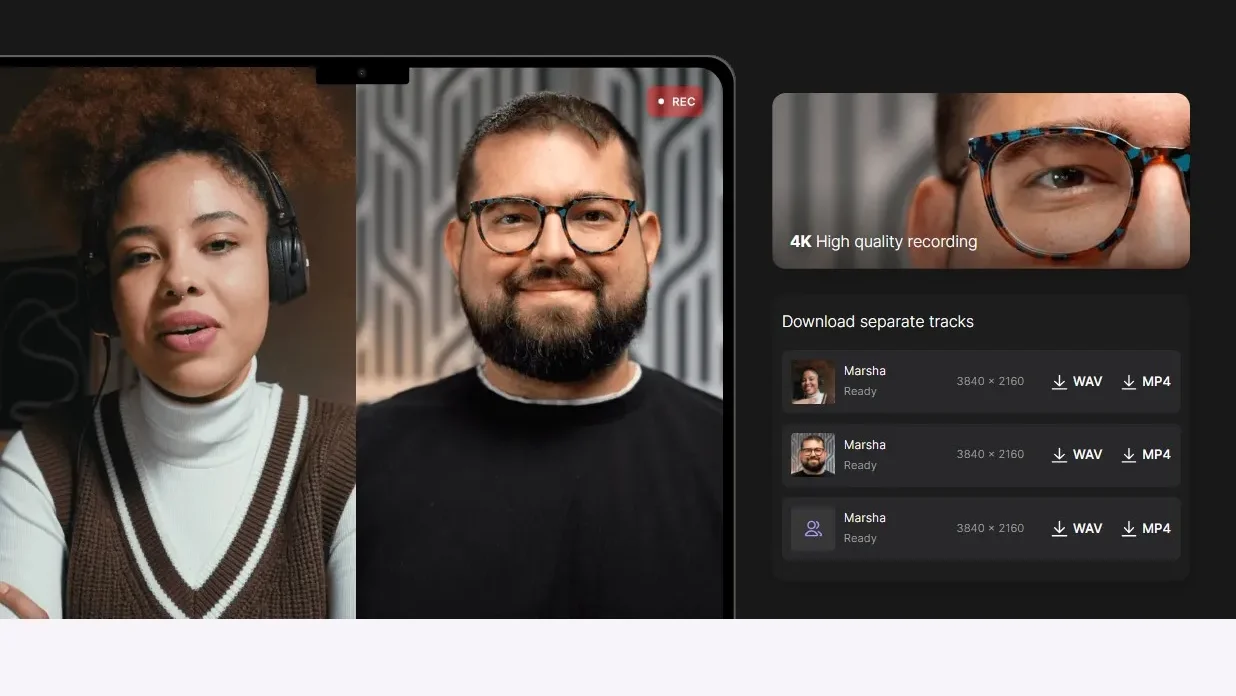
  • High-Quality Recording: Riverside.fm offers automatic local audio and video recording, ensuring that your content is captured in the best possible quality without relying on internet connectivity.
  • Studio-Quality Audio Processing: With advanced audio processing features, Riverside.fm enhances the sound quality of your recordings, providing a professional touch to your podcasts and interviews.
  • Multi-Track Editing: The platform allows for multi-track editing, enabling users to fine-tune their recordings, add effects, and create a polished final product with ease.
  • Seamless Remote Interviews: Riverside.fm facilitates remote interviews with guests, providing a smooth and hassle-free experience for both hosts and guests, regardless of their location.

Who is Riverside.fm For?

Riverside.fm caters to a wide range of users, including:

  • Podcasters: Podcasters rely on Riverside.fm for recording high-quality audio interviews, remote discussions, and podcast episodes with crystal-clear sound.
  • Content Creators: Content creators use Riverside.fm to produce professional video content, interviews, and webinars with studio-quality audio and video recordings.
  • Remote Teams: Remote teams leverage Riverside.fm for virtual meetings, interviews, and collaborative content creation, ensuring that their recordings are of the highest quality.
  • Educators: Educators utilize Riverside.fm for recording virtual classes, interviews, and educational content with clear audio and video, enhancing the online learning experience.

In summary, Riverside.fm is an essential tool for anyone looking to create high-quality audio and video content remotely. Whether you’re a podcaster, content creator, part of a remote team, or an educator, Riverside.fm provides the features and capabilities needed to produce professional recordings effortlessly.

Riverside.fm Summary

Create Professional Podcasts with Riverside.fm – Studio-Quality Recording Made Simple

Riverside.fm, a standout tool in the Video Communication category, simplifies remote podcast and video recording with studio-quality audio, multi-track editing, and automatic local recordings. Ideal for podcasters and content creators, it ensures crisp, flawless interviews regardless of connectivity. Ready to elevate your recording game? Don’t miss the exclusive deals on Riverside.fm.

Why Use Riverside.fm?

In the realm of podcasting and video recording platforms, Riverside.fm stands out due to:

  • High-Quality Recording: Riverside.fm offers automatic local audio and video recording, ensuring that your content is captured in the best possible quality without relying on internet connectivity.
  • Studio-Quality Audio Processing: With advanced audio processing features, Riverside.fm enhances the sound quality of your recordings, providing a professional touch to your podcasts and interviews.
  • Multi-Track Editing: The platform allows for multi-track editing, enabling users to fine-tune their recordings, add effects, and create a polished final product with ease.
  • Seamless Remote Interviews: Riverside.fm facilitates remote interviews with guests, providing a smooth and hassle-free experience for both hosts and guests, regardless of their location.

Who is Riverside.fm For?

Riverside.fm caters to a wide range of users, including:

  • Podcasters: Podcasters rely on Riverside.fm for recording high-quality audio interviews, remote discussions, and podcast episodes with crystal-clear sound.
  • Content Creators: Content creators use Riverside.fm to produce professional video content, interviews, and webinars with studio-quality audio and video recordings.
  • Remote Teams: Remote teams leverage Riverside.fm for virtual meetings, interviews, and collaborative content creation, ensuring that their recordings are of the highest quality.
  • Educators: Educators utilize Riverside.fm for recording virtual classes, interviews, and educational content with clear audio and video, enhancing the online learning experience.

In summary, Riverside.fm is an essential tool for anyone looking to create high-quality audio and video content remotely. Whether you’re a podcaster, content creator, part of a remote team, or an educator, Riverside.fm provides the features and capabilities needed to produce professional recordings effortlessly.

Riverside.fm reviews and insights

Learn what people say about Riverside.fm

4.8
4 Reviews
85%
Subscribed Score

Lear more here about the Subscribed score on how it is composed. Learn more Click here

Overall rating

5
4
3
2
1
CX 4/6

How good is the customer support based on subscribed’s assessment

CX Icon
Security 5/6

How secure is the product based on Subscribed’s assessment?

Security Icon
Ease of Use 6/6

How easy is the product to use, based on Subscribed’s assessment?

EOU Icon
Value 5/6

What is the value for money based on Subscribed’s assessment?

coin Icon
Integration 4/6

How many integrations does the product offer?

gear Icon
Popularity 6/6

How popular is the product?

star
Denniel Gerald Taloyo Organic
Full-Stack Developer
See My Portfolio
2 weeks ago
Share
What do you like best about this product?
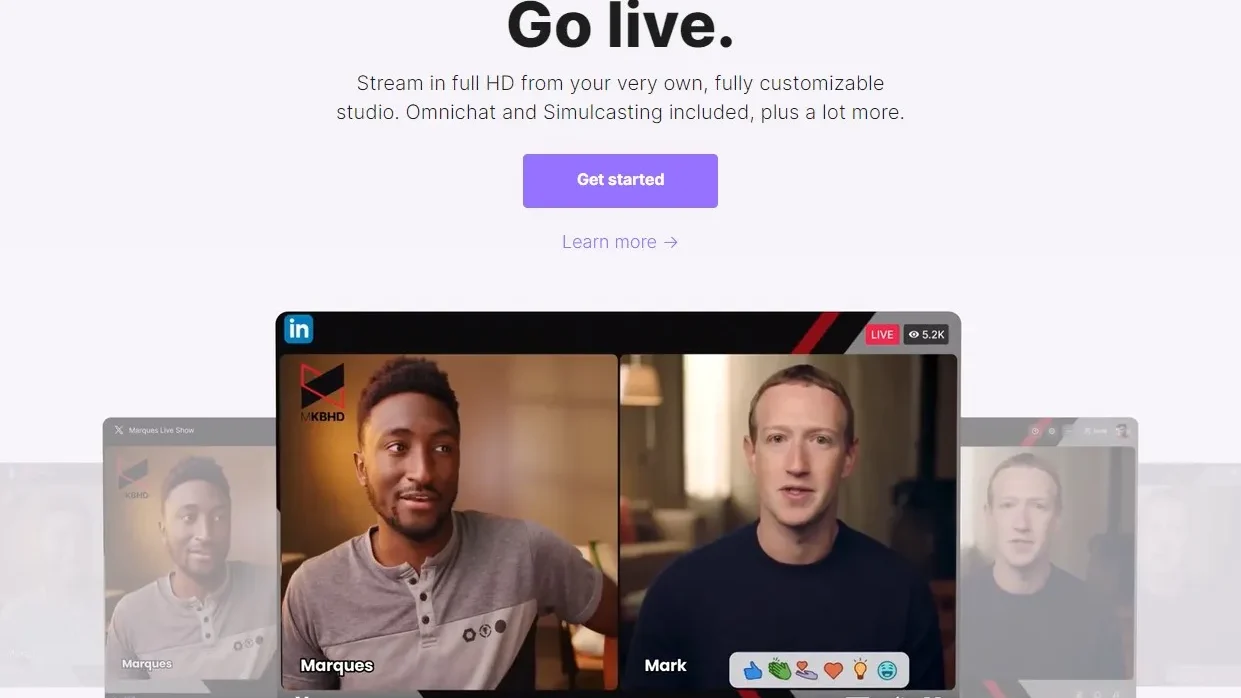
What I like best about Riverside.fm is that users are able to publish their podcast/video on multiple platform through Riverside, making it a one stop platform for such purposes. Apart from that they offer different features that could help eliminate pain points when recording or doing a livestream, which creates the best experience for its users.
What’s been frustrating in your experience?
Nothing has been frustrating throughout my use of Riverside so far. Although, I would wish they would lend one or two more of their features to the free tier, but I understand why if they wish to not.
What problem did this product solve for you?
The product is great at providing everything you need for professional recordings. Video editing, livestream platform, teleprompt, script writing, you name it, they have it.
Final thoughts, wrap up what you think
I highly recommend Riverside when hosting livestreams, podcasts, and video recordings. They have all the necessary tools needed for such a production and its all in one web application.
Upvote
Alicia Yeap Organic
3 months ago
Share
What exceeded your expectations?
I liked how it can transcribe the caption for you so easily and the ai features that are really good at editing the sound and the smoothness if the video
What feature doesn’t work as expected?
Maybe the eye lock isnt as good and sometimes makes the eyes not look natural
What problem did this product solve for you?
Helped make my videos much smoother and not having to deal and remove with stutters or unnecessary words or sentences easily
Final thoughts, wrap up what you think
Really good and definitely does most of the editing and job for yoy
Upvote
Organic
3 months ago
Share
What feature do you use most often?
I use the local recording feature the most because it keeps my audio and video quality clear even with unstable internet. I also rely on the separate track recording since it makes editing much easier afterward.
What do you dislike about this product?
I sometimes experience delays when uploading recordings, especially with larger files. The interface can also feel a bit confusing at first when navigating different settings.
What could make it even better?
It would be great if the upload process were faster and more consistent for large recordings. A simpler and more intuitive dashboard would also improve the overall experience.
Final thoughts, wrap up what you think
I’d give it an 8 because it consistently delivers really good audio and video quality thanks to its local recording, even when the internet isn’t great.
Upvote
3 months ago
Share
What do you like best about this product?
The edit part and auto subtitles makes it more ideal for me. Even the edit features are pretty straightforward even for new time users.
What slows you down when using it?
I guess overall what seems to be a bit annoying is when you add a certain logo the whole font format changes.
If you could change one thing, what would it be?
Maybe make more features like a setting wherein you can just add the logos/ stamp directly without needing to reformat the whole font once you added it.
Final thoughts, wrap up what you think
It's good, the features are quite easy to be explored not too complex just minor revisions.
Upvote (1)

Riverside.fm User Reviews

4 User Reviews

Reviews from G2, Capterra, Trustpilot
info Icon

These ratings come directly from third-party platforms like G2, Capterra, and Trustpilot. They reflect real user feedback collected independently on those sites.

Riverside.fm pricing

Pricing model

Pricing Range
info Icon

This only an estimated pricing range, visit Riverside.fm pricing page to access all the information by clicking “Visit Now”.

$0-$29 / Month
Deals Available

This product comes with a special deal, see details

Visit Now
✨ Ask AI about pricing
85% Subscribed Score
info Icon

The Subscribed Score is an independent rating that combines user reviews, features, and value-for-money from multiple trusted sources. It’s designed as a quick benchmark, not a guarantee of individual experience.

Overview

Create Professional Podcasts with Riverside.fm – Studio-Quality Recording Made Simple

Riverside.fm, a standout tool in the Video Communication category, simplifies remote podcast and video recording with studio-quality audio, multi-track editing, and automatic local recordings. Ideal for podcasters and content creators, it ensures crisp, flawless interviews regardless of connectivity. Ready to elevate your recording game? Don’t miss the exclusive deals on Riverside.fm.

Why Use Riverside.fm?

In the realm of podcasting and video recording platforms, Riverside.fm stands out due to:

  • High-Quality Recording: Riverside.fm offers automatic local audio and video recording, ensuring that your content is captured in the best possible quality without relying on internet connectivity.
  • Studio-Quality Audio Processing: With advanced audio processing features, Riverside.fm enhances the sound quality of your recordings, providing a professional touch to your podcasts and interviews.
  • Multi-Track Editing: The platform allows for multi-track editing, enabling users to fine-tune their recordings, add effects, and create a polished final product with ease.
  • Seamless Remote Interviews: Riverside.fm facilitates remote interviews with guests, providing a smooth and hassle-free experience for both hosts and guests, regardless of their location.

Who is Riverside.fm For?

Riverside.fm caters to a wide range of users, including:

  • Podcasters: Podcasters rely on Riverside.fm for recording high-quality audio interviews, remote discussions, and podcast episodes with crystal-clear sound.
  • Content Creators: Content creators use Riverside.fm to produce professional video content, interviews, and webinars with studio-quality audio and video recordings.
  • Remote Teams: Remote teams leverage Riverside.fm for virtual meetings, interviews, and collaborative content creation, ensuring that their recordings are of the highest quality.
  • Educators: Educators utilize Riverside.fm for recording virtual classes, interviews, and educational content with clear audio and video, enhancing the online learning experience.

In summary, Riverside.fm is an essential tool for anyone looking to create high-quality audio and video content remotely. Whether you’re a podcaster, content creator, part of a remote team, or an educator, Riverside.fm provides the features and capabilities needed to produce professional recordings effortlessly.

Where Riverside.fm performs best

What users like
  • High-quality 4K video and audio recording
  • Robust editing tools
  • Platform stability and reliability
  • Social media integration

Where Riverside.fm falls short

What users dislike
  • Limited customer support
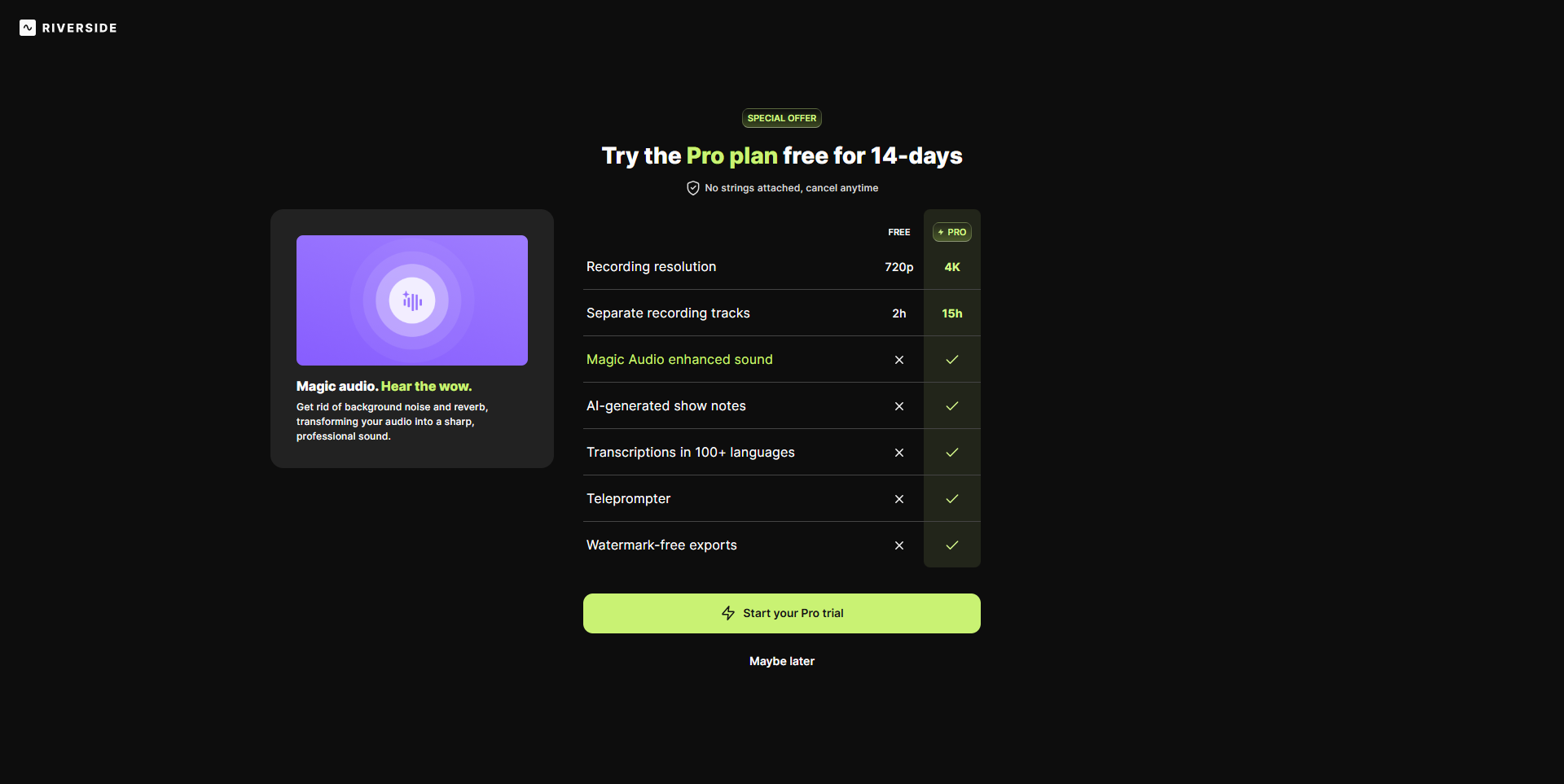
  • Free plan has restricted features
  • Occasional UI navigation issues
  • High pricing for advanced plans
Subscribed Score Metrics
30/36 Metric achieved
MetricsScore
Customer Support4/6
Security5/6
Ease of Use6/6
Value of Money5/6
Integration4/6
Popularity6/6
Radar Chart Table View
Ease of Use
Measures how simple and intuitive the product is to use, including setup, navigation, and overall user experience
6/6 Metric Checks
Security
Compares the product`s features, quality, and pricing to determine its overall cost-effectiveness.
5/6 Metric Checks
Value of Money
Assesses the product`s ability to protect data, prevent breaches, and comply with industry standards.
5/6 Metric Checks
Customer Support
Reflects the responsiveness, helpfulness, and quality of assistance provided by the product`s support team.
4/6 Metric Checks
Integrations
Evaluates how well the product connects with other tools and platforms, enabling seamless workflows.
4/6 Metric Checks
Riverside.fm Pricing Range
$0-$29 / Month

Riverside.fm in action
info Icon

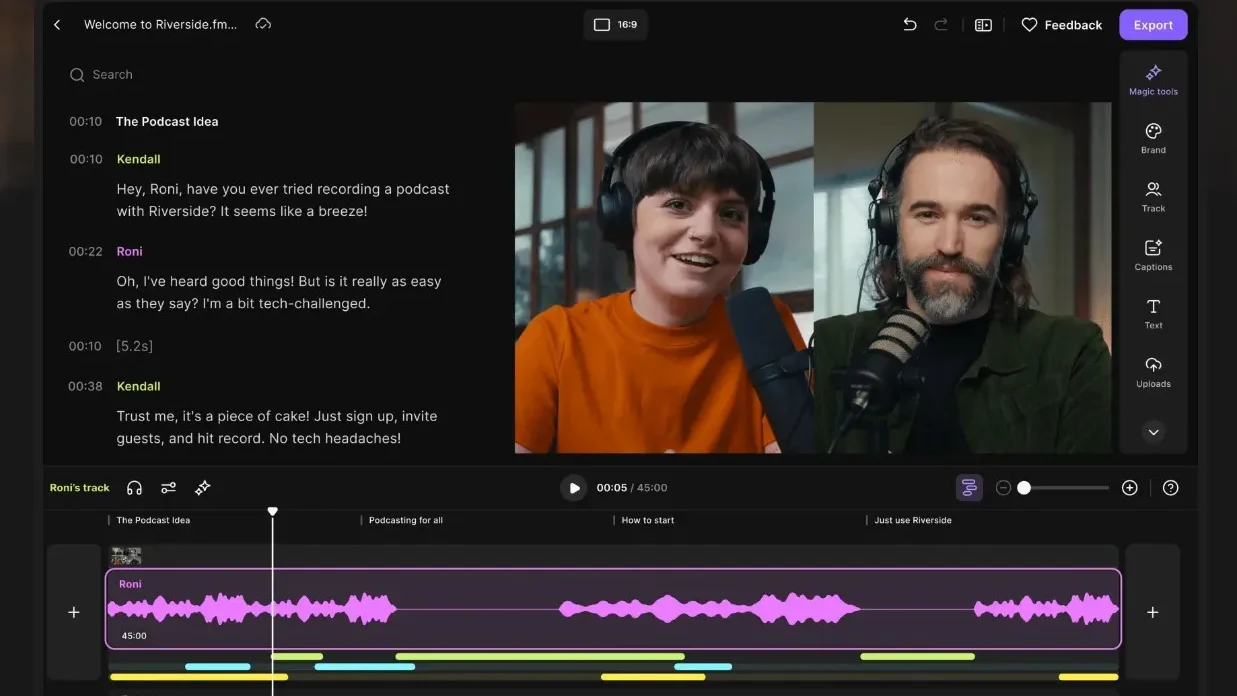
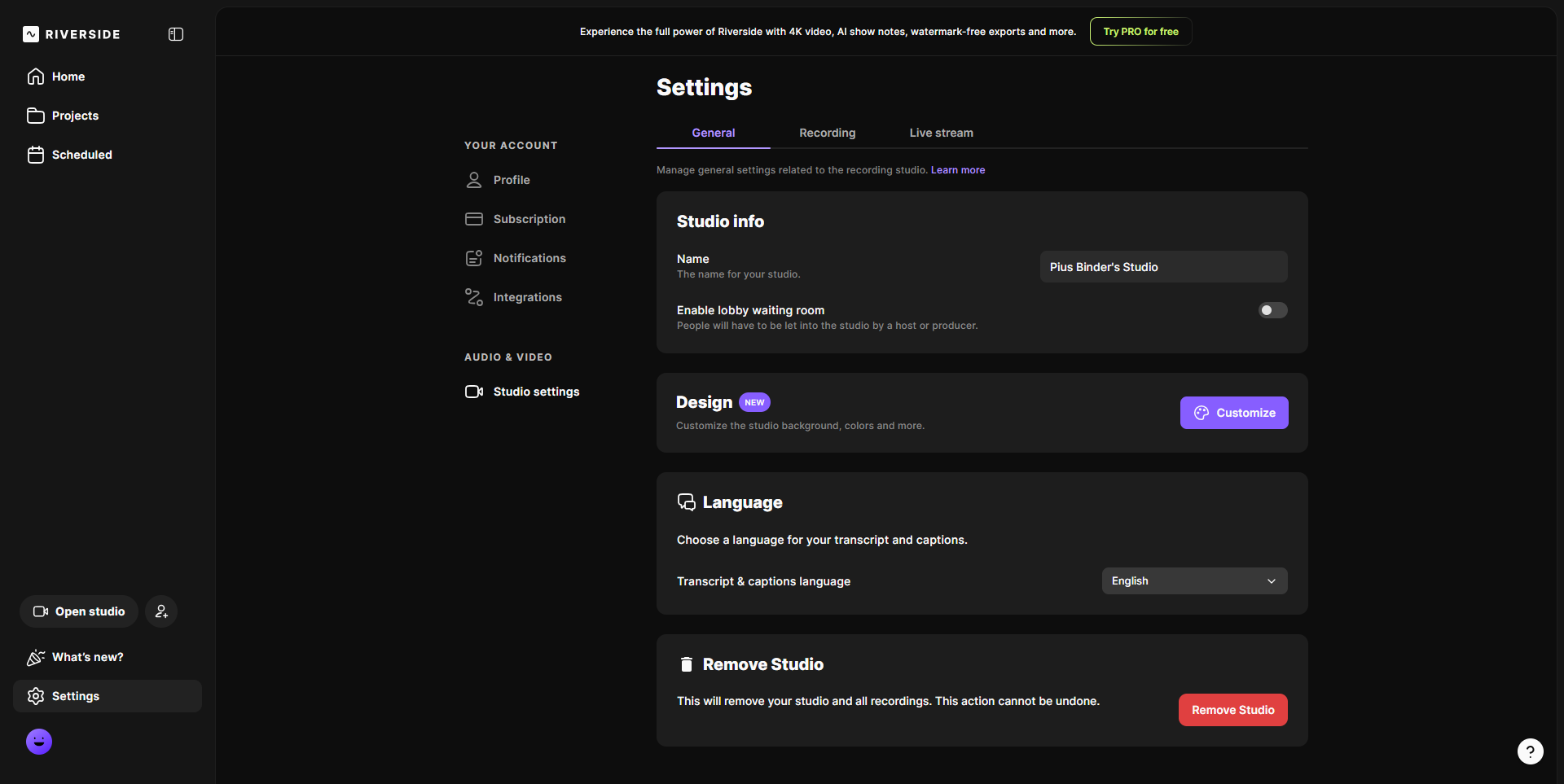
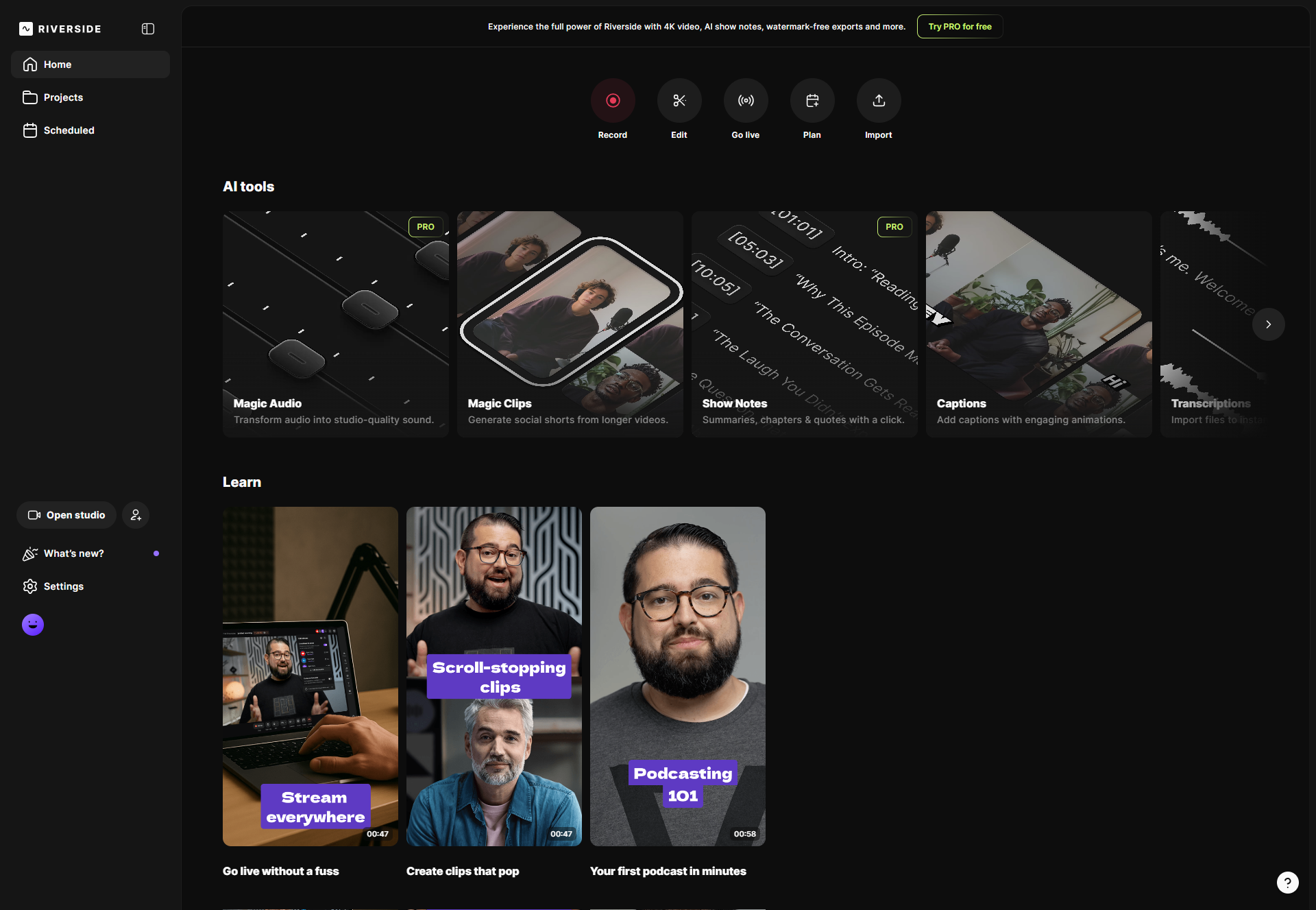
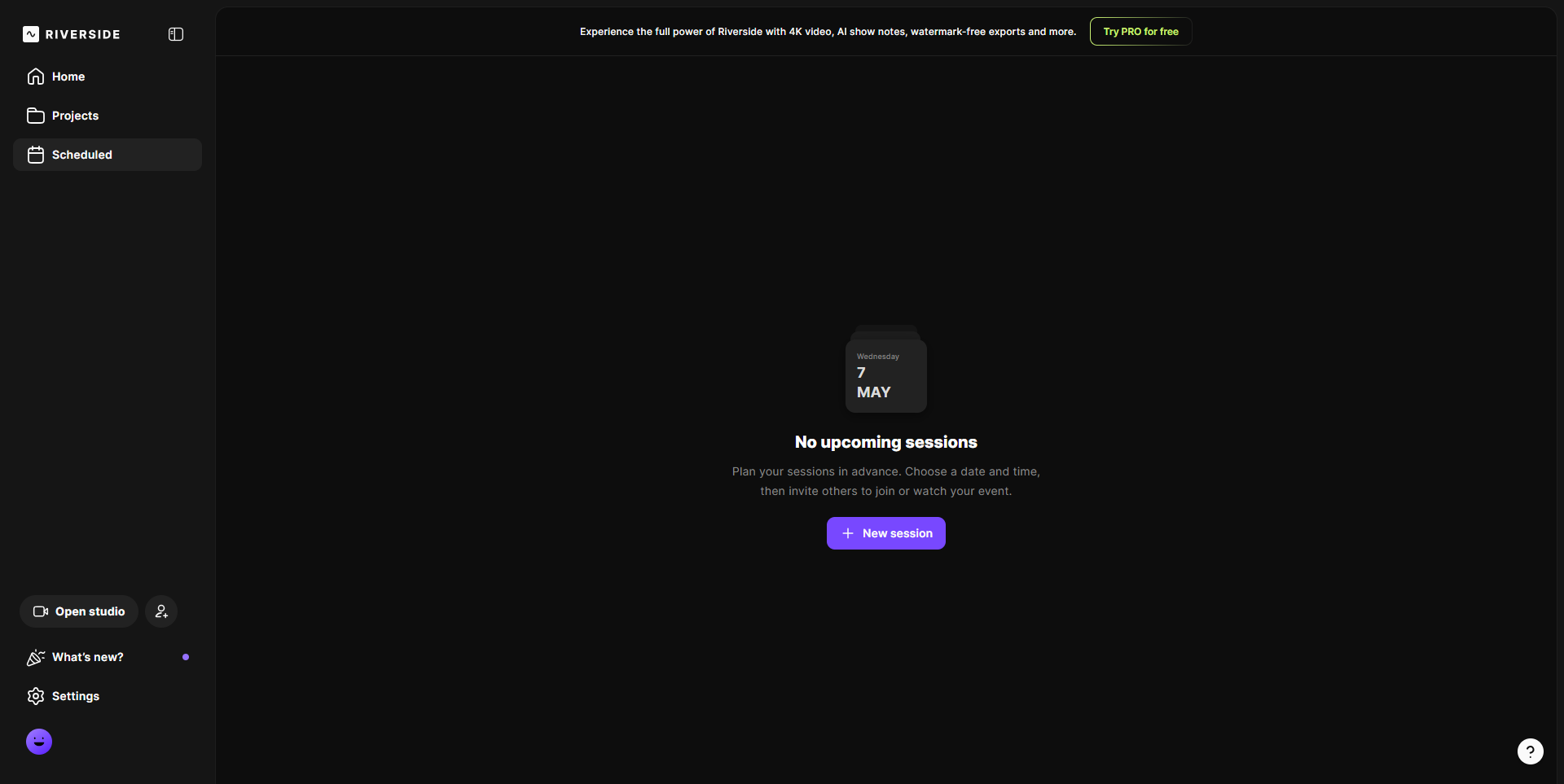
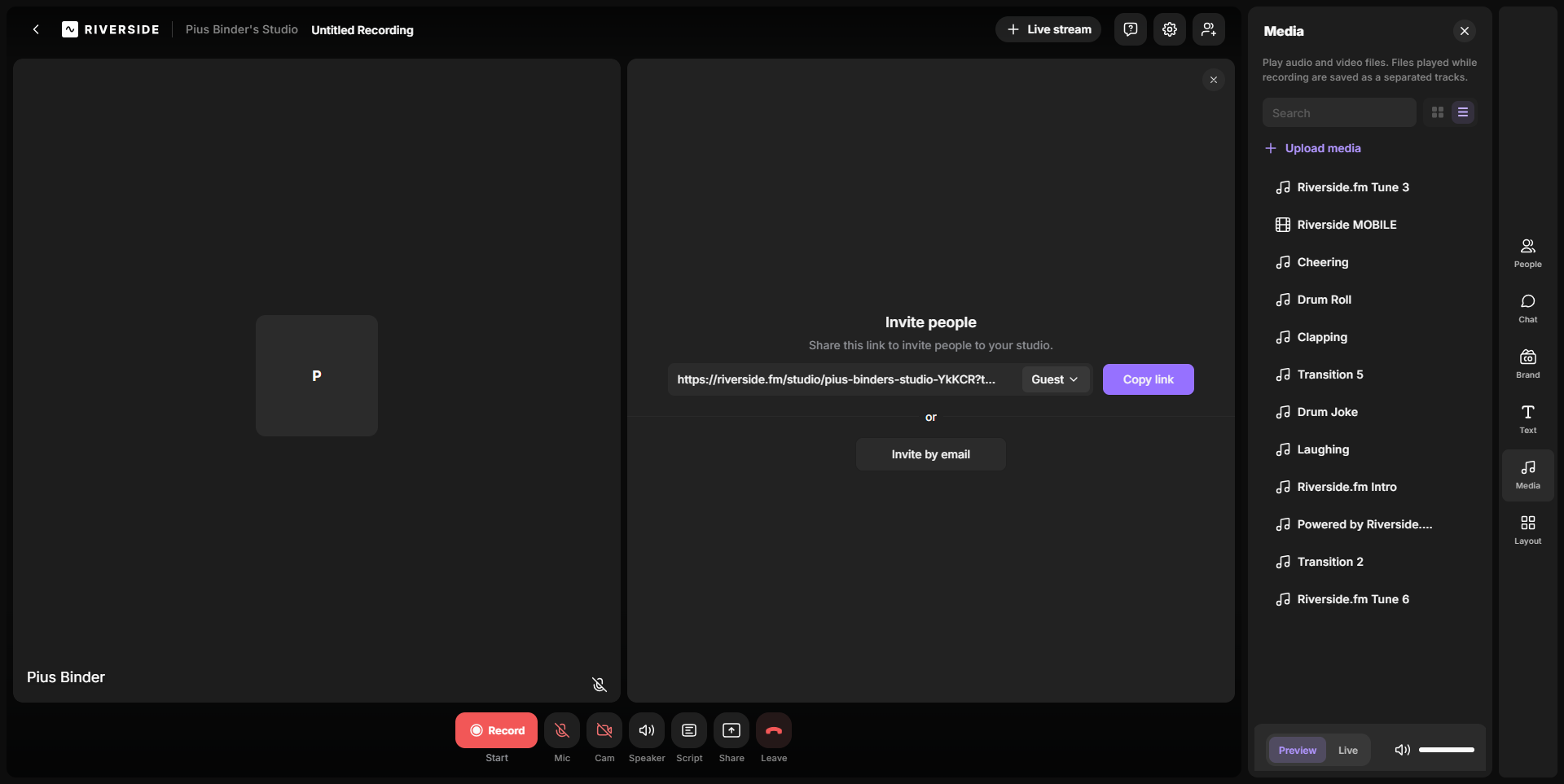
A curated gallery of real screenshots and use cases from the product, so you can see how it works before trying it.

Riverside.fm screenshot Full Screen Icon
https://www.youtube.com/watch?v=eS8cqelByA4?feature=oembed
Full Screen Icon
Video thumbnail
Riverside.fm screenshot

Alternatives to Riverside.fm
info Icon

A list of platforms similar to Riverside.fm, helping you evaluate which tool best matches your needs.

How to cancel Riverside.fm

Need to cancel Riverside.fm? Here is how
info Icon

Thinking about how to cancel Riverside.fm this is how you do it!

Ending Your Riverside.fm Subscription

As your podcasting and video recording needs evolve, we understand you may explore different platforms. Riverside.fm provides a straightforward process to cancel your subscription when needed. To ensure a seamless experience and to prevent any unexpected charges, please visit this page.

How to Cancel the Riverside.fm

Ending Your Riverside.fm Subscription

As your podcasting and video recording needs evolve, we understand you may explore different platforms. Riverside.fm provides a straightforward process to cancel your subscription when needed. To ensure a seamless experience and to prevent any unexpected charges, please visit this page.

FAQs about Riverside.fm

Every else you need to know about Riverside.fm
info Icon

A collection of FAQs, guides, alternatives, and comparisons to help you quickly understand if Riverside.fm is right for you.

Manage your Riverside.fm profile

Create profile

Want to list your product on Subscribed.fyi? Create a profile to reach more buyers.

Pricing Range
info Icon

This only an estimated pricing range, visit Riverside.fm pricing page to access all the information by clicking “Visit Now”.

$0-$29 / Month
Visit Now
Deals Available

This product comes with a special deal, see details

This product comes with a special deal, see details