TrackIt Reviews 2026: Details, Pricing, & Features | Subscribed.fyi
Sign in to review
Join our community of software reviewers on Subscribed.fyi

Continue With Google
Continue With LinkedIn
Continue Review with Email
Continue with Email
Enter your email to continue.
Continue
Enter your password
Enter your password to finish setting up your account.
Continue
Activate your email
Enter activation code we sent to your email.
Submit
Reset your password
Enter activation code we sent to your email.
Submit
Set your new password
Enter a new password for your account.
Submit
Categories
For Business
Log in
Provide My Insights
TrackIt
TrackIt

TrackIt Reviews, Pricing, Features & Alternatives (2026)

4.7/5
(3)

JobSuite, powered by TrackIt, is customizable project management software tailored for creative teams. It streamlines workflows with estimates, purchase orders, invoices, and vendor management. Build templates, track time, and create custom dashboards for efficient project execution.

TrackIt
TrackIt
TrackIt

TrackIt Overview

What is TrackIt?

4.7
3
Reviews
60%
Subscribed Score

Available for Claim - This listing is available to be claimed
Claim Profile For Free

Unclaimed

Manage profile with subsig, and unlock 23+ social and review monitoring. Get partnership options with

Claim Profile For Free

Why teams choose TrackIt

Key Features

Expert Support
Expert Support
Help available when you need it.
Eco-Friendly
Eco-Friendly
Designed with sustainability in mind.
Affordable Pricing
Affordable Pricing
Transparent plans to fit any budget.

Who is TrackIt for?

JobSuite

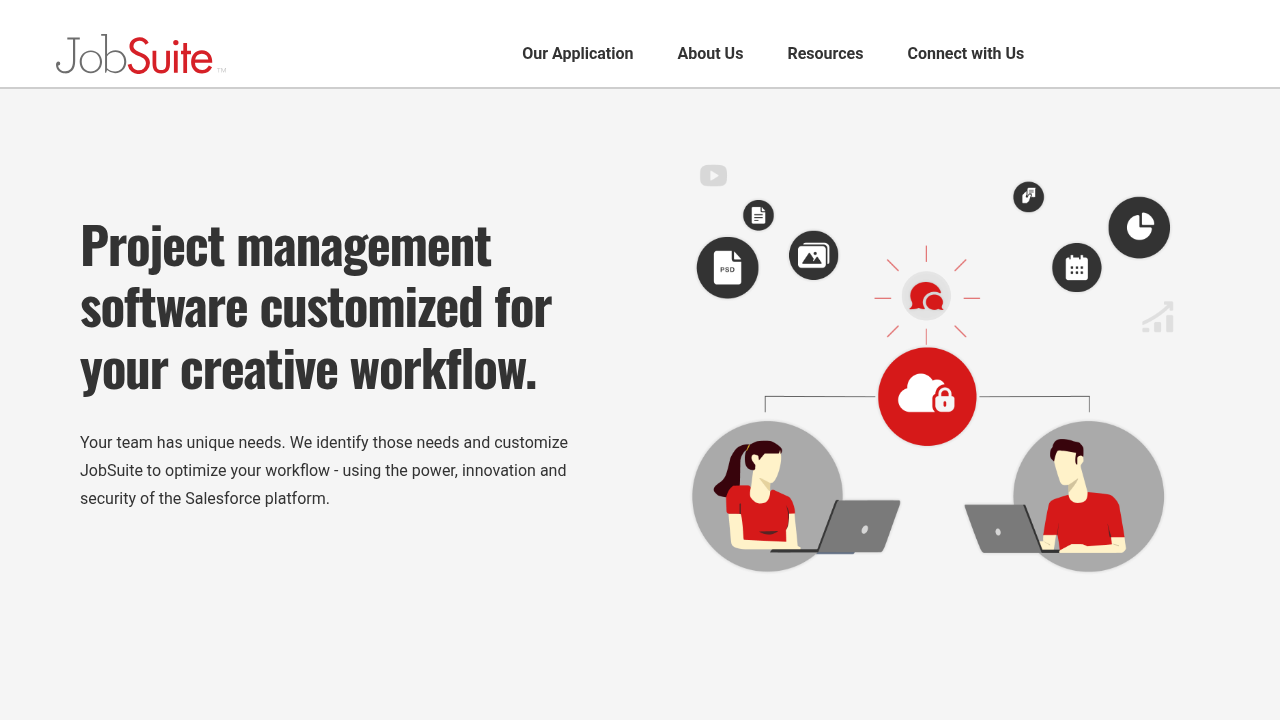
JobSuite is a customizable project management software designed specifically for creative and marketing teams, enabling seamless handling of estimates, purchase orders, invoices, vendors, and more within a unified platform.

Why Use JobSuite?

  • Customizable Workflows: Tailor input forms, templates, and schedules to fit unique project needs, converting stakeholder inputs into ready-to-go projects with team assignments.
  • Efficiency Boost: Automate task creation, bulk actions, and time tracking to reduce manual work and highlight scheduling issues or inefficiencies.
  • Centralized Management: Handle billing, vendors, and project data in one place with custom fields and Chatter for team communication.

Who is JobSuite For?

  • Creative agencies and marketing teams needing flexible project tools.
  • Small to medium businesses requiring workflow customization without complexity.
  • Teams using Salesforce integrations for enhanced dashboards and reporting.

Key Features and Benefits

  • Project Input & Templates: Gather essentials pre-kickoff and auto-generate projects.
  • Custom Dashboards: Build private or shared views of key metrics and activities.
  • Time Tracking: Log hours directly in tasks with automated alerts for issues.
  • Bulk Actions & Security: Manage multiple items efficiently with robust access controls.
  • Billing & Vendors: Integrated invoicing and vendor tracking for complete financial oversight.

This platform empowers teams to focus on creativity by simplifying operations and providing actionable insights through visual workspaces and reports.

TrackIt Summary

JobSuite

JobSuite is a customizable project management software designed specifically for creative and marketing teams, enabling seamless handling of estimates, purchase orders, invoices, vendors, and more within a unified platform.

Why Use JobSuite?

  • Customizable Workflows: Tailor input forms, templates, and schedules to fit unique project needs, converting stakeholder inputs into ready-to-go projects with team assignments.
  • Efficiency Boost: Automate task creation, bulk actions, and time tracking to reduce manual work and highlight scheduling issues or inefficiencies.
  • Centralized Management: Handle billing, vendors, and project data in one place with custom fields and Chatter for team communication.

Who is JobSuite For?

  • Creative agencies and marketing teams needing flexible project tools.
  • Small to medium businesses requiring workflow customization without complexity.
  • Teams using Salesforce integrations for enhanced dashboards and reporting.

Key Features and Benefits

  • Project Input & Templates: Gather essentials pre-kickoff and auto-generate projects.
  • Custom Dashboards: Build private or shared views of key metrics and activities.
  • Time Tracking: Log hours directly in tasks with automated alerts for issues.
  • Bulk Actions & Security: Manage multiple items efficiently with robust access controls.
  • Billing & Vendors: Integrated invoicing and vendor tracking for complete financial oversight.

This platform empowers teams to focus on creativity by simplifying operations and providing actionable insights through visual workspaces and reports.

TrackIt reviews and insights

Learn what people say about TrackIt

4.7
3 Reviews
60%
Subscribed Score

Lear more here about the Subscribed score on how it is composed. Learn more Click here

Overall rating

5
4
3
2
1
CX 4/6

How good is the customer support based on subscribed’s assessment

CX Icon
Security 4/6

How secure is the product based on Subscribed’s assessment?

Security Icon
Ease of Use 4/6

How easy is the product to use, based on Subscribed’s assessment?

EOU Icon
Value 4/6

What is the value for money based on Subscribed’s assessment?

coin Icon
Integration 3/6

How many integrations does the product offer?

gear Icon
Popularity 3/6

How popular is the product?

star
Steven Dianala Organic
Marketing
3 months ago
Share
What exceeded your expectations?
Honestly, I didn’t expect it to handle both help desk and asset management so smoothly in one place. It made organizing IT tasks way easier than I thought it would.
What do you dislike about this product?
The interface feels a bit outdated and not as modern as other tools out there. It can also be a bit slow and confusing during the initial setup.
What could make it even better?
A cleaner, more modern UI would make a huge difference in overall experience. Better customization and faster performance would also level it up a lot.
Final thoughts, wrap up what you think
I’d recommend it, especially for small to mid-sized teams that want an all-in-one solution. It’s not perfect, but it definitely gets the job done.
Upvote (2)
3 months ago
Share
How has it made your work/life easier?
The biggest benefit I’ve noticed is having all project management, billing, and communication tools centralized in one platform, which improves efficiency and keeps workflows organized.
What feature doesn’t work as expected?
I haven’t experienced any major bugs or errors while using it. It generally works smoothly, though occasional minor delays can happen when handling larger projects or data-heavy workflows.
What could make it even better?
If I could change one thing, I would simplify the initial setup and customization process by adding more guided templates and step-by-step onboarding to make it easier for new users to get started.
Final thoughts, wrap up what you think
I would recommend it because it helps creative and marketing teams manage projects, billing, and communication in one centralized platform, improving efficiency and collaboration. I would rate it around 9 out of 10 since it is very flexible and powerful, though it can take some time to set up and learn at first.
Upvote
Jackie Liezel Jane Broniola Organic
Social Media Manager | Graphic Designer | Content Creator | Coding Instructor | Digital Marketing Specialist
See My Portfolio
3 months ago
Share
What’s the biggest benefit you’ve noticed?
TrackIt gave me actual visibility into where everything stands at any given moment and that kind of clarity is something i didnt even realize i was missing before. makes staying on top of things so much less of a mental effort
What slows you down when using it?
sometimes i spend a little extra time filtering through data in TrackIt but honestly i havent taken the time to set up my default views properly yet. pretty sure once i do that it would cut that friction down a lot
What’s still missing for your needs?
a few more customization options for how data gets displayed in TrackIt wouldve fit my personal workflow better but what it already offers covers the important stuff really well. more of a nice to have than an actual gap
Final thoughts, wrap up what you think
TrackIt is one of those tools i genuinely bring up when people are struggling with visibility and accountability on their teams bc it solves that problem really well. would recommend it without overthinking it
Upvote (2)
TrackIt

TrackIt User Reviews

3 User Reviews

Reviews from G2, Capterra, Trustpilot
info Icon

These ratings come directly from third-party platforms like G2, Capterra, and Trustpilot. They reflect real user feedback collected independently on those sites.

TrackIt pricing

Pricing model

TrackIt
Pricing Range
info Icon

This only an estimated pricing range, visit TrackIt pricing page to access all the information by clicking “Visit Now”.

-
Deals Available

This product comes with a special deal, see details

Visit Now
✨ Ask AI about pricing
60% Subscribed Score
info Icon

The Subscribed Score is an independent rating that combines user reviews, features, and value-for-money from multiple trusted sources. It’s designed as a quick benchmark, not a guarantee of individual experience.

Overview

JobSuite

JobSuite is a customizable project management software designed specifically for creative and marketing teams, enabling seamless handling of estimates, purchase orders, invoices, vendors, and more within a unified platform.

Why Use JobSuite?

  • Customizable Workflows: Tailor input forms, templates, and schedules to fit unique project needs, converting stakeholder inputs into ready-to-go projects with team assignments.
  • Efficiency Boost: Automate task creation, bulk actions, and time tracking to reduce manual work and highlight scheduling issues or inefficiencies.
  • Centralized Management: Handle billing, vendors, and project data in one place with custom fields and Chatter for team communication.

Who is JobSuite For?

  • Creative agencies and marketing teams needing flexible project tools.
  • Small to medium businesses requiring workflow customization without complexity.
  • Teams using Salesforce integrations for enhanced dashboards and reporting.

Key Features and Benefits

  • Project Input & Templates: Gather essentials pre-kickoff and auto-generate projects.
  • Custom Dashboards: Build private or shared views of key metrics and activities.
  • Time Tracking: Log hours directly in tasks with automated alerts for issues.
  • Bulk Actions & Security: Manage multiple items efficiently with robust access controls.
  • Billing & Vendors: Integrated invoicing and vendor tracking for complete financial oversight.

This platform empowers teams to focus on creativity by simplifying operations and providing actionable insights through visual workspaces and reports.

Where TrackIt performs best

What users like
  • Highly customizable workflows
  • Integrated time tracking
  • Custom dashboards for insights
  • Handles billing and vendors

Where TrackIt falls short

What users dislike
  • Customization needs setup costs
  • Salesforce-dependent features
  • No public pricing details
  • Limited to creative teams
Subscribed Score Metrics
22/36 Metric achieved
MetricsScore
Customer Support4/6
Security4/6
Ease of Use4/6
Value of Money4/6
Integration3/6
Popularity3/6
Radar Chart Table View
Ease of Use
Measures how simple and intuitive the product is to use, including setup, navigation, and overall user experience
4/6 Metric Checks
Security
Compares the product`s features, quality, and pricing to determine its overall cost-effectiveness.
4/6 Metric Checks
Value of Money
Assesses the product`s ability to protect data, prevent breaches, and comply with industry standards.
4/6 Metric Checks
Customer Support
Reflects the responsiveness, helpfulness, and quality of assistance provided by the product`s support team.
4/6 Metric Checks
Integrations
Evaluates how well the product connects with other tools and platforms, enabling seamless workflows.
3/6 Metric Checks
TrackIt Pricing Range
-

TrackIt in action
info Icon

A curated gallery of real screenshots and use cases from the product, so you can see how it works before trying it.

TrackIt Full Screen Icon
TrackIt
TrackIt

Alternatives to TrackIt
info Icon

A list of platforms similar to TrackIt, helping you evaluate which tool best matches your needs.

How to cancel TrackIt

Need to cancel TrackIt? Here is how
info Icon

Thinking about how to cancel TrackIt this is how you do it!

Cancellation likely via account dashboard under billing settings or by emailing [email protected]/calling support. Expect confirmation and cycle-end termination. Contact during 9am-6pm EST for assistance.

How to Cancel the TrackIt

Cancellation likely via account dashboard under billing settings or by emailing [email protected]/calling support. Expect confirmation and cycle-end termination. Contact during 9am-6pm EST for assistance.

FAQs about TrackIt

Every else you need to know about TrackIt
info Icon

A collection of FAQs, guides, alternatives, and comparisons to help you quickly understand if TrackIt is right for you.

Manage your TrackIt profile

Create profile

Want to list your product on Subscribed.fyi? Create a profile to reach more buyers.

Pricing Range
info Icon

This only an estimated pricing range, visit TrackIt pricing page to access all the information by clicking “Visit Now”.

-
Visit Now
Deals Available

This product comes with a special deal, see details

This product comes with a special deal, see details