Sign in to review
Join our community of software reviewers on Subscribed.fyi

Continue With Google
Continue With LinkedIn
Continue Review with Email
Continue with Email
Enter your email to continue.
Continue
Enter your password
Enter your password to finish setting up your account.
Continue
Activate your email
Enter activation code we sent to your email.
Submit
Reset your password
Enter activation code we sent to your email.
Submit
Set your new password
Enter a new password for your account.
Submit
Log in
Provide My Insights
Evernote logo
Evernote logo

Evernote Reviews, Pricing, Features & Alternatives (2026)

3.7/5
(3)
Kris Castillo Invitation
Quality Assurance Engineer
See My Portfolio
9 months ago
Share
What feature do you use most often?
I use Evernote for quick notes and checklists. useful for travel plans. Sync across devices works well.
What feels confusing or hard to use?
Some features are hidden behind menus and hard to find. Pricing tiers are kind of confusing
What could make it even better?
A cleaner interface would help a lot. Clearer differentiation between free vs paid features would be good
Final thoughts, wrap up what you think
useful for note taking, but it feels dated compared to newer tools.
Upvote

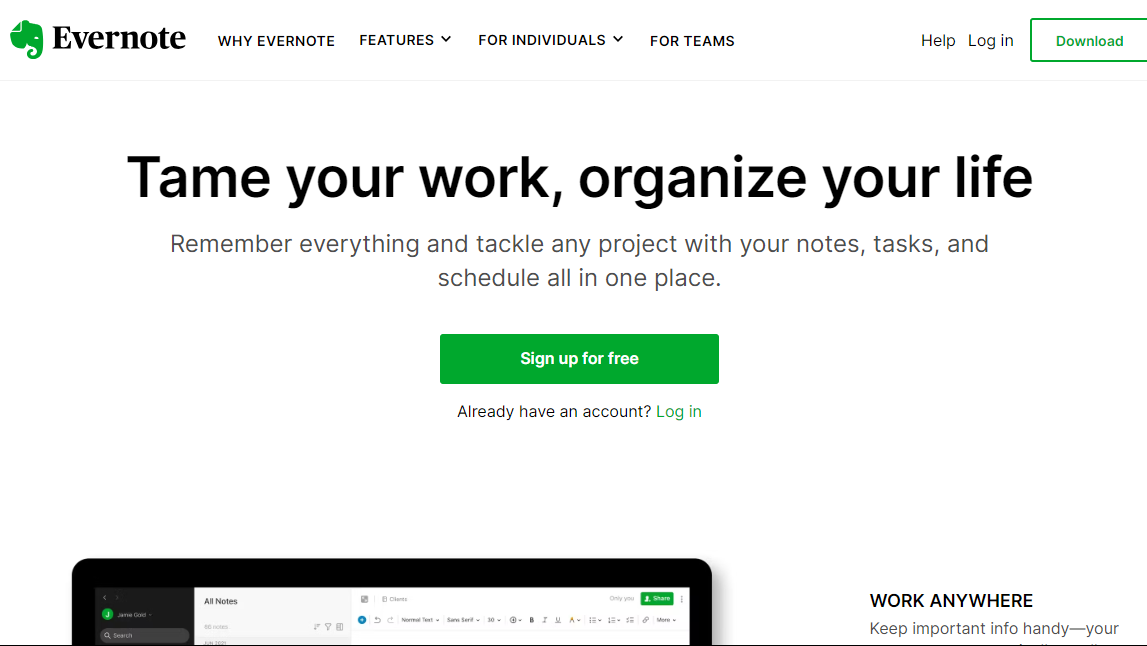
Evernote is a versatile note-taking app that organizes thoughts, ideas, and tasks. With features like notebooks, tags, and seamless syncing across devices, it enhances productivity and keeps information accessible anytime, anywhere.

Evernote logo
Evernote logo
Evernote logo

Evernote Overview

What is Evernote?

3.7
β˜… β˜… β˜… β˜… β˜…
3
Reviews

Available for Claim - This listing is available to be claimed
Claim Profile

Unclaimed

Claim this profile to manage it.

Claim Profile

Why teams choose Evernote

Key Features

Smart Automation
Smart Automation
Save time with AI-powered workflows.
Save Time
Save Time
Focus on impact, not repetitive tasks.
Scales with You
Scales with You
Grows with your business needs.

Who is Evernote for?

Evernote, a leader in theΒ Project ManagementΒ category, offers a robust platform for note-taking and organization, enabling users to capture, organize, and access information effortlessly across multiple devices. It supports the creation and storage of notes, images, web clippings, and documents in a centralized, searchable digital workspace. ExploreΒ exclusive deals. Consider alternatives likeΒ Notion,Β Trello,Β Basecamp,Β Monday.com,Β Jira, andΒ Asana.

Why Use Evernote?

Evernote offers several key features:

Note-Taking Versatility: Evernote allows users to create notes in various formats, including text, images, audio, and web clippings, providing a flexible and comprehensive tool for capturing diverse types of information.

  • Cross-Platform Accessibility: Evernote synchronizes content across multiple devices, enabling users to access their notes anytime, anywhere, whether on desktop computers, tablets, or smartphones.
  • Organization and Search: With robust organization features, including notebooks, tags, and a powerful search functionality, Evernote helps users efficiently categorize and find their notes.
  • Collaboration: Evernote supports collaboration by allowing users to share notes and collaborate in real-time, making it a valuable tool for teamwork and project coordination.

Who is Evernote For?

Evernote is suitable for a broad range of users:

  • Professionals: Professionals across various industries can use Evernote to keep track of ideas, projects, and meeting notes, enhancing productivity and organization.
  • Students: Students can utilize Evernote for note-taking, research, and organizing study materials, promoting effective learning and academic success.
  • Entrepreneurs: Entrepreneurs and business owners can leverage Evernote to capture ideas, manage tasks, and collaborate with team members, fostering organizational efficiency.

In conclusion, Evernote serves as a comprehensive digital workspace, offering users a convenient and organized platform for note-taking, information management, and collaboration. Whether you’re a professional, student, or entrepreneur, Evernote provides a versatile solution for capturing and accessing information effortlessly.

Evernote Summary

Evernote, a leader in theΒ Project ManagementΒ category, offers a robust platform for note-taking and organization, enabling users to capture, organize, and access information effortlessly across multiple devices. It supports the creation and storage of notes, images, web clippings, and documents in a centralized, searchable digital workspace. ExploreΒ exclusive deals. Consider alternatives likeΒ Notion,Β Trello,Β Basecamp,Β Monday.com,Β Jira, andΒ Asana.

Why Use Evernote?

Evernote offers several key features:

Note-Taking Versatility: Evernote allows users to create notes in various formats, including text, images, audio, and web clippings, providing a flexible and comprehensive tool for capturing diverse types of information.

  • Cross-Platform Accessibility: Evernote synchronizes content across multiple devices, enabling users to access their notes anytime, anywhere, whether on desktop computers, tablets, or smartphones.
  • Organization and Search: With robust organization features, including notebooks, tags, and a powerful search functionality, Evernote helps users efficiently categorize and find their notes.
  • Collaboration: Evernote supports collaboration by allowing users to share notes and collaborate in real-time, making it a valuable tool for teamwork and project coordination.

Who is Evernote For?

Evernote is suitable for a broad range of users:

  • Professionals: Professionals across various industries can use Evernote to keep track of ideas, projects, and meeting notes, enhancing productivity and organization.
  • Students: Students can utilize Evernote for note-taking, research, and organizing study materials, promoting effective learning and academic success.
  • Entrepreneurs: Entrepreneurs and business owners can leverage Evernote to capture ideas, manage tasks, and collaborate with team members, fostering organizational efficiency.

In conclusion, Evernote serves as a comprehensive digital workspace, offering users a convenient and organized platform for note-taking, information management, and collaboration. Whether you’re a professional, student, or entrepreneur, Evernote provides a versatile solution for capturing and accessing information effortlessly.

Evernote reviews and insights

Learn what people say about Evernote

3.7 β˜… β˜… β˜… β˜… β˜…
3 Reviews
Gochmurad Eyyamberdiyev ВСстированиС ΠΏΠΎΠ»ΡŒΠ·ΠΎΠ²Π°Ρ‚Π΅Π»Π΅ΠΉ Π²ΠΊΠ»ΡŽΡ‡Π΅Π½ΠΎ
8 months ago
Share
КакоС самоС сущСствСнноС прСимущСство Π²Ρ‹ Π·Π°ΠΌΠ΅Ρ‚ΠΈΠ»ΠΈ?
In my opinion, this is the best notepad app in the industry. The interface and features are simply superb.
Π§Ρ‚ΠΎ Π²Π°ΠΌ Π½Π΅ нравится Π² этом ΠΏΡ€ΠΎΠ΄ΡƒΠΊΡ‚Π΅?
Unfortunately, the prices are very high. There are two plans. Both are not worth my money.
ΠšΠ°ΠΊΡƒΡŽ ΠΏΡ€ΠΎΠ±Π»Π΅ΠΌΡƒ Ρ€Π΅ΡˆΠΈΠ» для вас этот ΠΏΡ€ΠΎΠ΄ΡƒΠΊΡ‚?
I can't even bring myself to call it a notebook. I'd probably call it a multi-tasker.
Final thoughts, wrap up what you think
As a graphic designer and front-end developer, the app's interface simply amazed me. I'd always use it, if only the subscription were cheaper.
Upvote (1)
Irfan Ali Invitation
Developer
8 months ago
Share
What do you like best about this product?
Note taking with evernote seem fines, but good thing is it keep syncs accross different devices, it has a strong search feature which finds text inside pdfs even text inside from images which is very powerful feature for searching any type of search we want. i can add images, recordings, pdfs in one place.
What slows you down when using it?
limited features versions is slows dows compelete usage of features, app heavier than microsoft sticky notes, the premium plans is quite expensive then other notes taking applications, its has many features so learning curve is higher for using full features of app
What problem did this product solve for you?
It good for taking notes from meetings , from online and easily access them later from any of you synce devices
Final thoughts, wrap up what you think
Overall it's good for taking notes if you have multiple devices and want notes across each devices, for students its help them take lecture notes, add images pdfs and website articles in one place for easy recalling and learning
Upvote
Kris Castillo Invitation
Quality Assurance Engineer
See My Portfolio
9 months ago
Share
What feature do you use most often?
I use Evernote for quick notes and checklists. useful for travel plans. Sync across devices works well.
What feels confusing or hard to use?
Some features are hidden behind menus and hard to find. Pricing tiers are kind of confusing
What could make it even better?
A cleaner interface would help a lot. Clearer differentiation between free vs paid features would be good
Final thoughts, wrap up what you think
useful for note taking, but it feels dated compared to newer tools.
Upvote
Evernote logo

Evernote User Reviews

3 User Reviews

Reviews from G2, Capterra, Trustpilot
info Icon

These ratings come directly from third-party platforms like G2, Capterra, and Trustpilot. They reflect real user feedback collected independently on those sites.

Evernote pricing

Pricing model

Evernote logo
Pricing Range
info Icon

This only an estimated pricing range, visit Evernote pricing page to access all the information by clicking β€œVisit Now”.

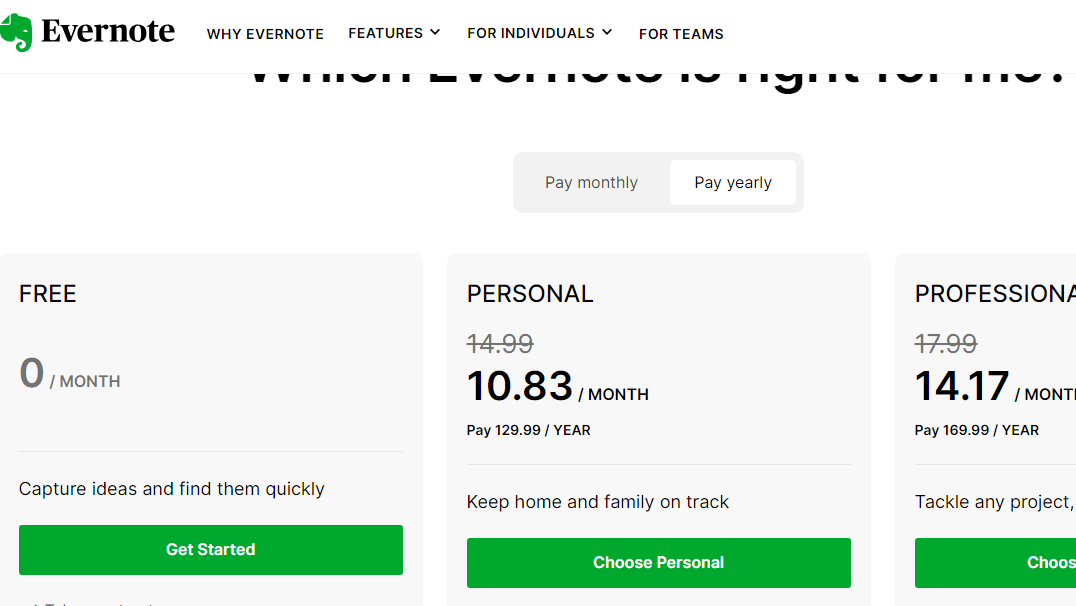
$14.99-$24.99 / Month
Deals Available

This product comes with a special deal, see details

Visit Now

Overview

Evernote, a leader in theΒ Project ManagementΒ category, offers a robust platform for note-taking and organization, enabling users to capture, organize, and access information effortlessly across multiple devices. It supports the creation and storage of notes, images, web clippings, and documents in a centralized, searchable digital workspace. ExploreΒ exclusive deals. Consider alternatives likeΒ Notion,Β Trello,Β Basecamp,Β Monday.com,Β Jira, andΒ Asana.

Why Use Evernote?

Evernote offers several key features:

Note-Taking Versatility: Evernote allows users to create notes in various formats, including text, images, audio, and web clippings, providing a flexible and comprehensive tool for capturing diverse types of information.

  • Cross-Platform Accessibility: Evernote synchronizes content across multiple devices, enabling users to access their notes anytime, anywhere, whether on desktop computers, tablets, or smartphones.
  • Organization and Search: With robust organization features, including notebooks, tags, and a powerful search functionality, Evernote helps users efficiently categorize and find their notes.
  • Collaboration: Evernote supports collaboration by allowing users to share notes and collaborate in real-time, making it a valuable tool for teamwork and project coordination.

Who is Evernote For?

Evernote is suitable for a broad range of users:

  • Professionals: Professionals across various industries can use Evernote to keep track of ideas, projects, and meeting notes, enhancing productivity and organization.
  • Students: Students can utilize Evernote for note-taking, research, and organizing study materials, promoting effective learning and academic success.
  • Entrepreneurs: Entrepreneurs and business owners can leverage Evernote to capture ideas, manage tasks, and collaborate with team members, fostering organizational efficiency.

In conclusion, Evernote serves as a comprehensive digital workspace, offering users a convenient and organized platform for note-taking, information management, and collaboration. Whether you’re a professional, student, or entrepreneur, Evernote provides a versatile solution for capturing and accessing information effortlessly.

Where Evernote performs best

What users like
  • Robust organization and search capabilities
  • Easy cross-platform syncing and access
  • Great for team collaboration and task management
  • User-friendly design for note-taking

Where Evernote falls short

What users dislike
  • High pricing for advanced features
  • Learning curve for new users
  • Occasional performance issues
  • Task export functions are cumbersome
Evernote Pricing Range
$14.99-$24.99 / Month

Evernote in action
info Icon

A curated gallery of real screenshots and use cases from the product, so you can see how it works before trying it.

Evernote screenshot 1 Full Screen Icon
Evernote screenshot 2 Full Screen Icon
Evernote screenshot 3 Full Screen Icon
Evernote screenshot 4 Full Screen Icon
https://www.youtube.com/watch?v=NgkCgqIogcY?feature=oembed
Full Screen Icon
Evernote screenshot 1
Evernote screenshot 2
Evernote screenshot 3
Evernote screenshot 4
Video thumbnail
Evernote screenshot 1
Evernote screenshot 2
Evernote screenshot 3
Evernote screenshot 4

Alternatives to Evernote
info Icon

A list of platforms similar to Evernote, helping you evaluate which tool best matches your needs.

How to cancel Evernote

Need to cancel Evernote? Here is how
info Icon

Thinking about how to cancel Evernote this is how you do it!

Steps to Cancel Evernote Subscription

To cancel your Evernote subscription, log in to your account, go to account settings or billing, find the cancellation option, and follow the on-screen instructions provided. For more details, click here.

How to Cancel the Evernote

Steps to Cancel Evernote Subscription

To cancel your Evernote subscription, log in to your account, go to account settings or billing, find the cancellation option, and follow the on-screen instructions provided. For more details, click here.

Manage your Evernote profile

Create profile

Want to list your product on Subscribed.fyi? Create a profile to reach more buyers.

Pricing Range
info Icon

This only an estimated pricing range, visit Evernote pricing page to access all the information by clicking β€œVisit Now”.

$14.99-$24.99 / Month
Visit Now
Deals Available

This product comes with a special deal, see details

This product comes with a special deal, see details