Sign in to review
Join our community of software reviewers on Subscribed.fyi

Continue With Google
Continue With LinkedIn
Continue Review with Email
Continue with Email
Enter your email to continue.
Continue
Enter your password
Enter your password to finish setting up your account.
Continue
Activate your email
Enter activation code we sent to your email.
Submit
Reset your password
Enter activation code we sent to your email.
Submit
Set your new password
Enter a new password for your account.
Submit
Log in
Provide My Insights
iScanner logo
iScanner logo

iScanner Reviews, Pricing, Features & Alternatives (2026)

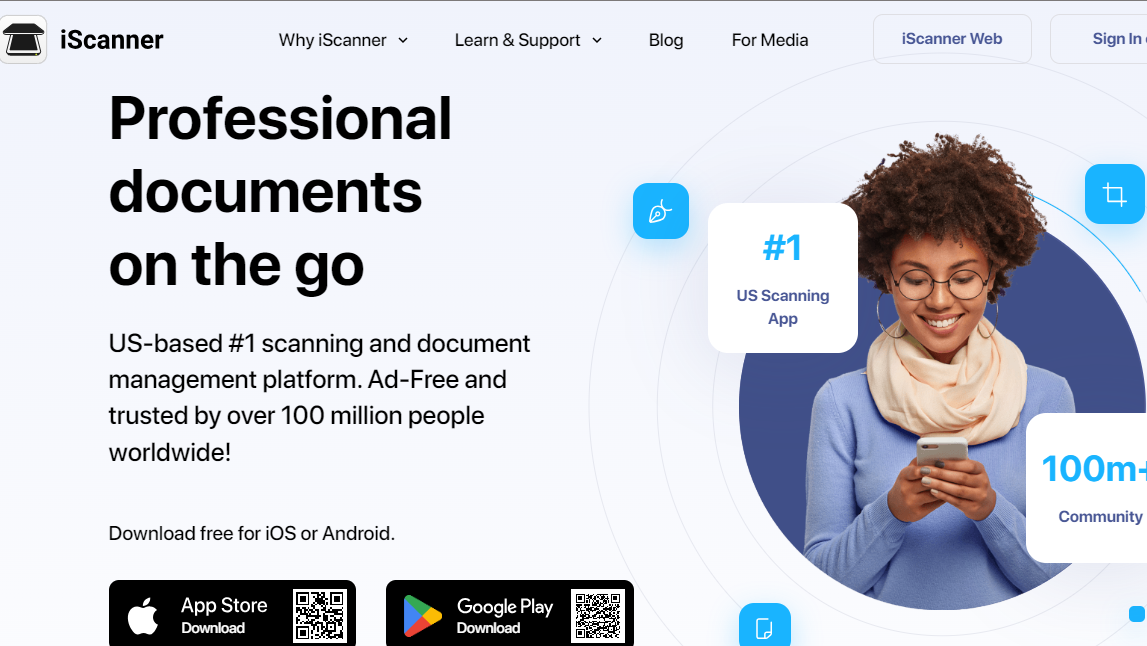
iScanner is a versatile mobile app that transforms your device into a portable scanner. With features like OCR, it effortlessly digitizes documents, receipts, and business cards, streamlining document management on the go.

iScanner logo
iScanner logo
iScanner logo

iScanner Overview

What is iScanner?

N/A
★ ★ ★ ★ ★
0
Reviews

Available for Claim - This listing is available to be claimed
Claim Profile

Unclaimed

Claim this profile to manage it.

Claim Profile

Why teams choose iScanner

Key Features

Data-Driven Insights
Make better decisions with analytics.
Trusted by Thousands
Proven by professionals worldwide.
Secure by Design
Secure by Design
Data protection and compliance built in.

Who is iScanner for?

Digitize Your Documents with iScanner – The Ultimate Mobile Scanning App

iScanner, a leading tool in the Worksuite category, makes document digitization effortless for professionals and students alike. With powerful scanning, management, and sharing features, iScanner turns physical paperwork into organized digital assets in seconds. Ready to streamline your workflow? Check out exclusive deals. For more productivity tools, explore Canva,  Google Workspace, and Notion.

Key Features:

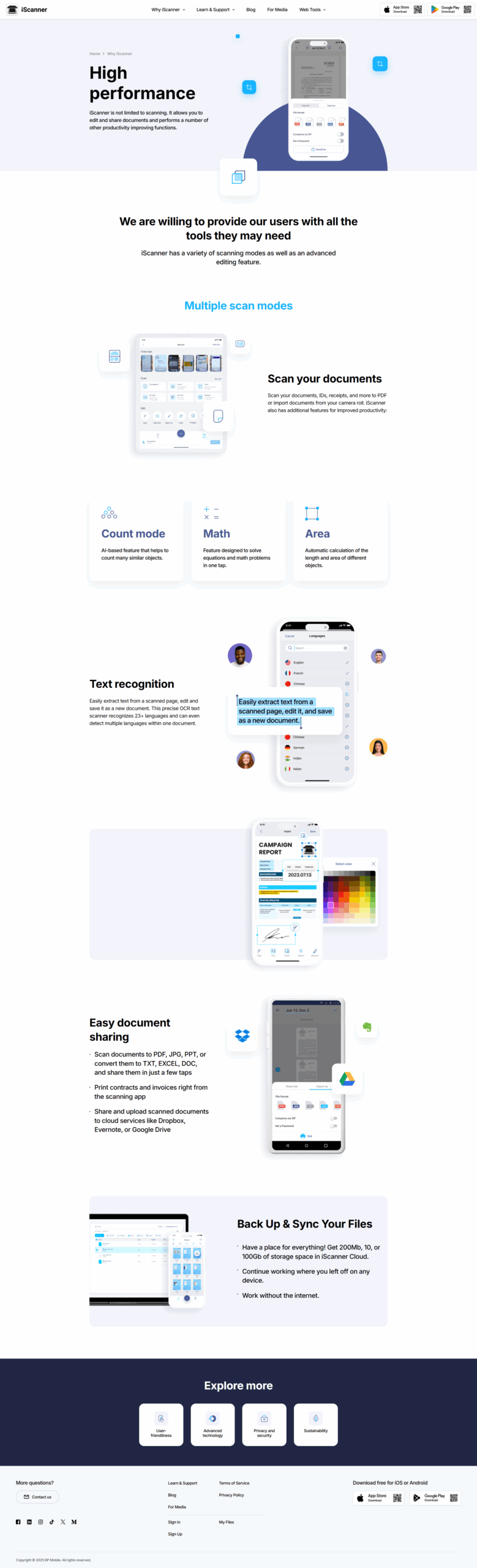
  • Effortless Scanning: Transform your smartphone into a high-quality scanner. iScanner ensures crisp, clear scans of documents, receipts, business cards, and more, capturing every detail with precision.
  • OCR Technology: Turn your scanned documents into editable and searchable text. iScanner’s Optical Character Recognition (OCR) technology empowers you to extract text from images, making your documents fully searchable and editable.
  • Multi-Page Scanning: Streamline your workflow by scanning multiple pages into a single document. iScanner allows you to create multi-page PDFs, ensuring a cohesive and organized digital representation of your materials.
  • Cloud Integration: Seamlessly sync and store your scanned documents across popular cloud services like Google Drive, Dropbox, and Evernote. Access your files anytime, anywhere, and share them effortlessly with colleagues, clients, or classmates.
  • Document Organization: Stay organized with iScanner’s intuitive document management system. Categorize, tag, and easily locate your scanned files, ensuring a clutter-free and efficient digital workspace.
  • Advanced Editing Tools: Enhance your scanned documents with a suite of editing tools. Crop, rotate, annotate, and add signatures to customize your digital files with ease.

Why iScanner?

  • Convenience: Scan documents on the go, eliminating the need for bulky scanners. iScanner puts powerful scanning capabilities right in the palm of your hand.
  • Productivity: Boost your productivity by digitizing and organizing your documents effortlessly. Spend less time searching for papers and more time focusing on what matters.
  • Security: Safeguard your sensitive information with iScanner’s secure document handling. Control access to your digital files and enjoy peace of mind knowing your documents are protected.

Transform the way you handle documents – choose iScanner and experience a new era of efficiency, organization, and convenience. Elevate your document management game today!

iScanner Summary

Digitize Your Documents with iScanner – The Ultimate Mobile Scanning App

iScanner, a leading tool in the Worksuite category, makes document digitization effortless for professionals and students alike. With powerful scanning, management, and sharing features, iScanner turns physical paperwork into organized digital assets in seconds. Ready to streamline your workflow? Check out exclusive deals. For more productivity tools, explore Canva,  Google Workspace, and Notion.

Key Features:

  • Effortless Scanning: Transform your smartphone into a high-quality scanner. iScanner ensures crisp, clear scans of documents, receipts, business cards, and more, capturing every detail with precision.
  • OCR Technology: Turn your scanned documents into editable and searchable text. iScanner’s Optical Character Recognition (OCR) technology empowers you to extract text from images, making your documents fully searchable and editable.
  • Multi-Page Scanning: Streamline your workflow by scanning multiple pages into a single document. iScanner allows you to create multi-page PDFs, ensuring a cohesive and organized digital representation of your materials.
  • Cloud Integration: Seamlessly sync and store your scanned documents across popular cloud services like Google Drive, Dropbox, and Evernote. Access your files anytime, anywhere, and share them effortlessly with colleagues, clients, or classmates.
  • Document Organization: Stay organized with iScanner’s intuitive document management system. Categorize, tag, and easily locate your scanned files, ensuring a clutter-free and efficient digital workspace.
  • Advanced Editing Tools: Enhance your scanned documents with a suite of editing tools. Crop, rotate, annotate, and add signatures to customize your digital files with ease.

Why iScanner?

  • Convenience: Scan documents on the go, eliminating the need for bulky scanners. iScanner puts powerful scanning capabilities right in the palm of your hand.
  • Productivity: Boost your productivity by digitizing and organizing your documents effortlessly. Spend less time searching for papers and more time focusing on what matters.
  • Security: Safeguard your sensitive information with iScanner’s secure document handling. Control access to your digital files and enjoy peace of mind knowing your documents are protected.

Transform the way you handle documents – choose iScanner and experience a new era of efficiency, organization, and convenience. Elevate your document management game today!

iScanner reviews and insights

Learn what people say about iScanner

N/A ★ ★ ★ ★ ★
0 Reviews

No Reviews Yet!

Be the first to share your experience and help others in the community.

iScanner logo

iScanner User Reviews

0 User Reviews

Reviews from G2, Capterra, Trustpilot
info Icon

These ratings come directly from third-party platforms like G2, Capterra, and Trustpilot. They reflect real user feedback collected independently on those sites.

iScanner pricing

Pricing model

iScanner logo
Pricing Range
info Icon

This only an estimated pricing range, visit iScanner pricing page to access all the information by clicking “Visit Now”.

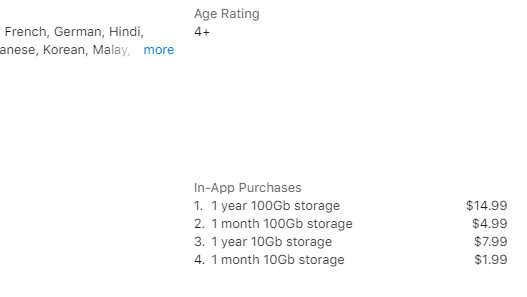
$3.99-$9.99 / Month
Deals Available

This product comes with a special deal, see details

Visit Now

Overview

Digitize Your Documents with iScanner – The Ultimate Mobile Scanning App

iScanner, a leading tool in the Worksuite category, makes document digitization effortless for professionals and students alike. With powerful scanning, management, and sharing features, iScanner turns physical paperwork into organized digital assets in seconds. Ready to streamline your workflow? Check out exclusive deals. For more productivity tools, explore Canva,  Google Workspace, and Notion.

Key Features:

  • Effortless Scanning: Transform your smartphone into a high-quality scanner. iScanner ensures crisp, clear scans of documents, receipts, business cards, and more, capturing every detail with precision.
  • OCR Technology: Turn your scanned documents into editable and searchable text. iScanner’s Optical Character Recognition (OCR) technology empowers you to extract text from images, making your documents fully searchable and editable.
  • Multi-Page Scanning: Streamline your workflow by scanning multiple pages into a single document. iScanner allows you to create multi-page PDFs, ensuring a cohesive and organized digital representation of your materials.
  • Cloud Integration: Seamlessly sync and store your scanned documents across popular cloud services like Google Drive, Dropbox, and Evernote. Access your files anytime, anywhere, and share them effortlessly with colleagues, clients, or classmates.
  • Document Organization: Stay organized with iScanner’s intuitive document management system. Categorize, tag, and easily locate your scanned files, ensuring a clutter-free and efficient digital workspace.
  • Advanced Editing Tools: Enhance your scanned documents with a suite of editing tools. Crop, rotate, annotate, and add signatures to customize your digital files with ease.

Why iScanner?

  • Convenience: Scan documents on the go, eliminating the need for bulky scanners. iScanner puts powerful scanning capabilities right in the palm of your hand.
  • Productivity: Boost your productivity by digitizing and organizing your documents effortlessly. Spend less time searching for papers and more time focusing on what matters.
  • Security: Safeguard your sensitive information with iScanner’s secure document handling. Control access to your digital files and enjoy peace of mind knowing your documents are protected.

Transform the way you handle documents – choose iScanner and experience a new era of efficiency, organization, and convenience. Elevate your document management game today!

Where iScanner performs best

What users like
  • Ease of use praised by many users.
  • High-quality scan results.
  • Versatile file format options for export.
  • Secure and ad-free operation.

Where iScanner falls short

What users dislike
  • High cost for some users.
  • Limited language options in privacy policies.
  • Issues with compatibility on older devices.
  • Initial learning curve for beginners.
iScanner Pricing Range
$3.99-$9.99 / Month

iScanner in action
info Icon

A curated gallery of real screenshots and use cases from the product, so you can see how it works before trying it.

iScanner screenshot 1 Full Screen Icon
iScanner screenshot 2 Full Screen Icon
iScanner screenshot 3 Full Screen Icon
iScanner screenshot 4 Full Screen Icon
iScanner screenshot 5 Full Screen Icon
iScanner screenshot 6 Full Screen Icon
iScanner screenshot 7 Full Screen Icon
iScanner screenshot 8 Full Screen Icon
iScanner screenshot 9 Full Screen Icon
iScanner screenshot 10 Full Screen Icon
https://www.youtube.com/watch?v=V3T9hBauPcc?feature=oembed
Full Screen Icon
iScanner screenshot 1
iScanner screenshot 2
iScanner screenshot 3
iScanner screenshot 4
iScanner screenshot 5
iScanner screenshot 6
iScanner screenshot 7
iScanner screenshot 8
iScanner screenshot 9
iScanner screenshot 10
Video thumbnail
iScanner screenshot 1
iScanner screenshot 2
iScanner screenshot 3
iScanner screenshot 4
iScanner screenshot 5
iScanner screenshot 6
iScanner screenshot 7
iScanner screenshot 8
iScanner screenshot 9
iScanner screenshot 10

Alternatives to iScanner
info Icon

A list of platforms similar to iScanner, helping you evaluate which tool best matches your needs.

How to cancel iScanner

Need to cancel iScanner? Here is how
info Icon

Thinking about how to cancel iScanner this is how you do it!

Steps to cancel iScanner Subscription

To cancel your iScanner subscription, go to your app store settings (Apple App Store or Google Play Store), navigate to subscriptions, find iScanner, and follow the cancellation instructions. For additional assistance, visit iScanner Cancellation Guide.

How to Cancel the iScanner

Steps to cancel iScanner Subscription

To cancel your iScanner subscription, go to your app store settings (Apple App Store or Google Play Store), navigate to subscriptions, find iScanner, and follow the cancellation instructions. For additional assistance, visit iScanner Cancellation Guide.

Manage your iScanner profile

Create profile

Want to list your product on Subscribed.fyi? Create a profile to reach more buyers.

Pricing Range
info Icon

This only an estimated pricing range, visit iScanner pricing page to access all the information by clicking “Visit Now”.

$3.99-$9.99 / Month
Visit Now
Deals Available

This product comes with a special deal, see details

This product comes with a special deal, see details