Sign in to review
Join our community of software reviewers on Subscribed.fyi

Continue With Google
Continue With LinkedIn
Continue Review with Email
Continue with Email
Enter your email to continue.
Continue
Enter your password
Enter your password to finish setting up your account.
Continue
Activate your email
Enter activation code we sent to your email.
Submit
Reset your password
Enter activation code we sent to your email.
Submit
Set your new password
Enter a new password for your account.
Submit
Log in
Provide My Insights
MAPublisher logo
MAPublisher logo

MAPublisher Reviews, Pricing, Features & Alternatives (2026)

MAPublisher is advanced cartography software that seamlessly integrates over 50 GIS tools into Adobe Illustrator, enabling users to craft visually stunning and geospatially accurate maps. It supports diverse data formats, advanced georeferencing, and customizable map styling. Designed for professionals, it simplifies map creation workflows while combining spatial analysis with high-quality design flexibility.

MAPublisher logo
MAPublisher logo
MAPublisher logo

MAPublisher Overview

What is MAPublisher?

N/A
★ ★ ★ ★ ★
0
Reviews

Available for Claim - This listing is available to be claimed
Claim Profile

Unclaimed

Claim this profile to manage it.

Claim Profile

Why teams choose MAPublisher

Key Features

Fully Customizable
Fully Customizable
Tailor it to your brand and workflow.
Save Time
Save Time
Focus on impact, not repetitive tasks.
No-Code Simplicity
No-Code Simplicity
Launch without writing a single line of code.

Who is MAPublisher for?

MAPublisher is a feature-rich solution in the Vector Graphics Editor category, designed to integrate seamlessly with Adobe Illustrator. MAPublisher empowers users to transform raw GIS data into high-quality maps with ease, boasting over 50 GIS mapping tools tailored for design and cartographic precision. It combines the geospatial data manipulation capabilities of GIS software with the design flexibility of Illustrator, making it a valuable resource for cartographers, designers, and spatial analysts. Explore exclusive deals. For alternatives, consider QGIS, AutoCAD, and BatchGeo.

Why Use MAPublisher?

Choosing MAPublisher provides numerous advantages, offering cutting-edge tools and user-friendly solutions for modern cartography:

  • Seamless Adobe Illustrator Integration: MAPublisher brings GIS tools directly into Illustrator. This creates an optimal design environment for crafting visually stunning, georeferenced map products.
  • Extensive Format Support: Import and export a wide range of file formats, including shapefiles, KML, and GeoPDF, ensuring compatibility with GIS systems and other mapping platforms.
  • Streamlined Workflow: Reduce the reliance on separate GIS software by performing mapping operations and design in a single workspace.
  • Customization and Labeling: Effortlessly theme maps, customize styles, and implement advanced labeling using intuitive tools like LabelPro for enhanced presentation quality.
  • Enhanced Productivity: Built-in functionalities for spatial selection, grids, scale bars, and attribute editing simplify map creation, saving significant time for professionals.

Who is MAPublisher For?

MAPublisher is tailored for a diverse set of users seeking a dual-purpose GIS and design solution:

  • Cartographers: Benefit from precise georeferenced tools and unparalleled design flexibility for creating professional-level maps.
  • Graphic Designers: For designers with limited GIS expertise, MAPublisher offers straightforward tools to work with spatial data for various map productions.
  • Environmental Researchers: Efficiently generate detailed, customizable maps for fieldwork and publications.
  • Educational Institutions: Ideal for teaching mapping concepts and design workflows to students.

MAPublisher is the go-to solution for anyone striving to create detailed, data-driven maps while ensuring superior visual quality. Whether you’re a cartographer, designer, or researcher, MAPublisher’s robust integration of GIS and Illustrator tools enhances creativity and efficiency.

MAPublisher Summary

MAPublisher is a feature-rich solution in the Vector Graphics Editor category, designed to integrate seamlessly with Adobe Illustrator. MAPublisher empowers users to transform raw GIS data into high-quality maps with ease, boasting over 50 GIS mapping tools tailored for design and cartographic precision. It combines the geospatial data manipulation capabilities of GIS software with the design flexibility of Illustrator, making it a valuable resource for cartographers, designers, and spatial analysts. Explore exclusive deals. For alternatives, consider QGIS, AutoCAD, and BatchGeo.

Why Use MAPublisher?

Choosing MAPublisher provides numerous advantages, offering cutting-edge tools and user-friendly solutions for modern cartography:

  • Seamless Adobe Illustrator Integration: MAPublisher brings GIS tools directly into Illustrator. This creates an optimal design environment for crafting visually stunning, georeferenced map products.
  • Extensive Format Support: Import and export a wide range of file formats, including shapefiles, KML, and GeoPDF, ensuring compatibility with GIS systems and other mapping platforms.
  • Streamlined Workflow: Reduce the reliance on separate GIS software by performing mapping operations and design in a single workspace.
  • Customization and Labeling: Effortlessly theme maps, customize styles, and implement advanced labeling using intuitive tools like LabelPro for enhanced presentation quality.
  • Enhanced Productivity: Built-in functionalities for spatial selection, grids, scale bars, and attribute editing simplify map creation, saving significant time for professionals.

Who is MAPublisher For?

MAPublisher is tailored for a diverse set of users seeking a dual-purpose GIS and design solution:

  • Cartographers: Benefit from precise georeferenced tools and unparalleled design flexibility for creating professional-level maps.
  • Graphic Designers: For designers with limited GIS expertise, MAPublisher offers straightforward tools to work with spatial data for various map productions.
  • Environmental Researchers: Efficiently generate detailed, customizable maps for fieldwork and publications.
  • Educational Institutions: Ideal for teaching mapping concepts and design workflows to students.

MAPublisher is the go-to solution for anyone striving to create detailed, data-driven maps while ensuring superior visual quality. Whether you’re a cartographer, designer, or researcher, MAPublisher’s robust integration of GIS and Illustrator tools enhances creativity and efficiency.

MAPublisher reviews and insights

Learn what people say about MAPublisher

N/A ★ ★ ★ ★ ★
0 Reviews

No Reviews Yet!

Be the first to share your experience and help others in the community.

MAPublisher logo

MAPublisher User Reviews

0 User Reviews

Reviews from G2, Capterra, Trustpilot
info Icon

These ratings come directly from third-party platforms like G2, Capterra, and Trustpilot. They reflect real user feedback collected independently on those sites.

MAPublisher pricing

Pricing model

MAPublisher logo
Pricing Range
info Icon

This only an estimated pricing range, visit MAPublisher pricing page to access all the information by clicking “Visit Now”.

$0.6k-3.3k / Month
Deals Available

This product comes with a special deal, see details

Visit Now

Overview

MAPublisher is a feature-rich solution in the Vector Graphics Editor category, designed to integrate seamlessly with Adobe Illustrator. MAPublisher empowers users to transform raw GIS data into high-quality maps with ease, boasting over 50 GIS mapping tools tailored for design and cartographic precision. It combines the geospatial data manipulation capabilities of GIS software with the design flexibility of Illustrator, making it a valuable resource for cartographers, designers, and spatial analysts. Explore exclusive deals. For alternatives, consider QGIS, AutoCAD, and BatchGeo.

Why Use MAPublisher?

Choosing MAPublisher provides numerous advantages, offering cutting-edge tools and user-friendly solutions for modern cartography:

  • Seamless Adobe Illustrator Integration: MAPublisher brings GIS tools directly into Illustrator. This creates an optimal design environment for crafting visually stunning, georeferenced map products.
  • Extensive Format Support: Import and export a wide range of file formats, including shapefiles, KML, and GeoPDF, ensuring compatibility with GIS systems and other mapping platforms.
  • Streamlined Workflow: Reduce the reliance on separate GIS software by performing mapping operations and design in a single workspace.
  • Customization and Labeling: Effortlessly theme maps, customize styles, and implement advanced labeling using intuitive tools like LabelPro for enhanced presentation quality.
  • Enhanced Productivity: Built-in functionalities for spatial selection, grids, scale bars, and attribute editing simplify map creation, saving significant time for professionals.

Who is MAPublisher For?

MAPublisher is tailored for a diverse set of users seeking a dual-purpose GIS and design solution:

  • Cartographers: Benefit from precise georeferenced tools and unparalleled design flexibility for creating professional-level maps.
  • Graphic Designers: For designers with limited GIS expertise, MAPublisher offers straightforward tools to work with spatial data for various map productions.
  • Environmental Researchers: Efficiently generate detailed, customizable maps for fieldwork and publications.
  • Educational Institutions: Ideal for teaching mapping concepts and design workflows to students.

MAPublisher is the go-to solution for anyone striving to create detailed, data-driven maps while ensuring superior visual quality. Whether you’re a cartographer, designer, or researcher, MAPublisher’s robust integration of GIS and Illustrator tools enhances creativity and efficiency.

Where MAPublisher performs best

What users like
  • Powerful integration with Adobe Illustrator
  • Easy importing of GIS data and formats
  • Streamlines mapping workflow
  • High-quality cartographic results

Where MAPublisher falls short

What users dislike
  • High cost, especially for small operations
  • Steep learning curve for beginners
  • Occasional software quirks and freezes
  • Limited support for large datasets
MAPublisher Pricing Range
$0.6k-3.3k / Month

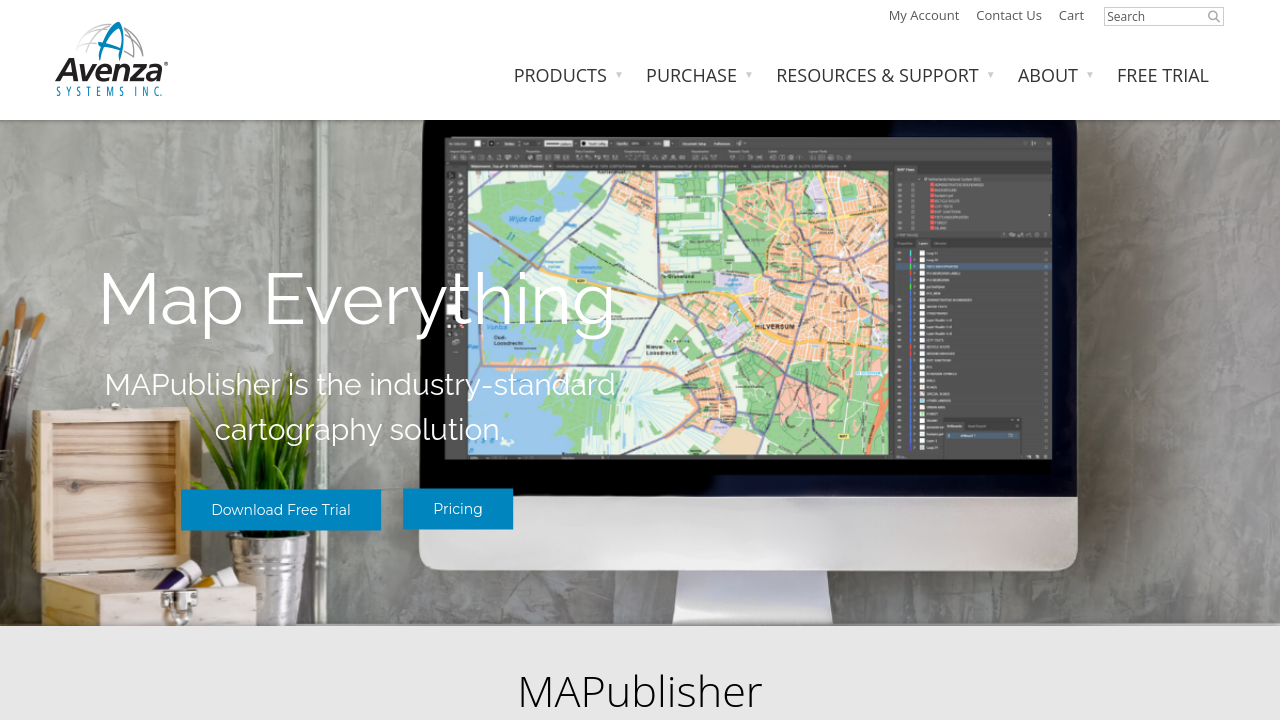
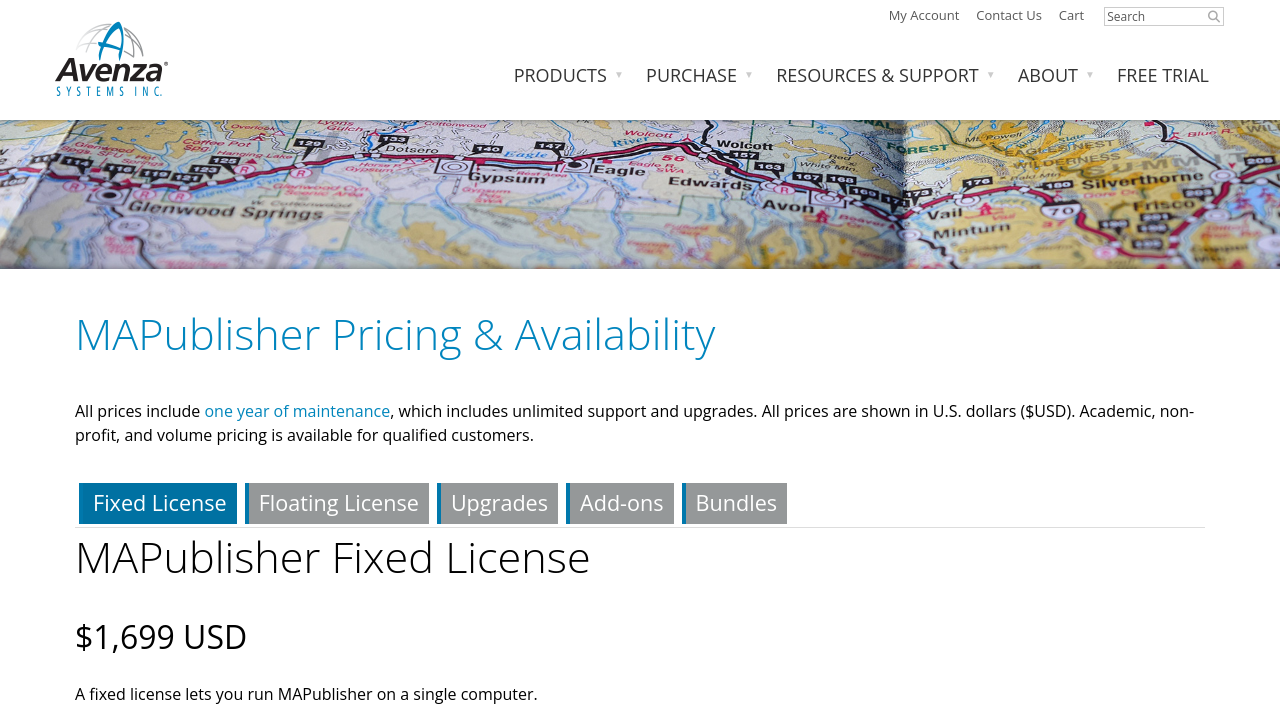
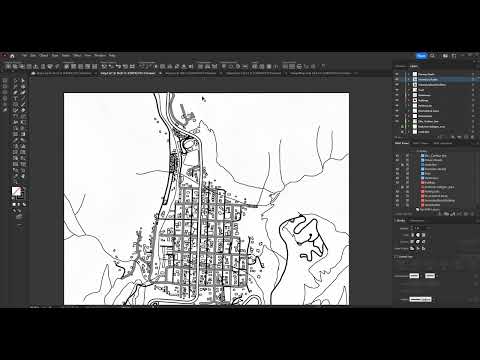
MAPublisher in action
info Icon

A curated gallery of real screenshots and use cases from the product, so you can see how it works before trying it.

MAPublisher screenshot 1 Full Screen Icon
MAPublisher screenshot 2 Full Screen Icon
https://www.youtube.com/watch?v=DUmFFx823ko
Full Screen Icon
https://www.youtube.com/watch?v=76wWnZUQNuQ
Full Screen Icon
MAPublisher screenshot 1
MAPublisher screenshot 2
Video thumbnail
Video thumbnail
MAPublisher screenshot 1
MAPublisher screenshot 2

Alternatives to MAPublisher
info Icon

A list of platforms similar to MAPublisher, helping you evaluate which tool best matches your needs.

How to cancel MAPublisher

Need to cancel MAPublisher? Here is how
info Icon

Thinking about how to cancel MAPublisher this is how you do it!

To cancel a MAPublisher product, contact Avenza support. They can assist with license reactivation or cancellation. Visit Avenza’s website for more details.

How to Cancel the MAPublisher

To cancel a MAPublisher product, contact Avenza support. They can assist with license reactivation or cancellation. Visit Avenza’s website for more details.

Manage your MAPublisher profile

Create profile

Want to list your product on Subscribed.fyi? Create a profile to reach more buyers.

Pricing Range
info Icon

This only an estimated pricing range, visit MAPublisher pricing page to access all the information by clicking “Visit Now”.

$0.6k-3.3k / Month
Visit Now
Deals Available

This product comes with a special deal, see details

This product comes with a special deal, see details