Notezilla Reviews 2026: Details, Pricing, & Features | Subscribed.fyi
Sign in to review
Join our community of software reviewers on Subscribed.fyi

Continue With Google
Continue With LinkedIn
Continue Review with Email
Continue with Email
Enter your email to continue.
Continue
Enter your password
Enter your password to finish setting up your account.
Continue
Activate your email
Enter activation code we sent to your email.
Submit
Reset your password
Enter activation code we sent to your email.
Submit
Set your new password
Enter a new password for your account.
Submit
Categories
For Business
Log in
Provide My Insights

Notezilla Reviews, Pricing, Features & Alternatives (2026)

4.5/5
(2)

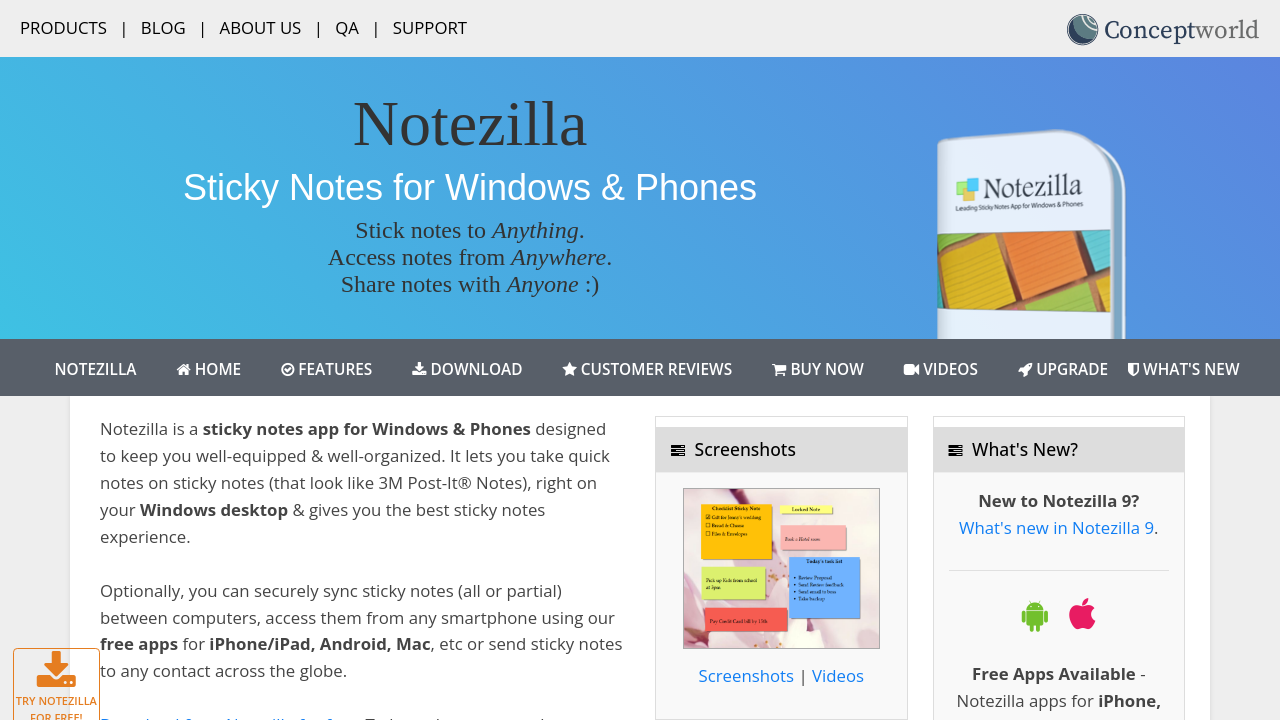
Notezilla is a powerful sticky notes app for Windows and smartphones, designed to boost organization and productivity. It allows users to create, customize, and sync digital sticky notes across devices, ensuring ideas, tasks, and reminders are always accessible. With features like attaching notes to files, websites, and folders, and optional cloud synchronization, it’s a versatile tool for both personal and professional use.

Notezilla Overview

What is Notezilla?

4.5
2
Reviews
68%
Subscribed Score

Available for Claim - This listing is available to be claimed
Claim Profile For Free

Unclaimed

Manage profile with subsig, and unlock 23+ social and review monitoring. Get partnership options with

Claim Profile For Free

Why teams choose Notezilla

Key Features

Smart Automation
Smart Automation
Save time with AI-powered workflows.
Affordable Pricing
Affordable Pricing
Transparent plans to fit any budget.
Fast & Efficient
Fast & Efficient
Optimized for speed and performance.

Who is Notezilla for?

Notezilla is a versatile application that combines the simplicity of traditional sticky notes with robust digital features. Tailored for Windows users, this software allows you to create visually appealing sticky notes directly on your desktop. What sets it apart is its cloud-syncing capability, enabling seamless access to your notes across multiple devices, including iOS and Android smartphones, ensuring convenience and organization at your fingertips. Available as a one-time purchase or subscription, Notezilla suits both casual users and professionals seeking efficient task management solutions. Check out exclusive offers and explore top alternatives like Microsoft OneNote, Bear, and Evernote. Discover more task management tools at this category.

Why Use Notezilla?

Choosing Notezilla offers numerous advantages:

  • Desktop Convenience: Create sticky notes that mimic real Post-It® notes directly on your desktop for effortless note-taking.
  • Cloud Sync: Synchronize notes across computers and mobile devices for unified access, ensuring productivity on the go.
  • Organizational Features: Tidy up your notes in folders, categorize by color, or set reminders to enhance project and task management.
  • Attach Notes to Documents & Websites: Pin sticky notes to specific files or web pages for context-aware reminders and a truly unique experience.

Who is Notezilla For?

Notezilla caters to various user needs:

  • Professionals & Teams: Ideal for task tracking, reminders, and collaborative note-sharing among teams.
  • Students & Educators: Helps with organizing study material, creating digital to-do lists, and managing academic projects.
  • Frequent Travelers: With cross-device accessibility, it’s a great choice for users who switch between desktops, laptops, and phones.
  • Remote Workers: Enhance your productivity by keeping your tasks and reminders front and center, no matter which device you use.

Explore Notezilla to simplify your workflow with its sleek note-taking and task organization capabilities. With flexible plans, it’s a fantastic tool for improving productivity and reducing clutter in your digital workspace.


Notezilla Summary

Notezilla is a versatile application that combines the simplicity of traditional sticky notes with robust digital features. Tailored for Windows users, this software allows you to create visually appealing sticky notes directly on your desktop. What sets it apart is its cloud-syncing capability, enabling seamless access to your notes across multiple devices, including iOS and Android smartphones, ensuring convenience and organization at your fingertips. Available as a one-time purchase or subscription, Notezilla suits both casual users and professionals seeking efficient task management solutions. Check out exclusive offers and explore top alternatives like Microsoft OneNote, Bear, and Evernote. Discover more task management tools at this category.

Why Use Notezilla?

Choosing Notezilla offers numerous advantages:

  • Desktop Convenience: Create sticky notes that mimic real Post-It® notes directly on your desktop for effortless note-taking.
  • Cloud Sync: Synchronize notes across computers and mobile devices for unified access, ensuring productivity on the go.
  • Organizational Features: Tidy up your notes in folders, categorize by color, or set reminders to enhance project and task management.
  • Attach Notes to Documents & Websites: Pin sticky notes to specific files or web pages for context-aware reminders and a truly unique experience.

Who is Notezilla For?

Notezilla caters to various user needs:

  • Professionals & Teams: Ideal for task tracking, reminders, and collaborative note-sharing among teams.
  • Students & Educators: Helps with organizing study material, creating digital to-do lists, and managing academic projects.
  • Frequent Travelers: With cross-device accessibility, it’s a great choice for users who switch between desktops, laptops, and phones.
  • Remote Workers: Enhance your productivity by keeping your tasks and reminders front and center, no matter which device you use.

Explore Notezilla to simplify your workflow with its sleek note-taking and task organization capabilities. With flexible plans, it’s a fantastic tool for improving productivity and reducing clutter in your digital workspace.

Notezilla reviews and insights

Learn what people say about Notezilla

4.5
2 Reviews
68%
Subscribed Score

Lear more here about the Subscribed score on how it is composed. Learn more Click here

Overall rating

5
4
3
2
1
CX 5/6

How good is the customer support based on subscribed’s assessment

CX Icon
Security 4/6

How secure is the product based on Subscribed’s assessment?

Security Icon
Ease of Use 6/6

How easy is the product to use, based on Subscribed’s assessment?

EOU Icon
Value 5/6

What is the value for money based on Subscribed’s assessment?

coin Icon
Integration 2/6

How many integrations does the product offer?

gear Icon
Popularity 3/6

How popular is the product?

star
Denniel Gerald Taloyo Organic
Full-Stack Developer
See My Portfolio
4 weeks ago
Share
What do you like best about this product?
They took the simplicity of sticky notes and implemented the necessary features that many people struggle with or need to improve the product: cloud sync and window/file sticky feature.
What feature doesn’t work as expected?
I haven't encountered any features of theirs that hasn't worked the way that I would expected. Every tool works perfectly right out of the box, and the overall performance has been entirely bug-free.
What’s still missing for your needs?
Nothing really. They were able to upgrade the simple function of sticky notes, including features such as cloud sync and file stick feature.
Final thoughts, wrap up what you think
They were able to enhance sticky notes with needed features of cloud sync and window/file pinning. They were also able to keep it lightweight.
Upvote
Hamza Rauf Organic
Full Stack Developer
See My Portfolio
3 months ago
Share
What do you like best about this product?
The cloud sync is incredibly reliable between my PC and phone. It’s the perfect way to keep my quick thoughts organized without the clutter of a heavy note-taking app.
What slows you down when using it?
The user interface looks quite outdated and could really use a modern refresh. Sometimes there's a slight delay for notes to pop up, which breaks my flow when I'm moving fast.
What problem did this product solve for you?
The window stick feature solved my problem of forgetting context for specific tasks. I no longer have to dig through folders to find the notes I wrote for a particular project.
Final thoughts, wrap up what you think
I would rate Notezilla an 8 out of 10. It is the most reliable way to keep my thoughts organized without cluttering my desk with real paper. The mobile app and user interface still feel a bit behind the times.
Upvote

Notezilla User Reviews

2 User Reviews

Reviews from G2, Capterra, Trustpilot
info Icon

These ratings come directly from third-party platforms like G2, Capterra, and Trustpilot. They reflect real user feedback collected independently on those sites.

Notezilla pricing

Pricing model

Pricing Range
info Icon

This only an estimated pricing range, visit Notezilla pricing page to access all the information by clicking “Visit Now”.

Not specified
Deals Available

This product comes with a special deal, see details

Visit Now
✨ Ask AI about pricing
68% Subscribed Score
info Icon

The Subscribed Score is an independent rating that combines user reviews, features, and value-for-money from multiple trusted sources. It’s designed as a quick benchmark, not a guarantee of individual experience.

Overview

Notezilla is a versatile application that combines the simplicity of traditional sticky notes with robust digital features. Tailored for Windows users, this software allows you to create visually appealing sticky notes directly on your desktop. What sets it apart is its cloud-syncing capability, enabling seamless access to your notes across multiple devices, including iOS and Android smartphones, ensuring convenience and organization at your fingertips. Available as a one-time purchase or subscription, Notezilla suits both casual users and professionals seeking efficient task management solutions. Check out exclusive offers and explore top alternatives like Microsoft OneNote, Bear, and Evernote. Discover more task management tools at this category.

Why Use Notezilla?

Choosing Notezilla offers numerous advantages:

  • Desktop Convenience: Create sticky notes that mimic real Post-It® notes directly on your desktop for effortless note-taking.
  • Cloud Sync: Synchronize notes across computers and mobile devices for unified access, ensuring productivity on the go.
  • Organizational Features: Tidy up your notes in folders, categorize by color, or set reminders to enhance project and task management.
  • Attach Notes to Documents & Websites: Pin sticky notes to specific files or web pages for context-aware reminders and a truly unique experience.

Who is Notezilla For?

Notezilla caters to various user needs:

  • Professionals & Teams: Ideal for task tracking, reminders, and collaborative note-sharing among teams.
  • Students & Educators: Helps with organizing study material, creating digital to-do lists, and managing academic projects.
  • Frequent Travelers: With cross-device accessibility, it’s a great choice for users who switch between desktops, laptops, and phones.
  • Remote Workers: Enhance your productivity by keeping your tasks and reminders front and center, no matter which device you use.

Explore Notezilla to simplify your workflow with its sleek note-taking and task organization capabilities. With flexible plans, it’s a fantastic tool for improving productivity and reducing clutter in your digital workspace.

Where Notezilla performs best

What users like
  • Sync across devices for seamless access
  • Customizable notes with colors and labels
  • Sticky notes can attach to specific windows
  • Simple and intuitive interface

Where Notezilla falls short

What users dislike
  • Interface looks outdated for some users
  • Limited functionality in mobile app
  • Subscription cost is seen as high
  • Does not support Mac natively
Subscribed Score Metrics
25/36 Metric achieved
MetricsScore
Customer Support5/6
Security4/6
Ease of Use6/6
Value of Money5/6
Integration2/6
Popularity3/6
Radar Chart Table View
Ease of Use
Measures how simple and intuitive the product is to use, including setup, navigation, and overall user experience
6/6 Metric Checks
Security
Compares the product`s features, quality, and pricing to determine its overall cost-effectiveness.
4/6 Metric Checks
Value of Money
Assesses the product`s ability to protect data, prevent breaches, and comply with industry standards.
5/6 Metric Checks
Customer Support
Reflects the responsiveness, helpfulness, and quality of assistance provided by the product`s support team.
5/6 Metric Checks
Integrations
Evaluates how well the product connects with other tools and platforms, enabling seamless workflows.
2/6 Metric Checks
Notezilla Pricing Range
Not specified

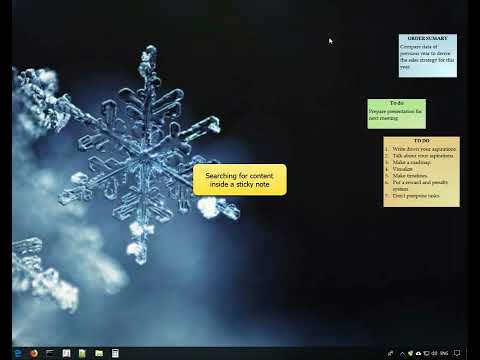
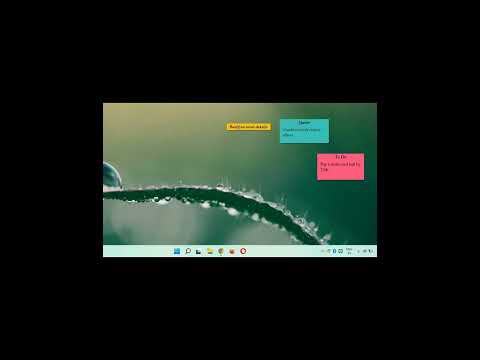
Notezilla in action
info Icon

A curated gallery of real screenshots and use cases from the product, so you can see how it works before trying it.

Notezilla Full Screen Icon
https://www.youtube.com/watch?v=C1m7OWQU_Kg
Full Screen Icon
https://www.youtube.com/watch?v=i4IYJO6wd0g
Full Screen Icon
Notezilla
Notezilla
Video thumbnail
Video thumbnail
Notezilla
Notezilla

Alternatives to Notezilla
info Icon

A list of platforms similar to Notezilla, helping you evaluate which tool best matches your needs.

How to cancel Notezilla

Need to cancel Notezilla? Here is how
info Icon

Thinking about how to cancel Notezilla this is how you do it!

To cancel a Notezilla subscription:

  • Access your Notezilla sync account settings to find the cancellation link.
  • Alternatively, email the support team to request cancellation.
  • If subscribed via a platform (e.g., Google Play, Apple App Store), manage the subscription through the respective store’s settings.
  • Ensure cancellation before the renewal date to avoid charges.

How to Cancel the Notezilla

To cancel a Notezilla subscription:

  • Access your Notezilla sync account settings to find the cancellation link.
  • Alternatively, email the support team to request cancellation.
  • If subscribed via a platform (e.g., Google Play, Apple App Store), manage the subscription through the respective store’s settings.
  • Ensure cancellation before the renewal date to avoid charges.

FAQs about Notezilla

Every else you need to know about Notezilla
info Icon

A collection of FAQs, guides, alternatives, and comparisons to help you quickly understand if Notezilla is right for you.

Manage your Notezilla profile

Create profile

Want to list your product on Subscribed.fyi? Create a profile to reach more buyers.

Pricing Range
info Icon

This only an estimated pricing range, visit Notezilla pricing page to access all the information by clicking “Visit Now”.

Not specified
Visit Now
Deals Available

This product comes with a special deal, see details

This product comes with a special deal, see details