Microsoft Teams Reviews 2026: Details, Pricing, & Features | Subscribed.fyi
Sign in to review
Join our community of software reviewers on Subscribed.fyi

Continue With Google
Continue With LinkedIn
Continue Review with Email
Continue with Email
Enter your email to continue.
Continue
Enter your password
Enter your password to finish setting up your account.
Continue
Activate your email
Enter activation code we sent to your email.
Submit
Reset your password
Enter activation code we sent to your email.
Submit
Set your new password
Enter a new password for your account.
Submit
✨ Ask AI Search
Categories
For Business
Log in
Provide My Insights

Microsoft Teams

3.3/5
(4)

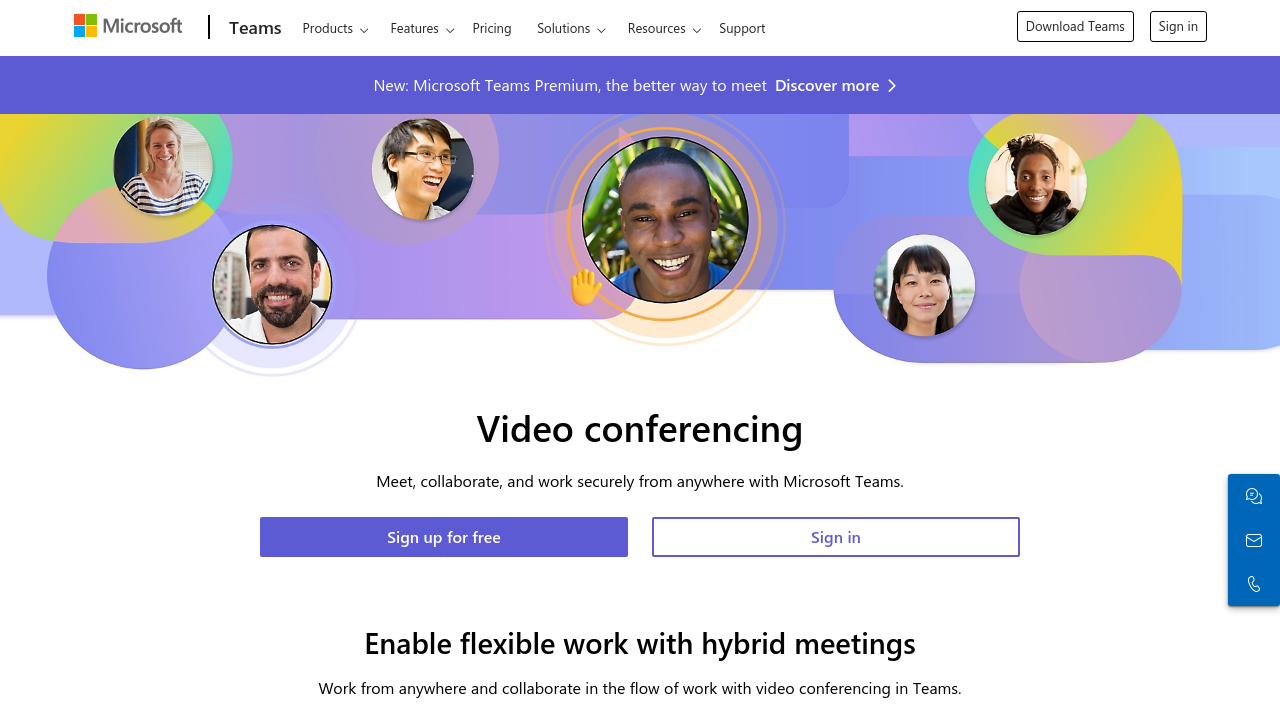
Microsoft Teams is a robust collaboration platform designed to enhance team communication and productivity. It integrates seamlessly with Microsoft 365, offering chat, video conferencing, file sharing, and task management in one centralized workspace. With features like team channels, scheduling tools, and real-time collaboration, it is suited for teams of all sizes. Its user-friendly interface and secure environment make it a reliable choice for businesses and organizations.

Microsoft Teams

Work Hub
Most Loved Award
2026

All Awards

Work Hub
Most Loved Award
2026
3.3
4
Reviews
88%
Subscribed Score

Available for Claim - This listing is available to be claimed
Claim For Free

Unclaimed

Curated and listed by Subscribed Team

Claim For Free
Seamless Integrations
Connect easily with your favorite tools.
Fully Customizable
Fully Customizable
Tailor it to your brand and workflow.
Eco-Friendly
Eco-Friendly
Designed with sustainability in mind.

Microsoft Teams is a leading solution in the Team Collaboration Software category, offering a comprehensive platform for seamless communication, collaboration, and productivity enhancement. Designed to integrate directly with Microsoft 365, it serves as a versatile hub for teams, combining chat, video conferencing, and collaboration tools into one unified solution. Businesses rely on Microsoft Teams to streamline workflows, enhance connectivity, and facilitate efficient teamwork, whether working on-premises or remotely. Explore exclusive deals. For alternatives, consider Google Workspace, Slack, and Google Meet.

Why Use Microsoft Teams?

Choosing Microsoft Teams comes with numerous benefits:

  • Comprehensive Communication Tools: Microsoft Teams offers robust video conferencing, chat, and audio calling features, allowing seamless communication within and beyond your organization.
  • Integrated Collaboration: Collaborate effortlessly on documents, presentations, and spreadsheets through built-in Microsoft 365 applications like Word, Excel, and PowerPoint. Shared files are stored in the cloud, ensuring synchronized access for team members.
  • Advanced Meeting Features: Features like screen sharing, meeting recordings, scheduling integration with Outlook, and participant permissions make Microsoft Teams a compelling tool for managing effective online meetings and webinars.
  • Customizable and Scalable: Teams enables organizations to create tailored channels for projects while maintaining high-level integration capabilities with third-party tools and apps, providing flexibility and scalability for businesses of all sizes.
  • Enterprise-Grade Security: It includes advanced privacy settings and compliance with key regulatory standards so sensitive data remains secure.

Who is Microsoft Teams For?

Microsoft Teams is designed for:

  • Businesses of All Sizes: From small startups to large enterprises, Teams caters to organizations requiring a central collaboration platform for improved internal and external communication.
  • Educational Institutions: Schools and universities leverage Teams for virtual classrooms, enabling students and teachers to communicate, conduct lessons, and submit coursework seamlessly.
  • Remote and Hybrid Work Environments: Perfect for work-from-home or hybrid setups, ensuring teams stay connected and aligned regardless of location.
  • Professionals Seeking Integration: Individuals or organizations already using Microsoft 365 services can unlock additional productivity by leveraging Teams’ integrated platform.

Microsoft Teams empowers individuals and teams by providing an efficient, collaborative workspace that supports dynamic communication environments. Its ability to integrate deeply with Microsoft 365 applications makes it an indispensable tool for increased productivity and collaboration in today’s digital-first workplaces.


Microsoft Teams Summary

Microsoft Teams is a leading solution in the Team Collaboration Software category, offering a comprehensive platform for seamless communication, collaboration, and productivity enhancement. Designed to integrate directly with Microsoft 365, it serves as a versatile hub for teams, combining chat, video conferencing, and collaboration tools into one unified solution. Businesses rely on Microsoft Teams to streamline workflows, enhance connectivity, and facilitate efficient teamwork, whether working on-premises or remotely. Explore exclusive deals. For alternatives, consider Google Workspace, Slack, and Google Meet.

Why Use Microsoft Teams?

Choosing Microsoft Teams comes with numerous benefits:

  • Comprehensive Communication Tools: Microsoft Teams offers robust video conferencing, chat, and audio calling features, allowing seamless communication within and beyond your organization.
  • Integrated Collaboration: Collaborate effortlessly on documents, presentations, and spreadsheets through built-in Microsoft 365 applications like Word, Excel, and PowerPoint. Shared files are stored in the cloud, ensuring synchronized access for team members.
  • Advanced Meeting Features: Features like screen sharing, meeting recordings, scheduling integration with Outlook, and participant permissions make Microsoft Teams a compelling tool for managing effective online meetings and webinars.
  • Customizable and Scalable: Teams enables organizations to create tailored channels for projects while maintaining high-level integration capabilities with third-party tools and apps, providing flexibility and scalability for businesses of all sizes.
  • Enterprise-Grade Security: It includes advanced privacy settings and compliance with key regulatory standards so sensitive data remains secure.

Who is Microsoft Teams For?

Microsoft Teams is designed for:

  • Businesses of All Sizes: From small startups to large enterprises, Teams caters to organizations requiring a central collaboration platform for improved internal and external communication.
  • Educational Institutions: Schools and universities leverage Teams for virtual classrooms, enabling students and teachers to communicate, conduct lessons, and submit coursework seamlessly.
  • Remote and Hybrid Work Environments: Perfect for work-from-home or hybrid setups, ensuring teams stay connected and aligned regardless of location.
  • Professionals Seeking Integration: Individuals or organizations already using Microsoft 365 services can unlock additional productivity by leveraging Teams’ integrated platform.

Microsoft Teams empowers individuals and teams by providing an efficient, collaborative workspace that supports dynamic communication environments. Its ability to integrate deeply with Microsoft 365 applications makes it an indispensable tool for increased productivity and collaboration in today’s digital-first workplaces.

Microsoft Teams reviews

Learn what people say about Microsoft Teams

3.3
4 Reviews
88%
Subscribed Score

Lear more here about the Subscribed score on how it is composed. Learn more Click here

Overall rating

5
4
3
2
1
CX 4/6

How good is the customer support based on subscribed’s assessment

CX Icon
Security 5/6

How secure is the product based on Subscribed’s assessment?

Security Icon
Ease of Use 5/6

How easy is the product to use, based on Subscribed’s assessment?

EOU Icon
Value 5/6

What is the value for money based on Subscribed’s assessment?

coin Icon
Integration 6/6

How many integrations does the product offer?

gear Icon
Popularity 6/6

How popular is the product?

star
Irfan Ali Invitation
Developer
5 days ago
Share
How has it made your work/life easier?
Used in college for our online classes, a good online meeting tool , but needs microsoft accounts, it integretes easily with microsoft word, excel, powerpoint, and cloud drives, it supports other apps integration like asana for project management like tasks, github for codebase and issues discussing
Have you experienced any bugs or errors?
needing microsoft accounts, needs paid for long calls, not a popular and goo to tool in market, its a resource heavy consumes more cpu and ram, it has complex interface as compared to other meeting tools , large numbers of notification distracts a lot while meeting
If you could change one thing, what would it be?
Avoid to sticking users with their ecosystem make accessible for any one with any account, simplify user interfaces for easy user and better understanding for new users, optimizing app for efficient resource utilization will help it run smoothly on all devices
Final thoughts, wrap up what you think
Not recommed to use for meeting if you can, other tools are good like zoom and google meet, which are easy to use, its is best option for enterpiese and teams already using microsoft for their other operations, it is not popular and and suitable for casual users and small teams
Upvote
1 month ago
Share
What’s the biggest benefit you’ve noticed?
I use Microsoft Teams for working, and I like how everything is in one place, chat, meetings, and files. It makes working with others simple and keeps communication organized.
Have you experienced any bugs or errors?
Teams can feel slow and cluttered, and logging in is sometimes harder than it should be. Finding old messages or files can also take extra time.
What problem did this product solve for you?
I think Teams could be even better with faster performance, simpler login, and a cleaner interface. Smarter search and better file organization would make daily use much easier.
Final thoughts, wrap up what you think
I’d rate it a 7 out of 10. I recommend Teams to colleagues because I use it every day for work, and while it’s not perfect, it does the job for communication and collaboration.
Upvote
Kris Castillo Invitation
Quality Assurance Engineer
See My Portfolio
1 month ago
Share
What exceeded your expectations?
The integration with Microsoft tools worked better than I expected, as Teams is hoenstly not known to work very well.
What do you dislike about this product?
Not a fan of Teams, UI feels heavy. Switching between chats is slow. Notifications are noisy, and its less responsive compared e.g Discord
How could the product save you more time or money?
Improve on basic actions like joining meetings or finding files. Better defaults e.g better integrating process with ONe Drive would save alot of time.
Final thoughts, wrap up what you think
Teams works well if you are already in the Microsoft ecosystem. Would not be my first choice of channel for sure
Upvote
4 months ago
Share
What do you like best about this product?
Teams is overall an OK software. It does its job most of the time. Teams does not have any glaring flaws (unless bugs are introduced by updates). What I actually like is its integration with the rest of the office suite. For example, I end up using the calendar in Teams even more than the calendar in Outlook. They are well synced and saving one click is valuable. Also, the search is OK
What do you dislike about this product?
Aside from disliking Video Conferences in general (dependence on network, hardware connectivity issues, not looking a person in the eye), there are a few points I dislike about Teams specifically: 1. the audio hardware is not working in at least 10% of calls, forcing me to switch around the audio devices until it works. This changes back and forth from update to update, sometimes it gets better, and sometimes worse. I own quite a good headset, so that should not be the bottleneck 2. audio device settings are slow and unresponsive 3. bugs and frustrating behaviour are regularly introduced. for example, when trying to write or edit an answer to a thread, the UI often randomly jumps up a few posts, bringing my post out of screen and forcing me to scroll down again. That often happens a few times in a row 4. bloated with redundant features like Copilot 5. It is unnecessarily hard to copy-paste content out of Teams. Goes for text and especially images
What problem did this product solve for you?
Suggested features to make Teams more valuable: Improve the basics. Really streamline the UI. Remove bugs and improve responsiveness.
Final thoughts, wrap up what you think
try alternatives before you lock yourself in
Upvote (2)

Microsoft Teams User Reviews

4 User Reviews

Irfan Ali Invitation
Developer
5 days ago
Share
How has it made your work/life easier?
Used in college for our online classes, a good online meeting tool , but needs microsoft accounts, it integretes easily with microsoft word, excel, powerpoint, and cloud drives, it supports other apps integration like asana for project management like tasks, github for codebase and issues discussing
Have you experienced any bugs or errors?
needing microsoft accounts, needs paid for long calls, not a popular and goo to tool in market, its a resource heavy consumes more cpu and ram, it has complex interface as compared to other meeting tools , large numbers of notification distracts a lot while meeting
If you could change one thing, what would it be?
Avoid to sticking users with their ecosystem make accessible for any one with any account, simplify user interfaces for easy user and better understanding for new users, optimizing app for efficient resource utilization will help it run smoothly on all devices
Final thoughts, wrap up what you think
Not recommed to use for meeting if you can, other tools are good like zoom and google meet, which are easy to use, its is best option for enterpiese and teams already using microsoft for their other operations, it is not popular and and suitable for casual users and small teams
Upvote
1 month ago
Share
What’s the biggest benefit you’ve noticed?
I use Microsoft Teams for working, and I like how everything is in one place, chat, meetings, and files. It makes working with others simple and keeps communication organized.
Have you experienced any bugs or errors?
Teams can feel slow and cluttered, and logging in is sometimes harder than it should be. Finding old messages or files can also take extra time.
What problem did this product solve for you?
I think Teams could be even better with faster performance, simpler login, and a cleaner interface. Smarter search and better file organization would make daily use much easier.
Final thoughts, wrap up what you think
I’d rate it a 7 out of 10. I recommend Teams to colleagues because I use it every day for work, and while it’s not perfect, it does the job for communication and collaboration.
Upvote
Kris Castillo Invitation
Quality Assurance Engineer
See My Portfolio
1 month ago
Share
What exceeded your expectations?
The integration with Microsoft tools worked better than I expected, as Teams is hoenstly not known to work very well.
What do you dislike about this product?
Not a fan of Teams, UI feels heavy. Switching between chats is slow. Notifications are noisy, and its less responsive compared e.g Discord
How could the product save you more time or money?
Improve on basic actions like joining meetings or finding files. Better defaults e.g better integrating process with ONe Drive would save alot of time.
Final thoughts, wrap up what you think
Teams works well if you are already in the Microsoft ecosystem. Would not be my first choice of channel for sure
Upvote
4 months ago
Share
What do you like best about this product?
Teams is overall an OK software. It does its job most of the time. Teams does not have any glaring flaws (unless bugs are introduced by updates). What I actually like is its integration with the rest of the office suite. For example, I end up using the calendar in Teams even more than the calendar in Outlook. They are well synced and saving one click is valuable. Also, the search is OK
What do you dislike about this product?
Aside from disliking Video Conferences in general (dependence on network, hardware connectivity issues, not looking a person in the eye), there are a few points I dislike about Teams specifically: 1. the audio hardware is not working in at least 10% of calls, forcing me to switch around the audio devices until it works. This changes back and forth from update to update, sometimes it gets better, and sometimes worse. I own quite a good headset, so that should not be the bottleneck 2. audio device settings are slow and unresponsive 3. bugs and frustrating behaviour are regularly introduced. for example, when trying to write or edit an answer to a thread, the UI often randomly jumps up a few posts, bringing my post out of screen and forcing me to scroll down again. That often happens a few times in a row 4. bloated with redundant features like Copilot 5. It is unnecessarily hard to copy-paste content out of Teams. Goes for text and especially images
What problem did this product solve for you?
Suggested features to make Teams more valuable: Improve the basics. Really streamline the UI. Remove bugs and improve responsiveness.
Final thoughts, wrap up what you think
try alternatives before you lock yourself in
Upvote (2)
Reviews from G2, Capterra, Trustpilot
info Icon

These ratings come directly from third-party platforms like G2, Capterra, and Trustpilot. They reflect real user feedback collected independently on those sites.

Microsoft Teams

Pricing Range
info Icon

This only an estimated pricing range, visit Microsoft Teams pricing page to access all the information by clicking “Visit Now”.

$0-$12.50 / Month
Deals Available

This product comes with a special deal, see details

Visit Now
✨ Ask AI about pricing
88% Subscribed Score
info Icon

The Subscribed Score is an independent rating that combines user reviews, features, and value-for-money from multiple trusted sources. It’s designed as a quick benchmark, not a guarantee of individual experience.

Analysis

Microsoft Teams is a leading solution in the Team Collaboration Software category, offering a comprehensive platform for seamless communication, collaboration, and productivity enhancement. Designed to integrate directly with Microsoft 365, it serves as a versatile hub for teams, combining chat, video conferencing, and collaboration tools into one unified solution. Businesses rely on Microsoft Teams to streamline workflows, enhance connectivity, and facilitate efficient teamwork, whether working on-premises or remotely. Explore exclusive deals. For alternatives, consider Google Workspace, Slack, and Google Meet.

Why Use Microsoft Teams?

Choosing Microsoft Teams comes with numerous benefits:

  • Comprehensive Communication Tools: Microsoft Teams offers robust video conferencing, chat, and audio calling features, allowing seamless communication within and beyond your organization.
  • Integrated Collaboration: Collaborate effortlessly on documents, presentations, and spreadsheets through built-in Microsoft 365 applications like Word, Excel, and PowerPoint. Shared files are stored in the cloud, ensuring synchronized access for team members.
  • Advanced Meeting Features: Features like screen sharing, meeting recordings, scheduling integration with Outlook, and participant permissions make Microsoft Teams a compelling tool for managing effective online meetings and webinars.
  • Customizable and Scalable: Teams enables organizations to create tailored channels for projects while maintaining high-level integration capabilities with third-party tools and apps, providing flexibility and scalability for businesses of all sizes.
  • Enterprise-Grade Security: It includes advanced privacy settings and compliance with key regulatory standards so sensitive data remains secure.

Who is Microsoft Teams For?

Microsoft Teams is designed for:

  • Businesses of All Sizes: From small startups to large enterprises, Teams caters to organizations requiring a central collaboration platform for improved internal and external communication.
  • Educational Institutions: Schools and universities leverage Teams for virtual classrooms, enabling students and teachers to communicate, conduct lessons, and submit coursework seamlessly.
  • Remote and Hybrid Work Environments: Perfect for work-from-home or hybrid setups, ensuring teams stay connected and aligned regardless of location.
  • Professionals Seeking Integration: Individuals or organizations already using Microsoft 365 services can unlock additional productivity by leveraging Teams’ integrated platform.

Microsoft Teams empowers individuals and teams by providing an efficient, collaborative workspace that supports dynamic communication environments. Its ability to integrate deeply with Microsoft 365 applications makes it an indispensable tool for increased productivity and collaboration in today’s digital-first workplaces.

Pros
  • Strong integration with Microsoft 365 tools
  • Ease of use for communication and collaboration
  • Versatile across desktop and mobile devices
  • High-quality video and audio in meetings
Cons
  • Steep learning curve for new users
  • High resource consumption on limited hardware
  • Interface can feel cluttered
  • Limited features for external users
Subscribed Score Metrics
31/36 Metric achieved
MetricsScore
Customer Support4/6
Security5/6
Ease of Use5/6
Value of Money5/6
Integration6/6
Popularity6/6
Radar Chart Table View
Ease of Use
Measures how simple and intuitive the product is to use, including setup, navigation, and overall user experience
5/6 Metric Checks
Security
Compares the product`s features, quality, and pricing to determine its overall cost-effectiveness.
5/6 Metric Checks
Value of Money
Assesses the product`s ability to protect data, prevent breaches, and comply with industry standards.
5/6 Metric Checks
Customer Support
Reflects the responsiveness, helpfulness, and quality of assistance provided by the product`s support team.
4/6 Metric Checks
Integrations
Evaluates how well the product connects with other tools and platforms, enabling seamless workflows.
6/6 Metric Checks
Microsoft Teams Pricing Range
$0-$12.50 / Month

Microsoft Teams Showcase
info Icon

A curated gallery of real screenshots and use cases from the product, so you can see how it works before trying it.

Microsoft Teams Full Screen Icon
https://www.youtube.com/watch?v=4Kx4nHQ_2Lc
Full Screen Icon
https://www.youtube.com/watch?v=VDDPoYOQYfM
Full Screen Icon
Microsoft Teams
Microsoft Teams

What else exists next to Microsoft Teams
info Icon

A list of platforms similar to Microsoft Teams, helping you evaluate which tool best matches your needs.

Need to cancel Microsoft Teams? Here is how
info Icon

Thinking about how to cancel Microsoft Teams this is how you do it!

To cancel a Microsoft Teams product:

  • Access the Microsoft 365 Admin Center.
  • Select the subscription to cancel.
  • Choose “Cancel subscription” and confirm.

For app subscriptions, use the Teams Admin Center to manage and cancel.

How to Cancel the Microsoft Teams

To cancel a Microsoft Teams product:

  • Access the Microsoft 365 Admin Center.
  • Select the subscription to cancel.
  • Choose “Cancel subscription” and confirm.

For app subscriptions, use the Teams Admin Center to manage and cancel.

Every else you need to know about Microsoft Teams
info Icon

A collection of FAQs, guides, alternatives, and comparisons to help you quickly understand if Microsoft Teams is right for you.

Pricing Range
info Icon

This only an estimated pricing range, visit Microsoft Teams pricing page to access all the information by clicking “Visit Now”.

$0-$12.50 / Month
Visit Now
Deals Available

This product comes with a special deal, see details

This product comes with a special deal, see details